Enterprise Design System: Banking Systems
As Product Design Lead I launched an internal design system and guided it to maturity while leading design on client onboarding, client reference data and reporting tools.
- Role
- Product Design Lead
- Sector
- Capital Markets, Corporate Banking
- Team
- Design system lead, working alongside 5 other designers and reporting directly to the Director of Product Design
- Platform
- Internal desktop web applications; components tested in Storybook
- Scope
- Lead for the design system, plus lead designer on Client Reference Data, Client Onboarding, Active Account Monitoring, SSI management and Regulatory Exceptions Reporting. I presented each user need and proposed solution to senior stakeholders for approval before implementation.
- Outcomes
- 40+apps on the system 10apps led 3×faster engineering CAD 1msaved a year 550+ hsaved a year 90%fewer support questions
I launched the design system and guided it to maturity. Before it, each app team built its own tables and forms. A shared system ended that duplication, made engineering 3× faster (measured in sprint output velocity between years 2 and 3) and gave users one consistent experience across apps. I made sure every component is aligned between the design file and engineering, and tested in code via Storybook before it reaches a production app.
- Launch · Year 1
I launched with a subset of the most frequently used and requested components, chosen by analysing existing applications
- Scale · Year 2
I added more components, and in some cases combined existing ones to give applications more functionality
- Maturity and adoption · Year 3 onwards
Design files and code aligned and tested in Storybook; semantic versioning; feedback channels; 40+ apps
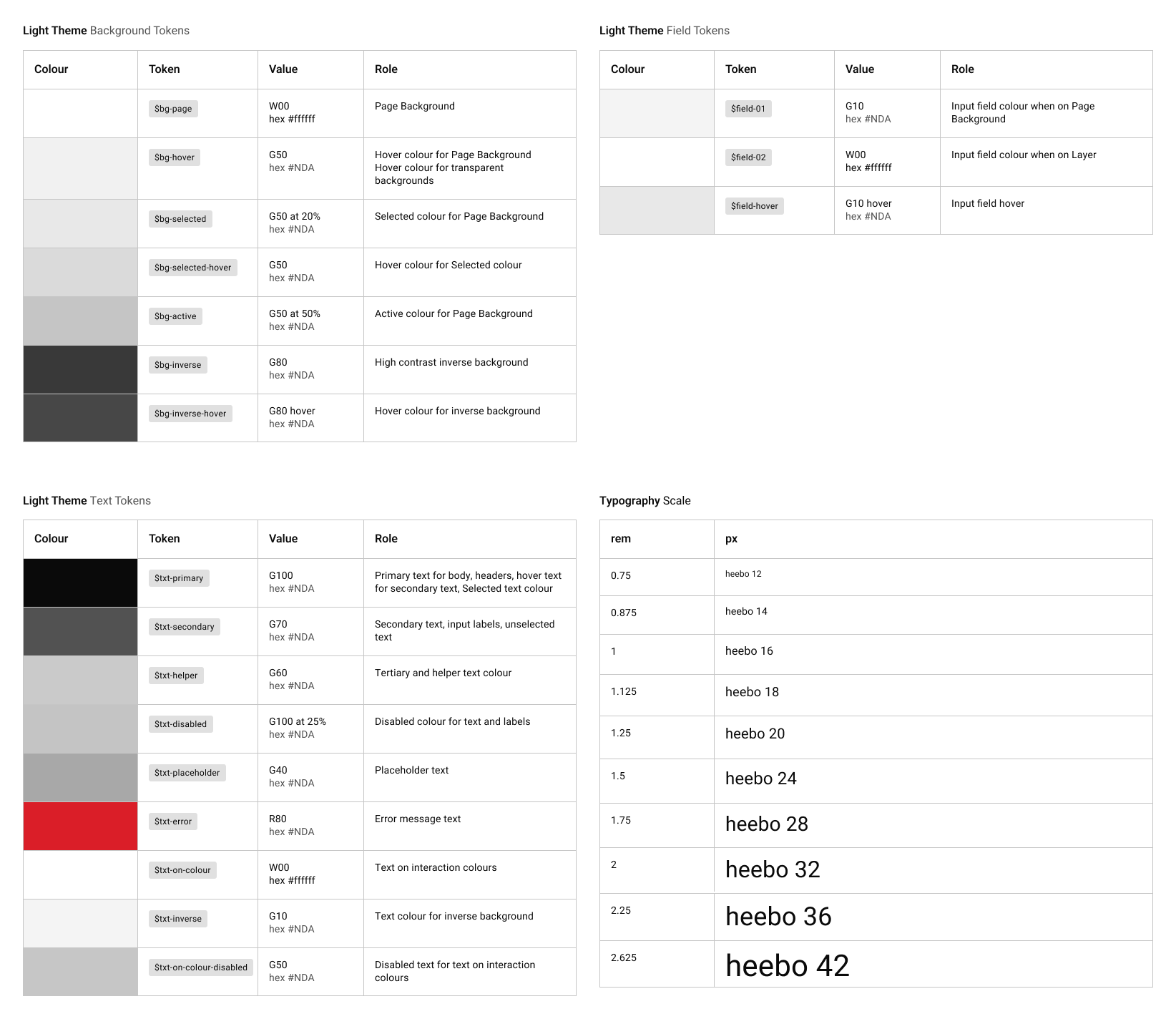
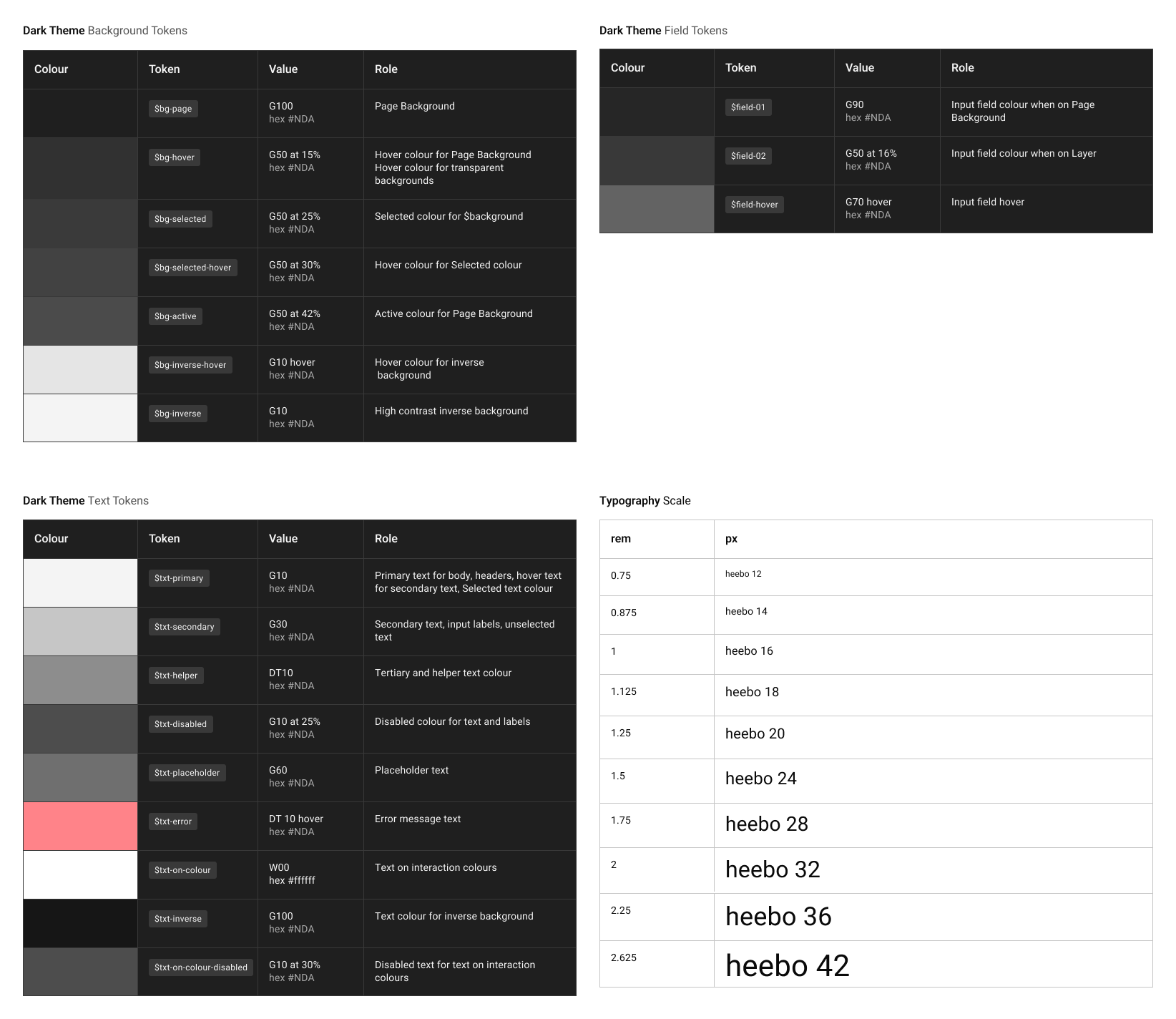
- Colour tokens
Background, field and text tokens, plus the type scale. Hex values withheld.
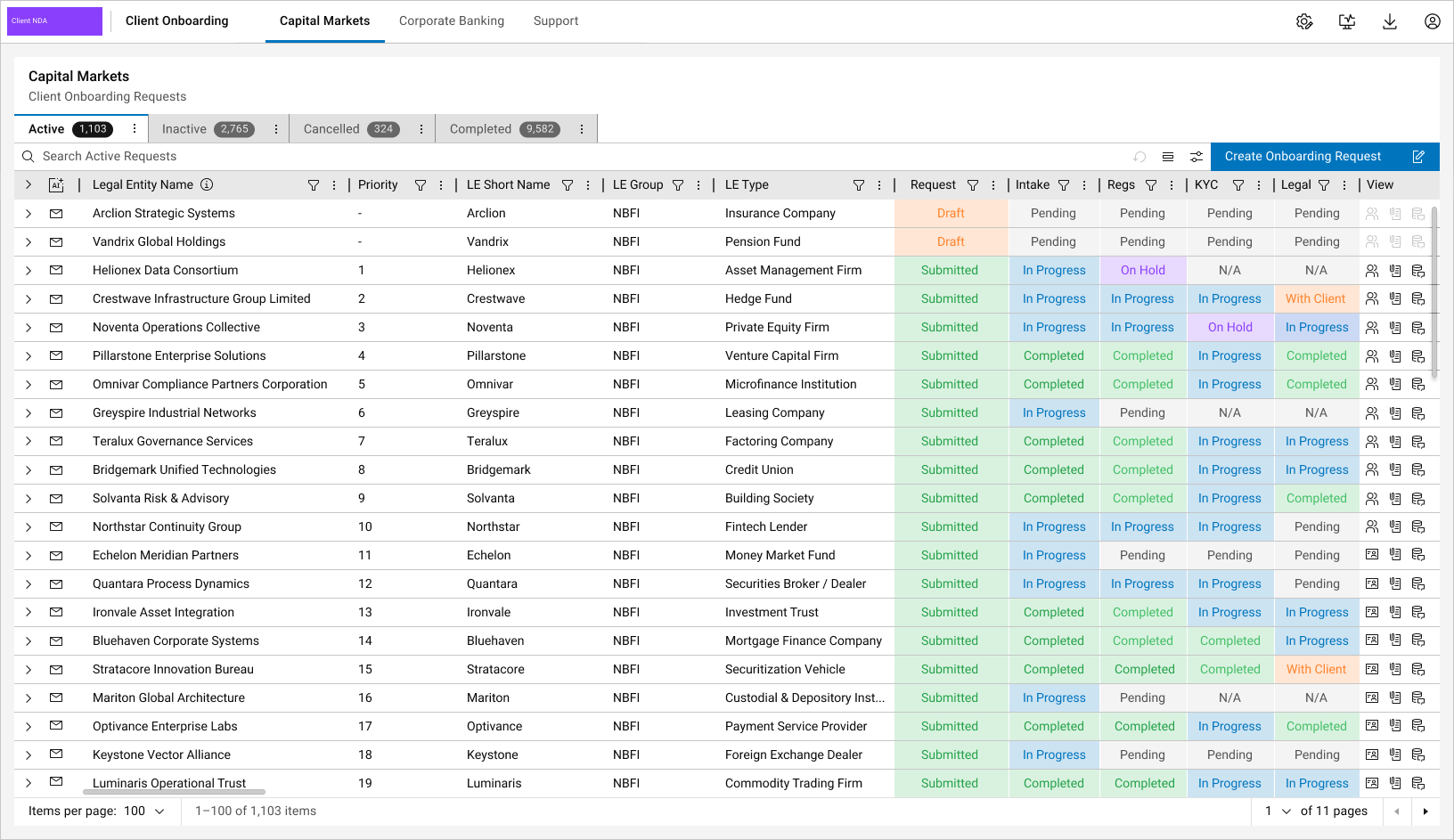
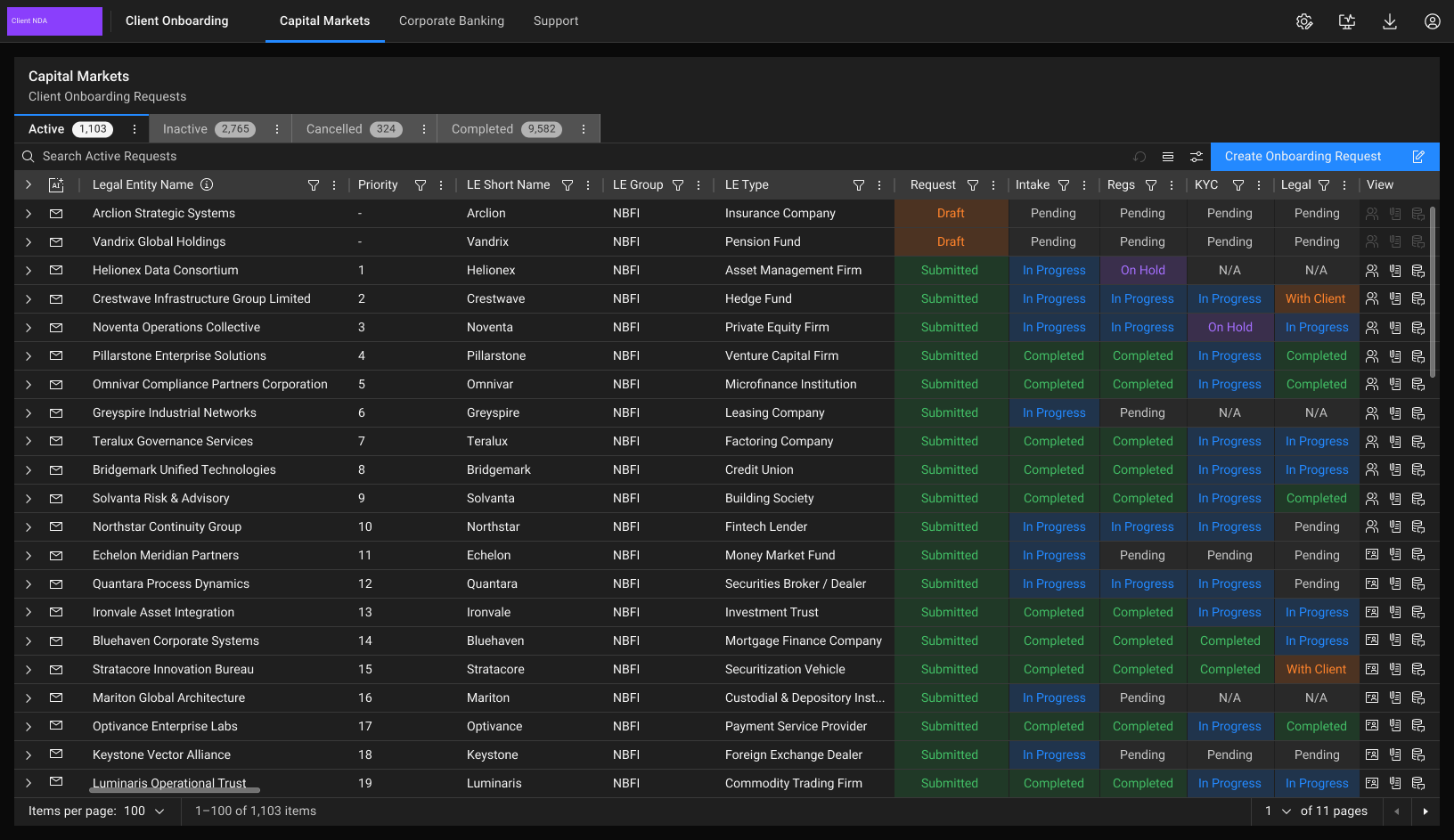
Design system in use: Client Onboarding
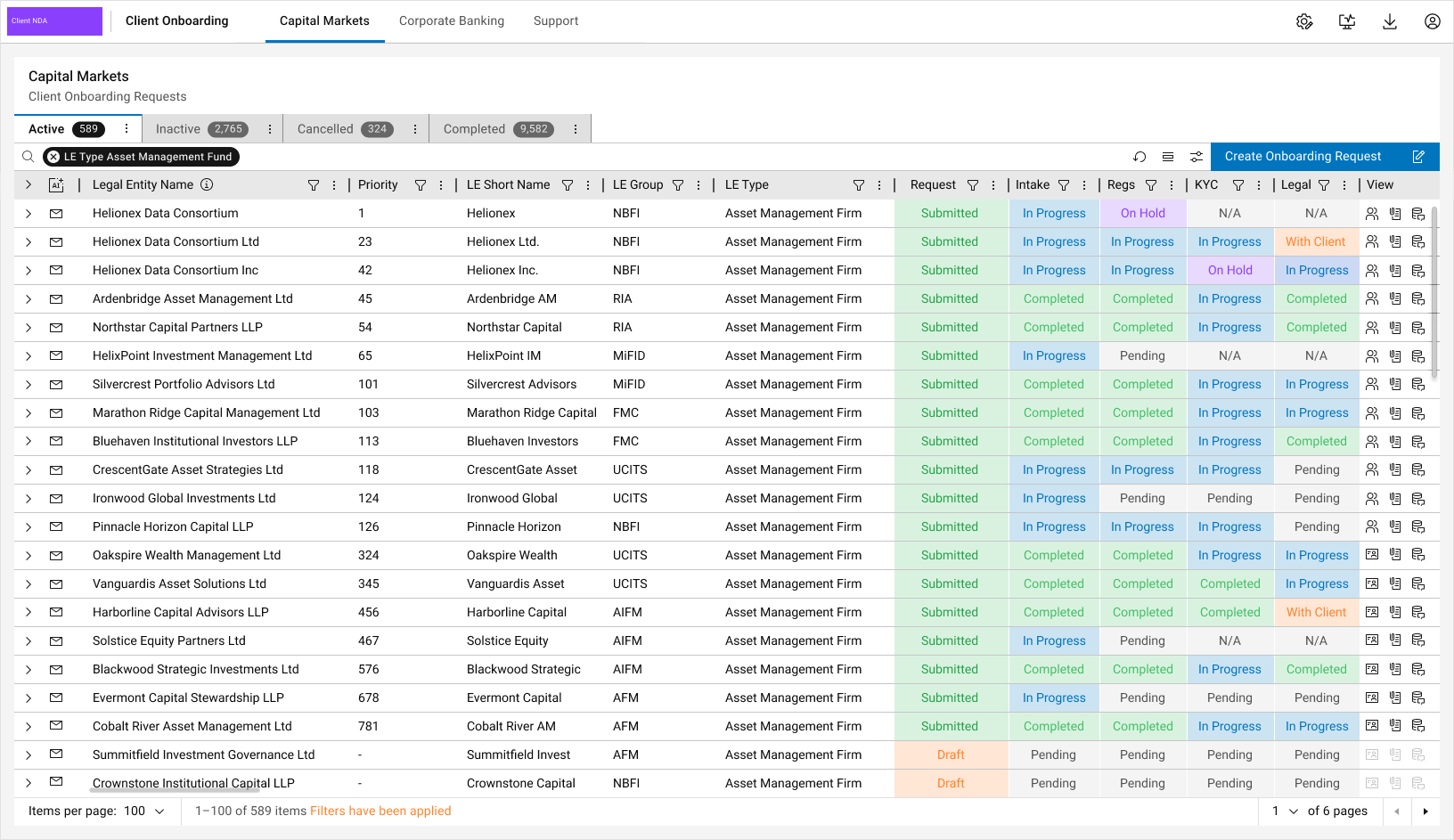
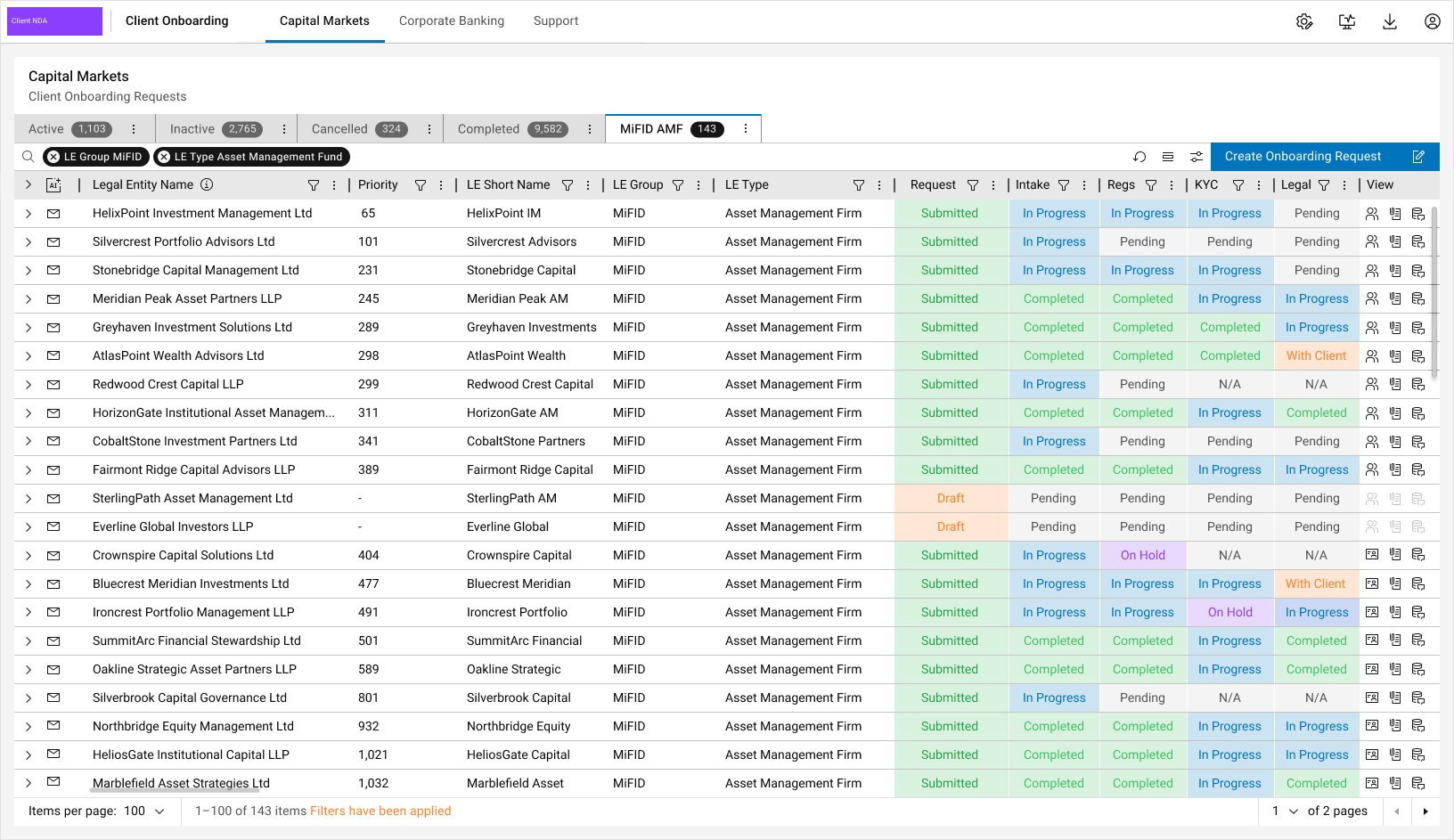
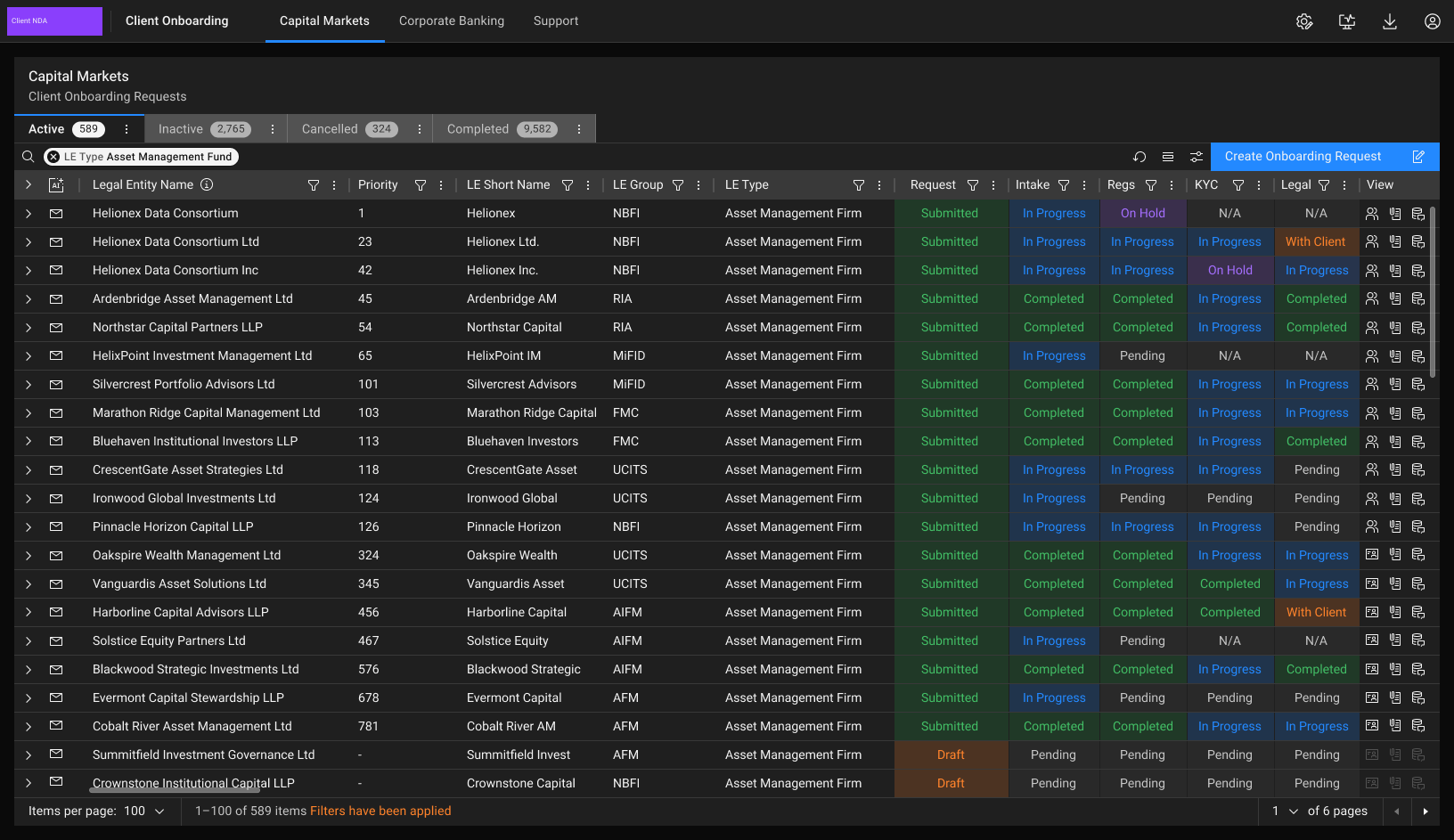
A production Capital Markets onboarding app built from the design system. All client data is fictional.
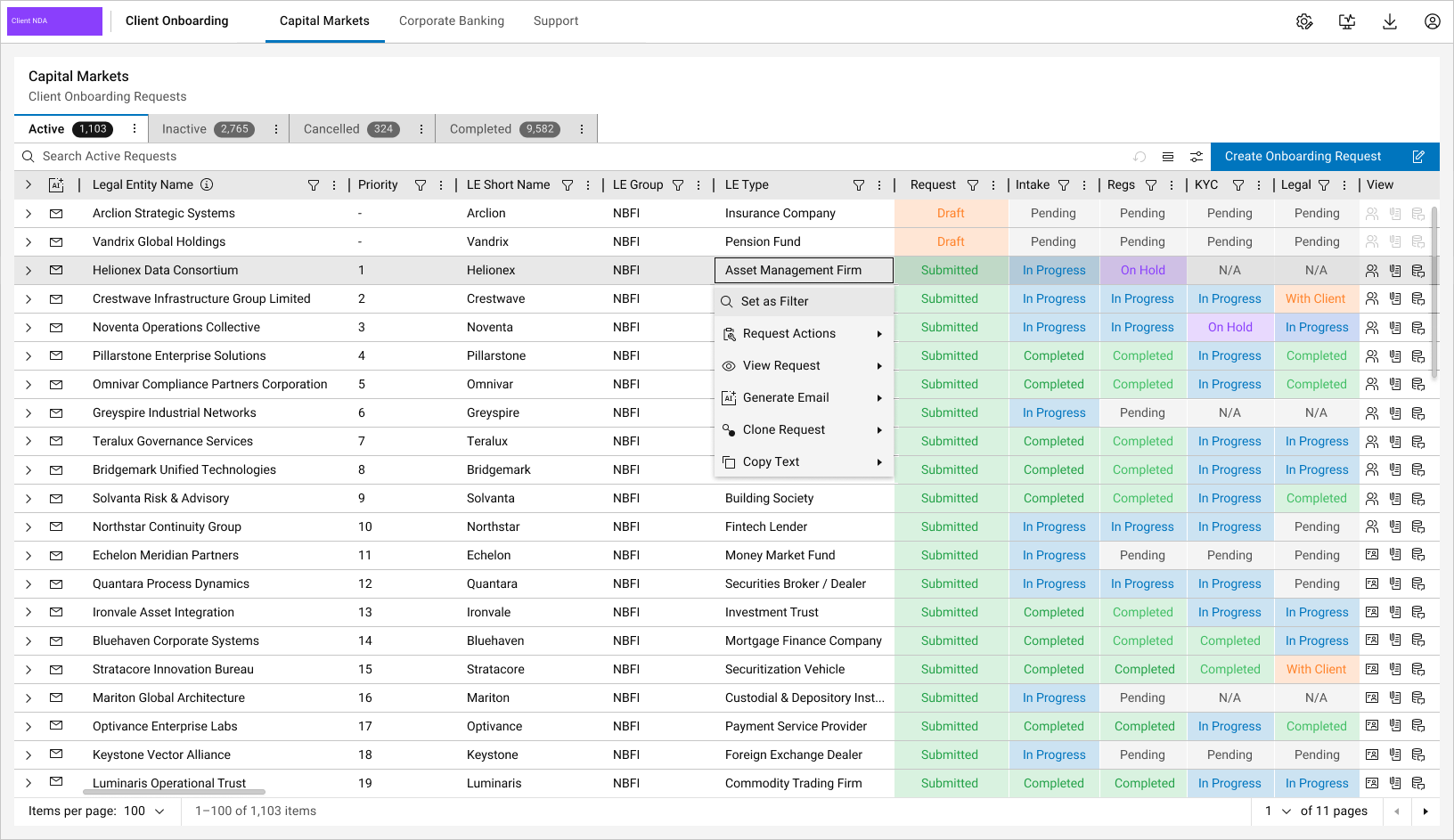
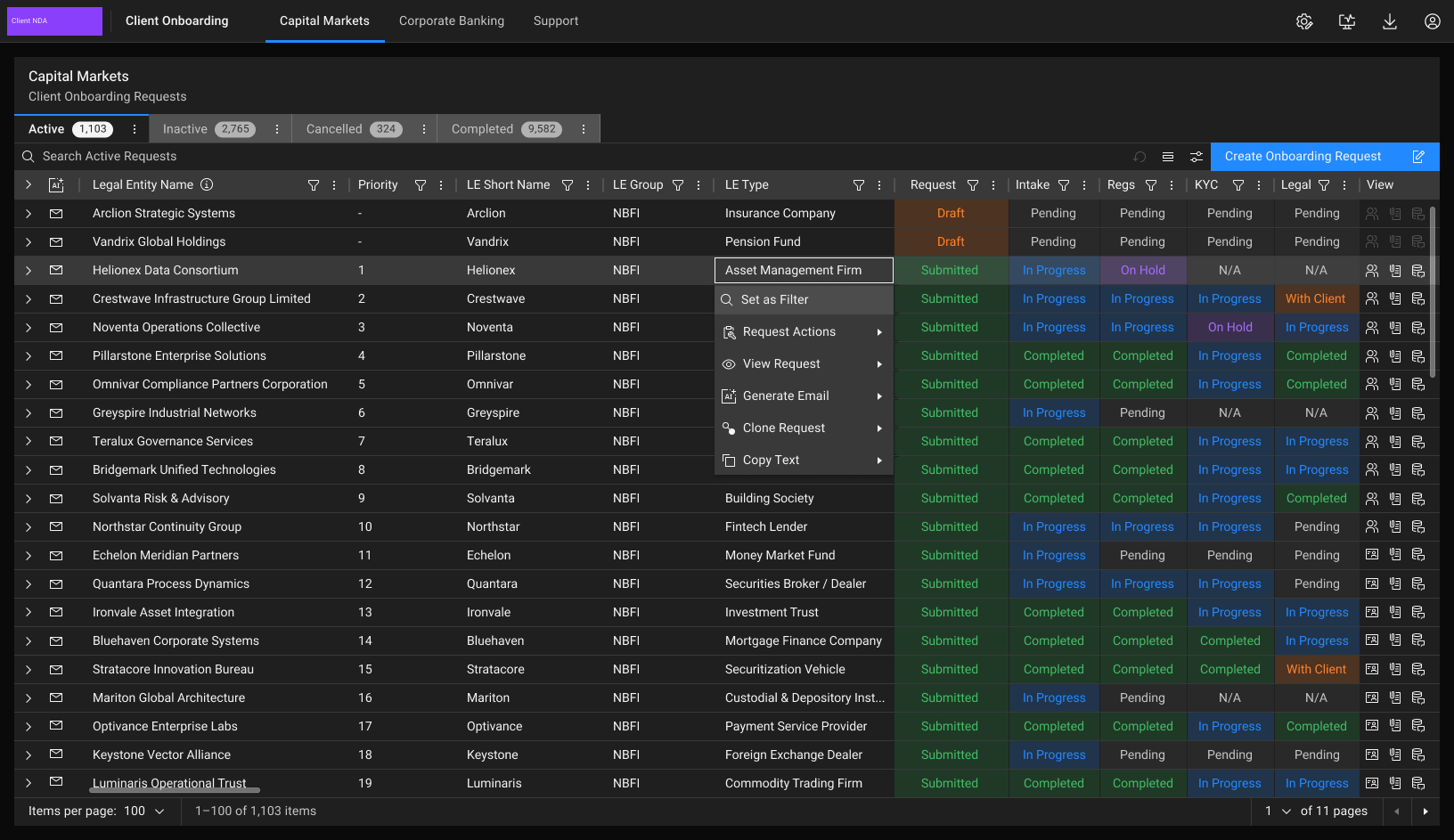
- Row actions
The context menu on a request: set as filter, request actions, view, generate email, clone and copy.
- Filtered by entity type
Set as Filter applied from a cell, narrowing the blotter to asset management firms. The filter uses the Autocomplete search variant, with each active filter shown as a removable pill.
- Combined filters
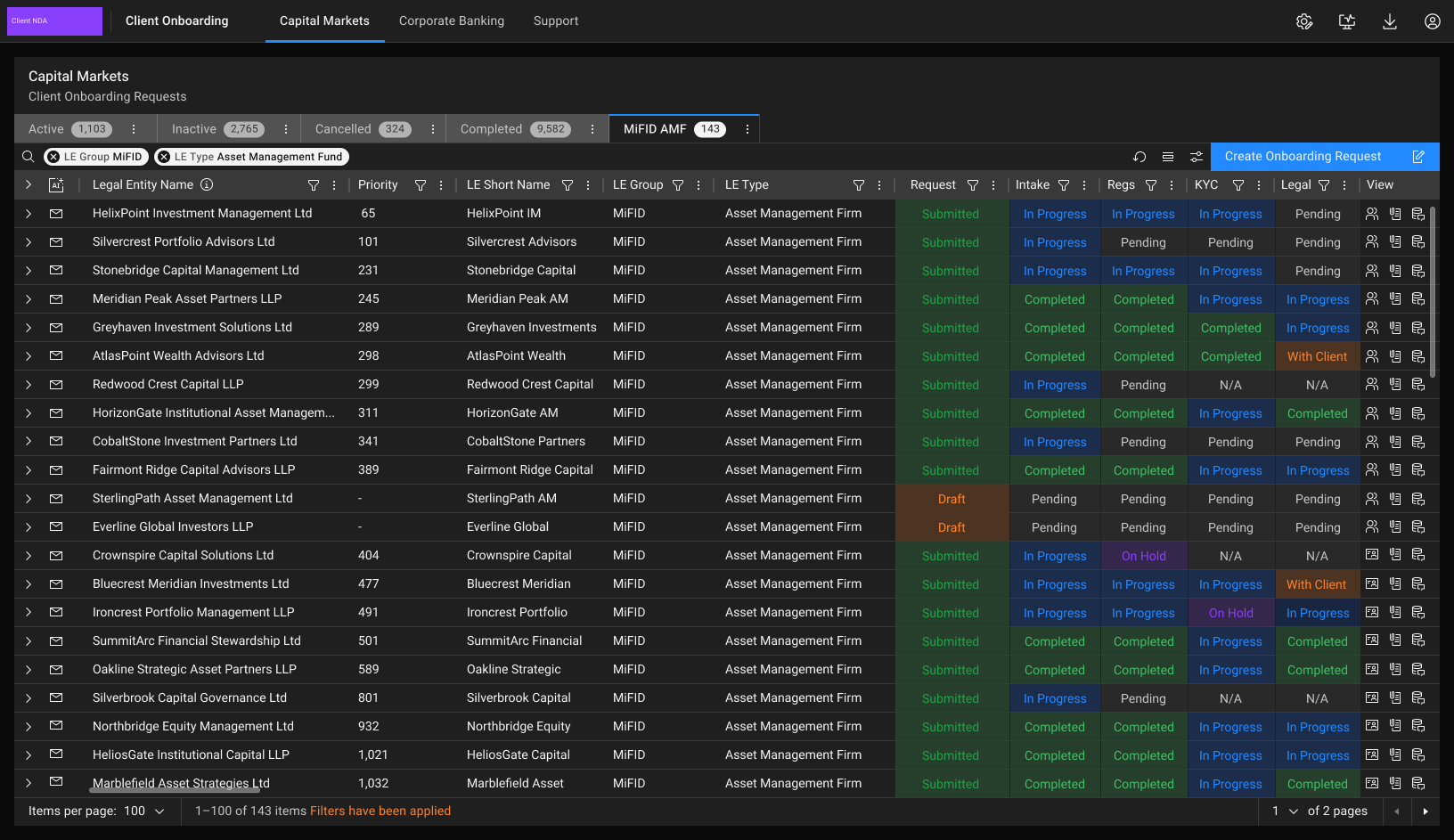
Two filters combined and saved as a custom MiFID AMF tab. Users can build unique, personalised views like this and return to them alongside the standard Active, Inactive, Cancelled and Completed tabs.
- Component design: Autocomplete
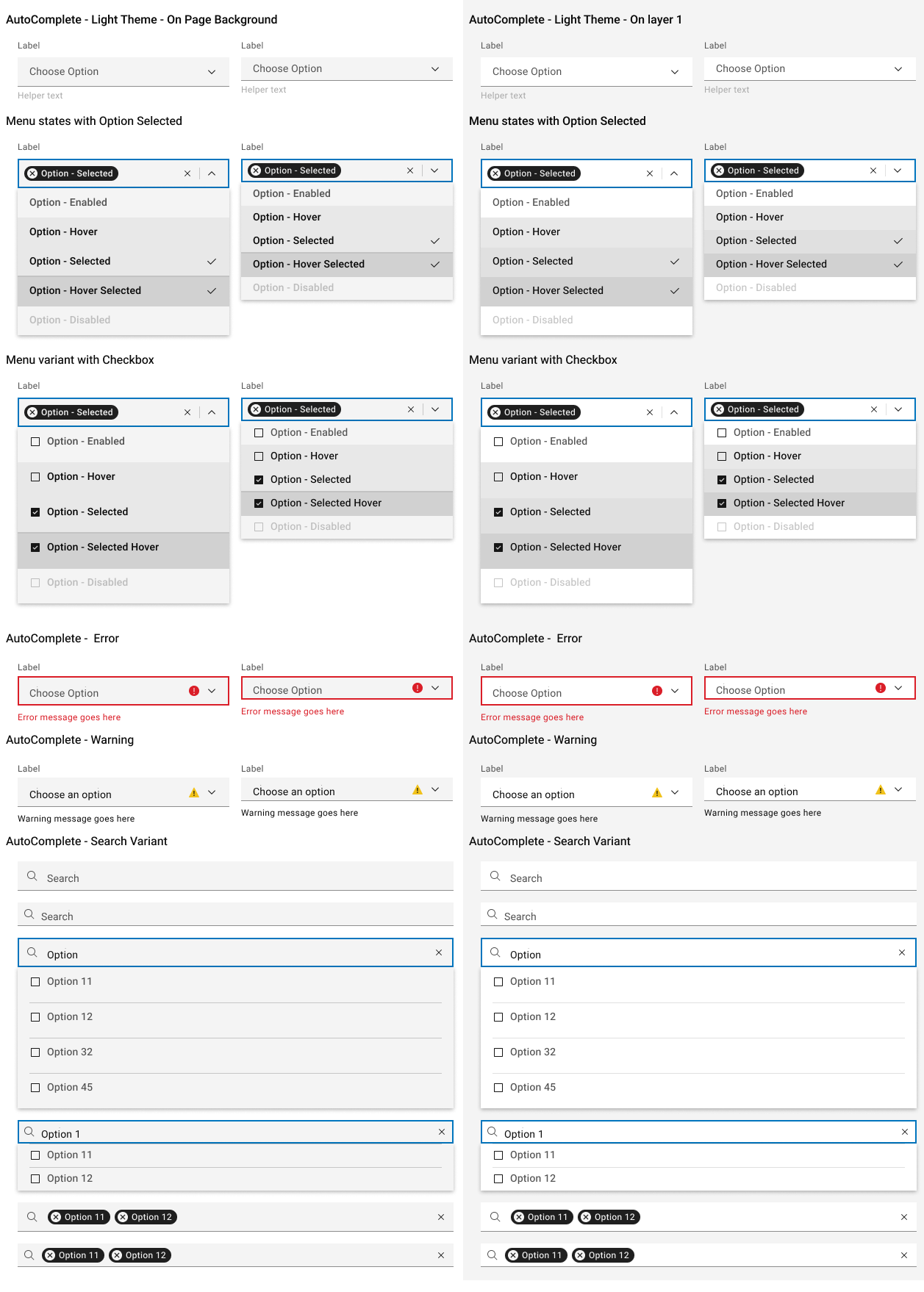
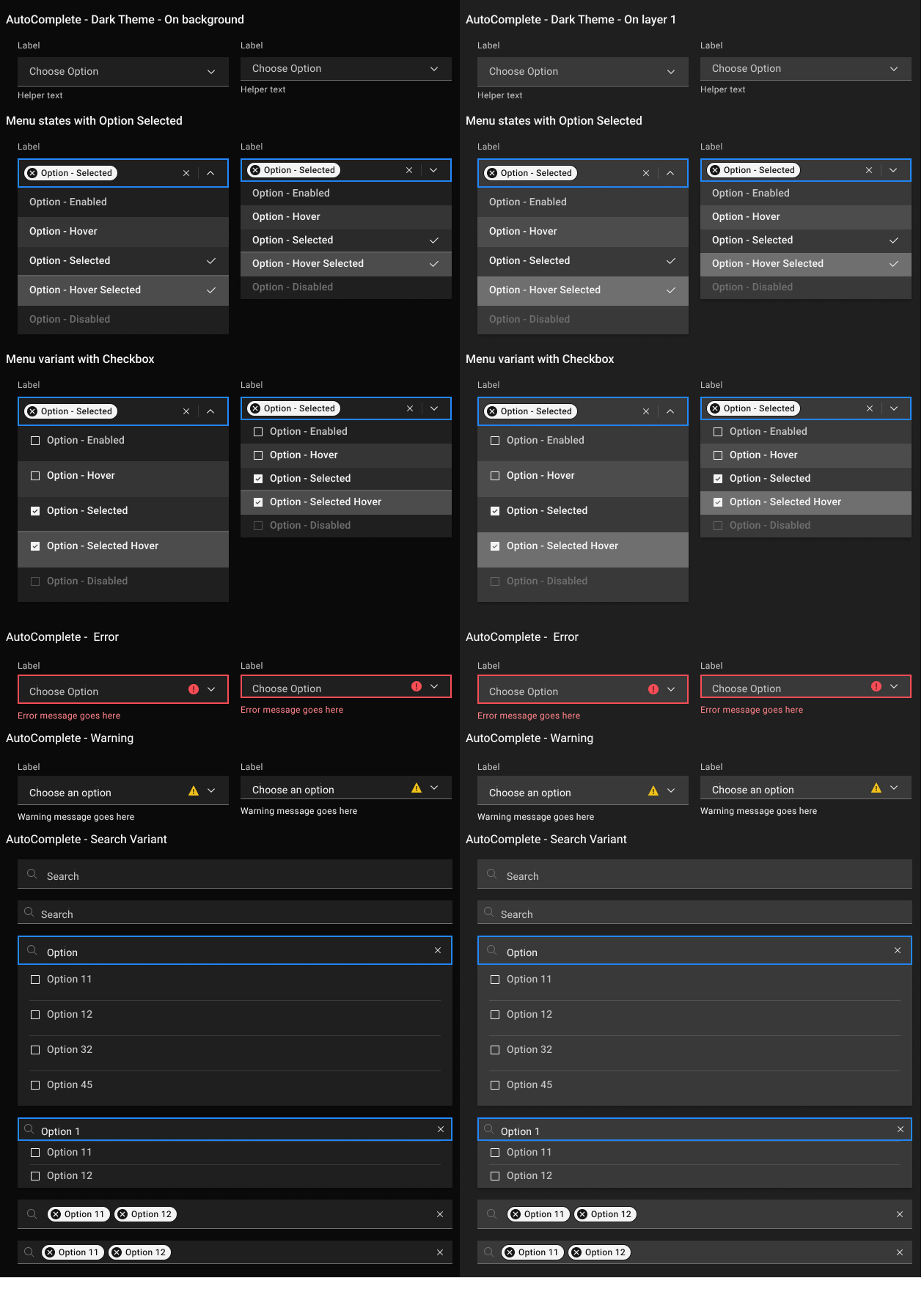
Built to solve the applied-filters issue above. I built it by combining existing components rather than starting from scratch: the Dropdown input and chevron, selectable Tags for chosen options, the Dropdown menu list, and list items with checkboxes for multi-select. Shown in every menu state, plus error, warning and search variants.
- Atomic elements
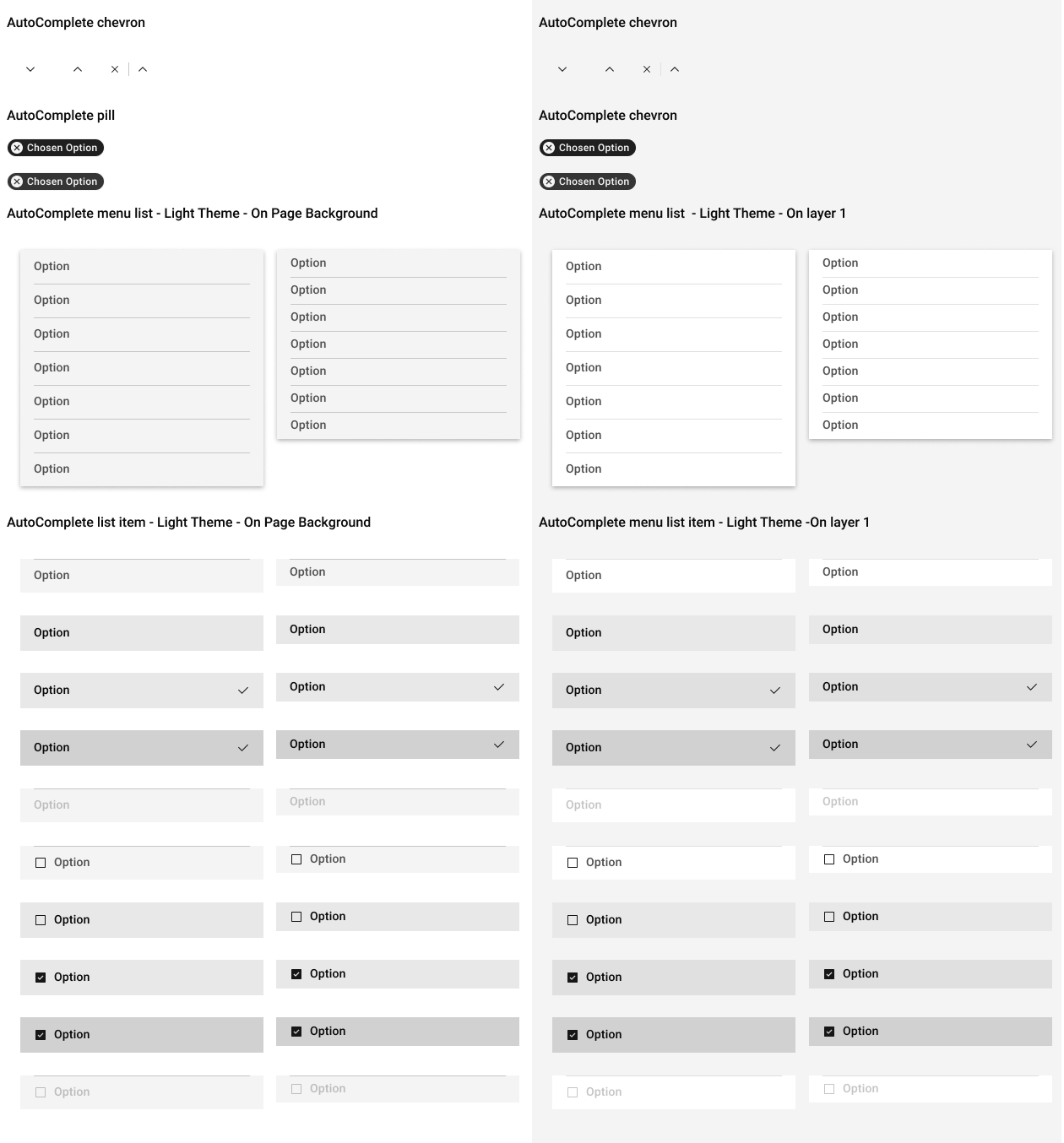
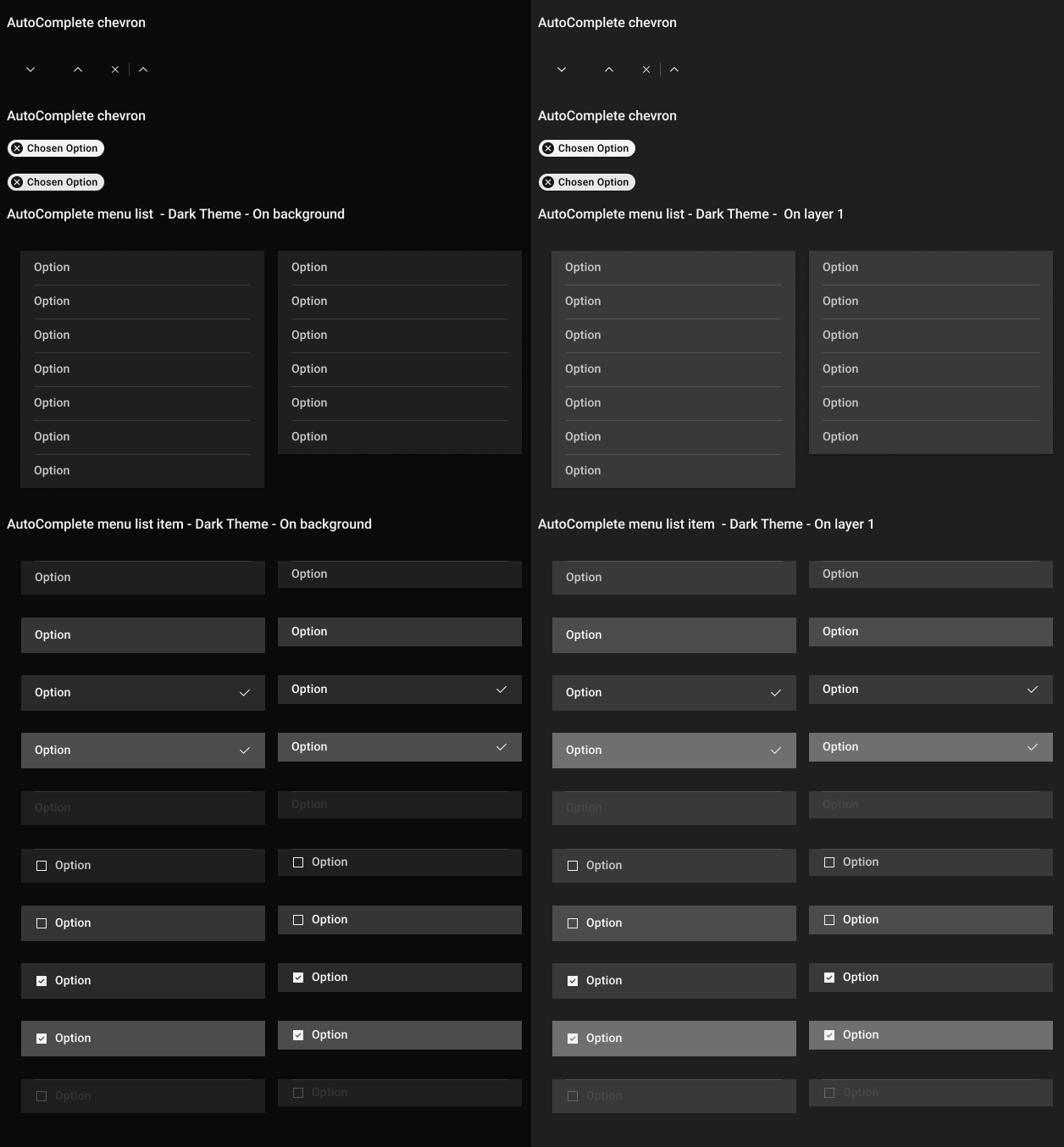
Autocomplete broken into its atoms: chevrons, pills, menu lists and list item states, on page and layer backgrounds.
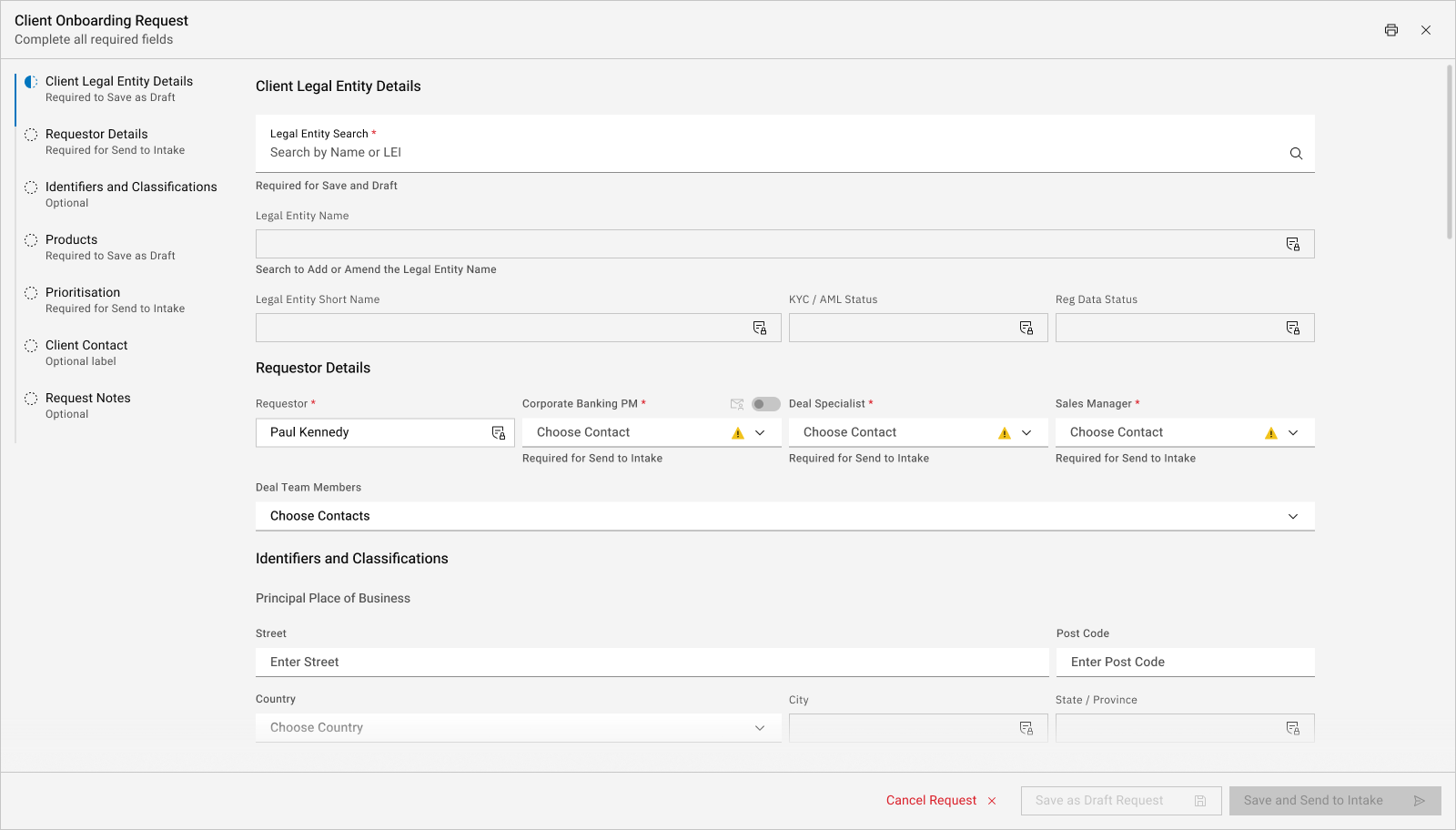
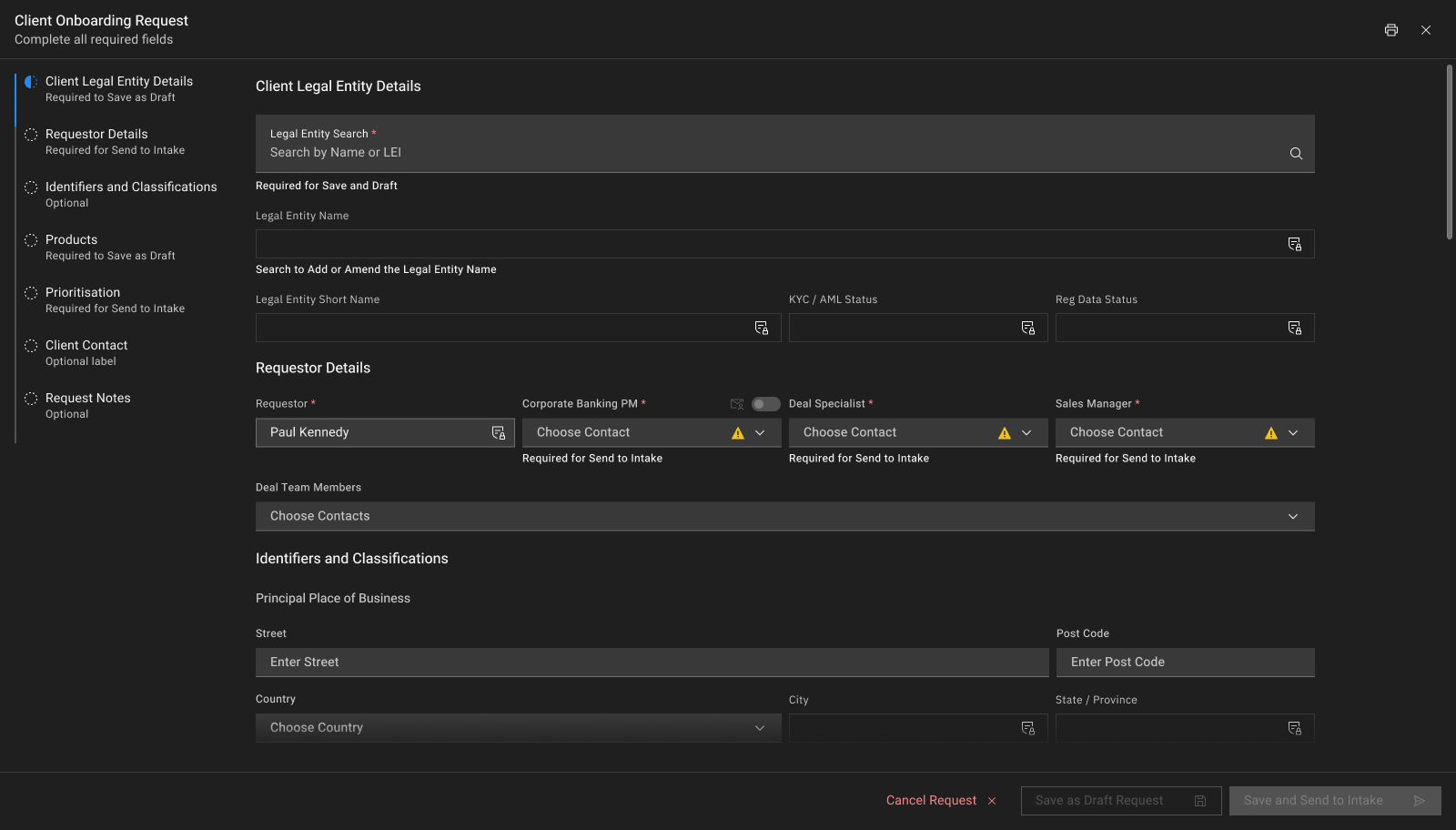
- New onboarding request
The request form as it opens: a progress rail on the left, required fields flagged for Save as Draft and for Send to Intake.
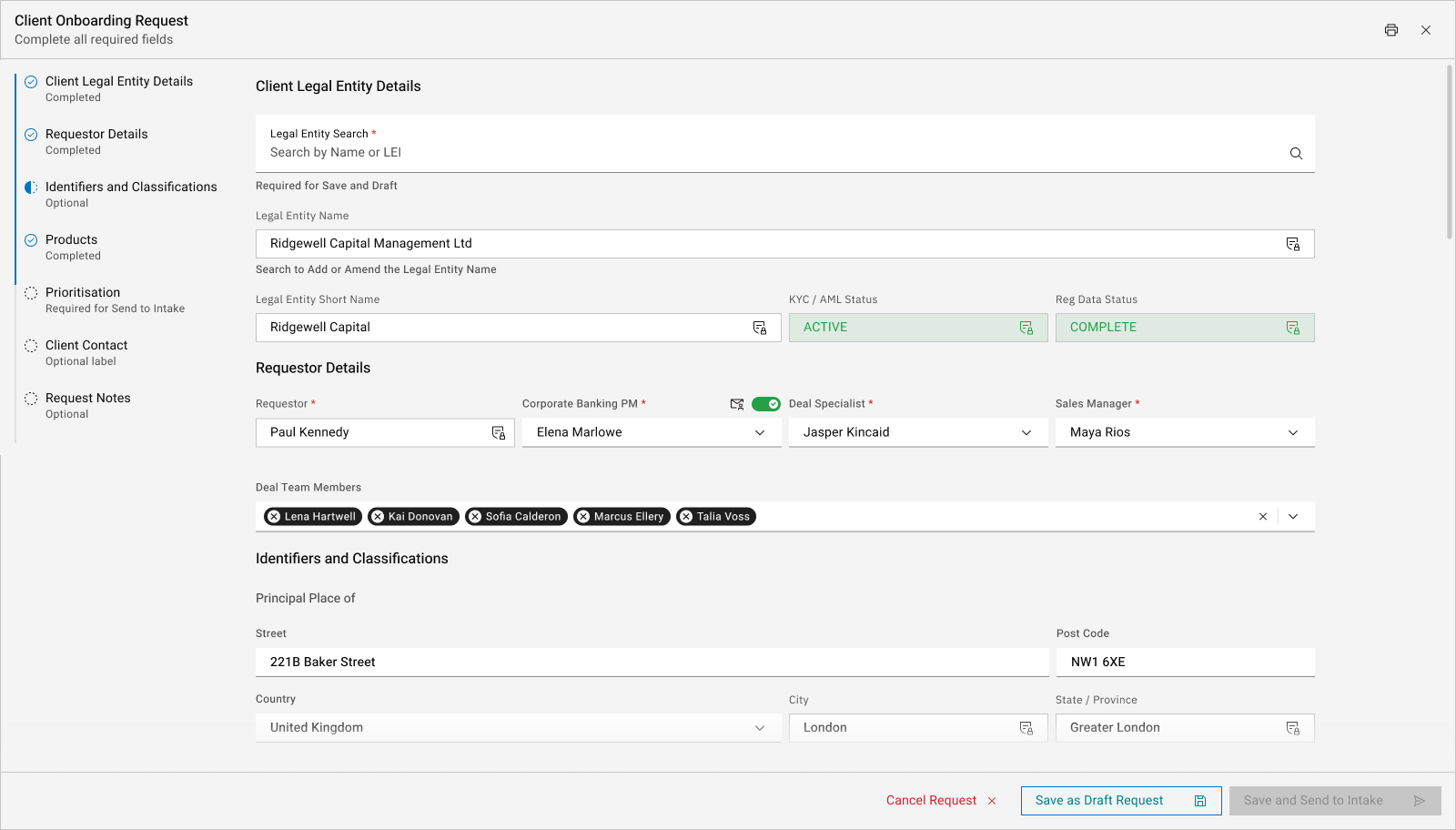
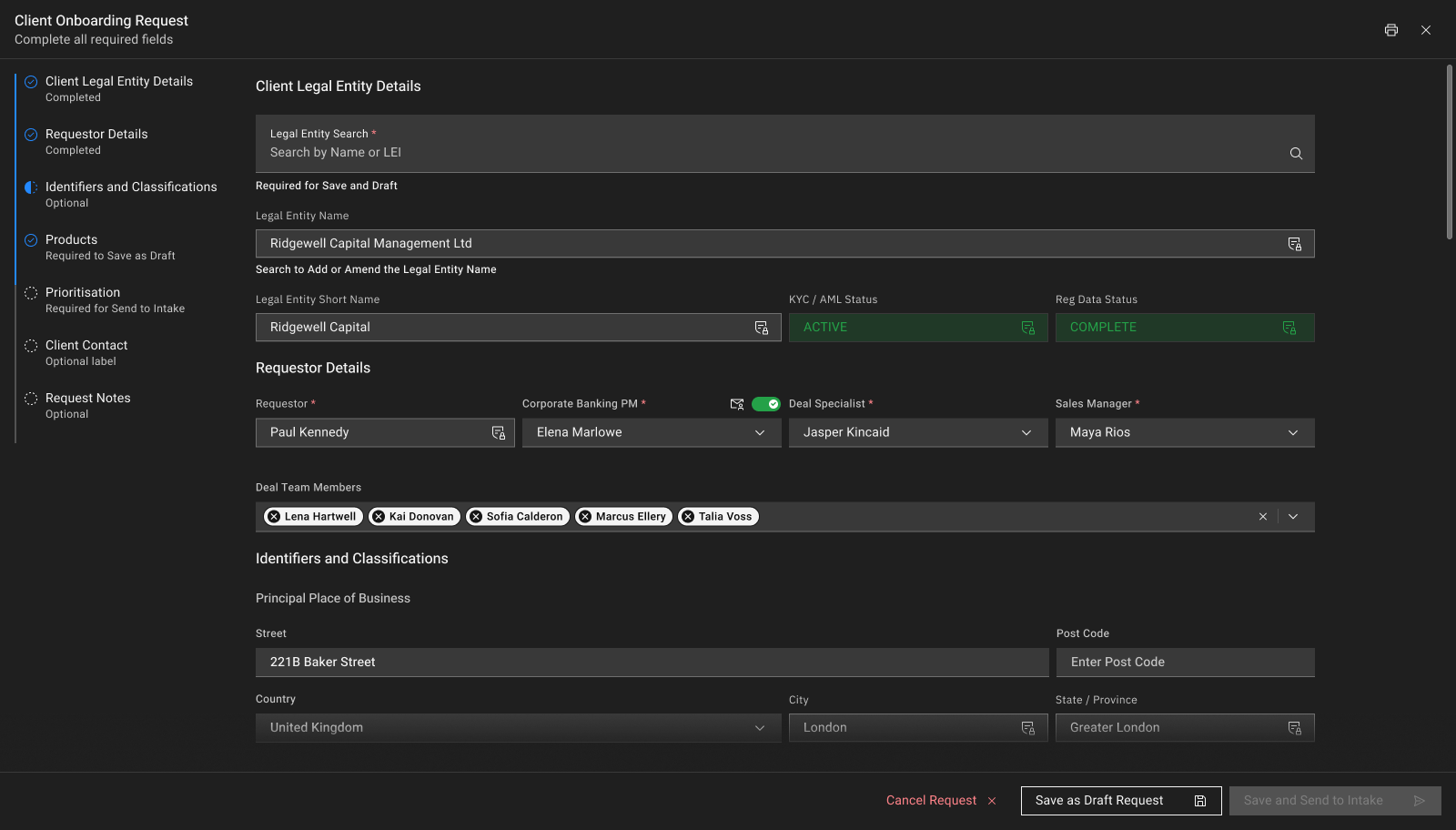
- Request in progress
The same form part-completed: once the entity is found by name or LEI, KYC / AML and Reg Data status load in from downstream systems instead of being rekeyed. Deal team added as pills.
Stakeholders
The 17 senior stakeholders I worked with across Client Reference Data, Client Onboarding and the Reporting Hubs, grouped by function. Shared across every project on this page.
Leadership and sponsors · 3
Onboarding and operations · 6
Product and delivery · 3
Technology · 5
Accessibility
I pushed to build the system on an open-source enterprise design system with a strong accessibility baseline, and convinced the Director of Product Design and the Head of UI to adopt it as our foundation. Every component inherits that baseline.
- Standards
Components follow an accessibility checklist based on WCAG AA, Section 508 and European standards.
- Colour contrast
Light and dark themes target WCAG 2.1 AA contrast.
- Automated testing
Accessibility checks run on every code change, and a component counts as tested only when it passes with no violations.
- Manual testing
Default and advanced states, keyboard navigation, and screen reader checks with JAWS, VoiceOver and NVDA.
Code assignment: Legal Entity and Connection codes
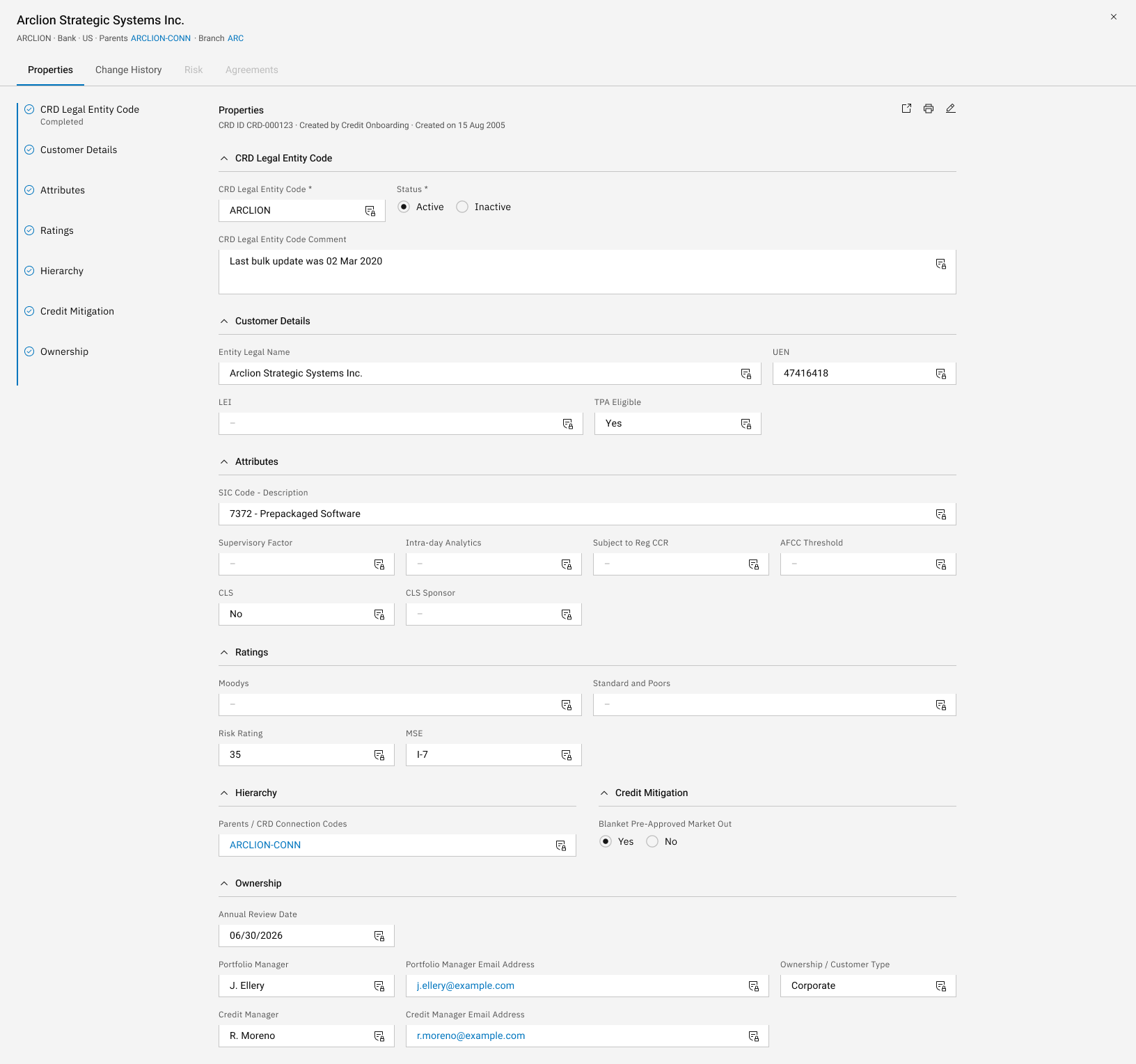
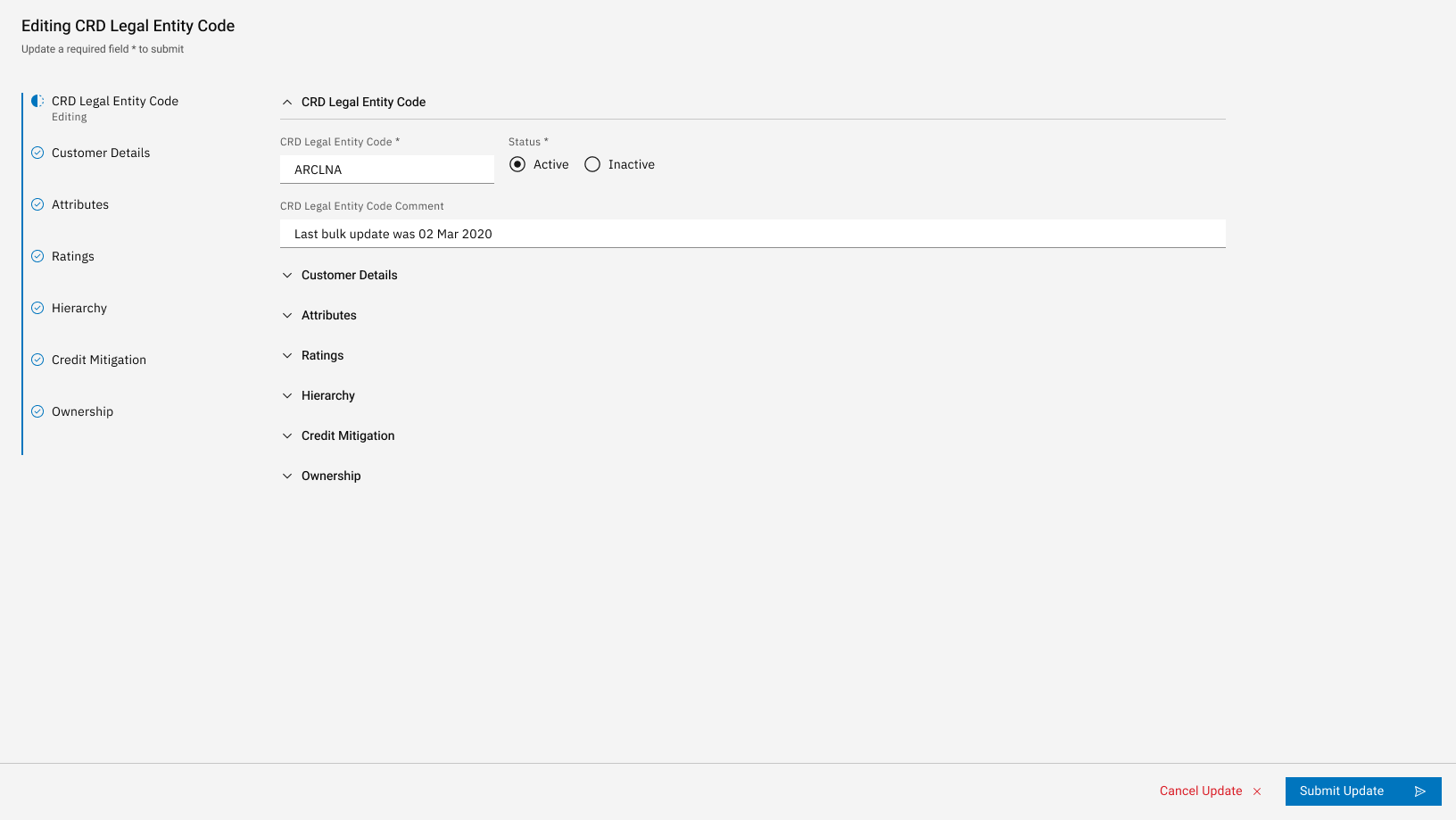
A 0–1 replacement for a daily spreadsheet: a cron job created it each morning and it was submitted once, at the end of the day. Analysts now assign the CRD codes that identify an entity and its credit connections, replacing those in the legacy system, and submit them downstream in real time. I designed the grid on the design system, with inline entry, live validation and a confirmation step, working with stakeholders from Managing Directors to developers. The spreadsheet was retired after UAT, and validation has since stopped every duplicate or invalid code reaching downstream systems.
System map
Where a code comes from, what checks it passes and where it ends up. Definitions are taken from the app's own Info panel. Entity names, UENs and codes are fictional throughout this section.
1 · Real-time Code Queue
2 · Code Assignment
3 · Code family
4 · Supersedes legacy codes
5 · Account systems
- UEN
- The entity's identifying number. Each Legal Entity code links 1-1 to a UEN where one exists.
- Legacy
- The system that held entity, agreement, source and counterparty codes before CRD replaced them.
Screens
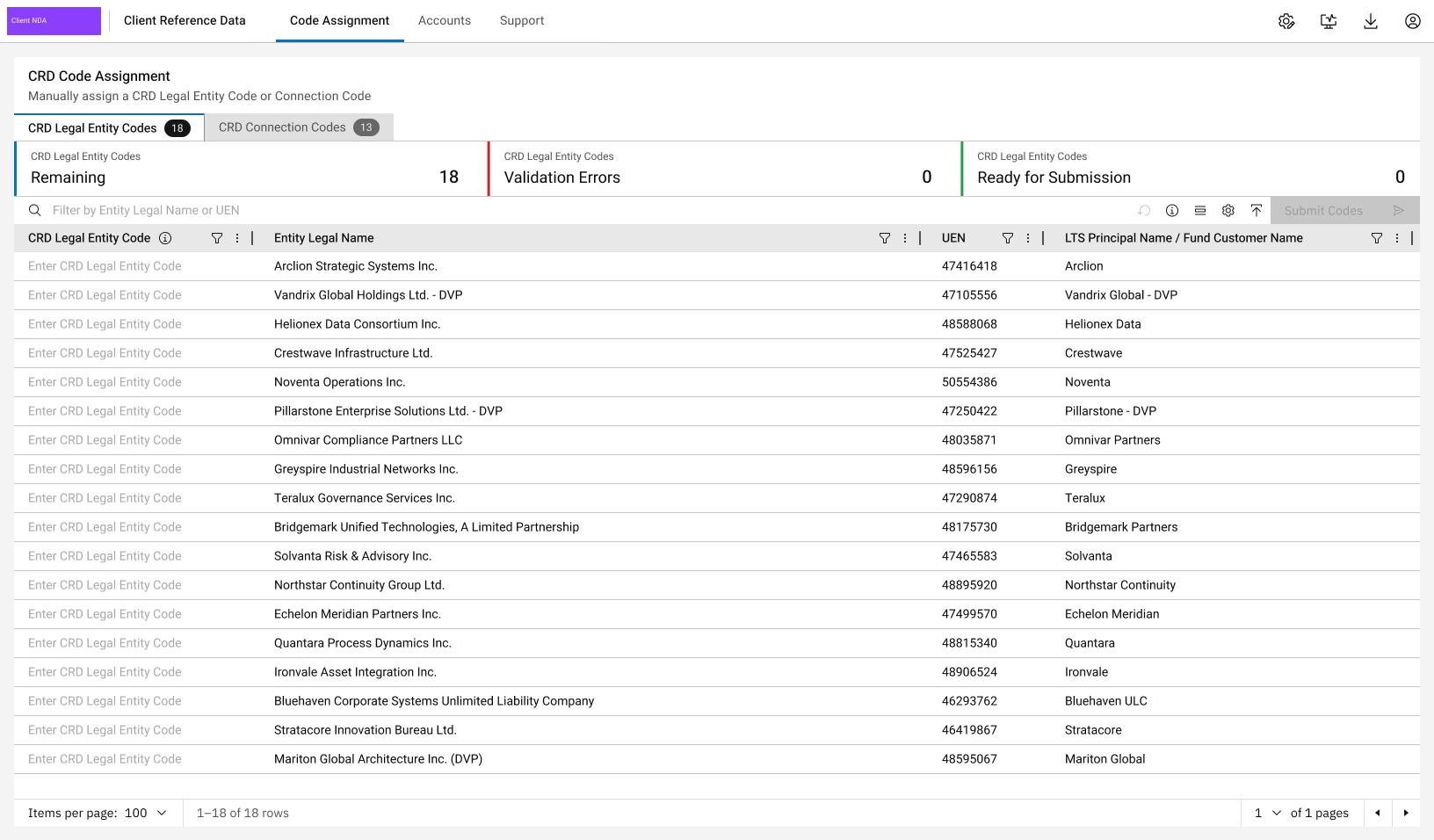
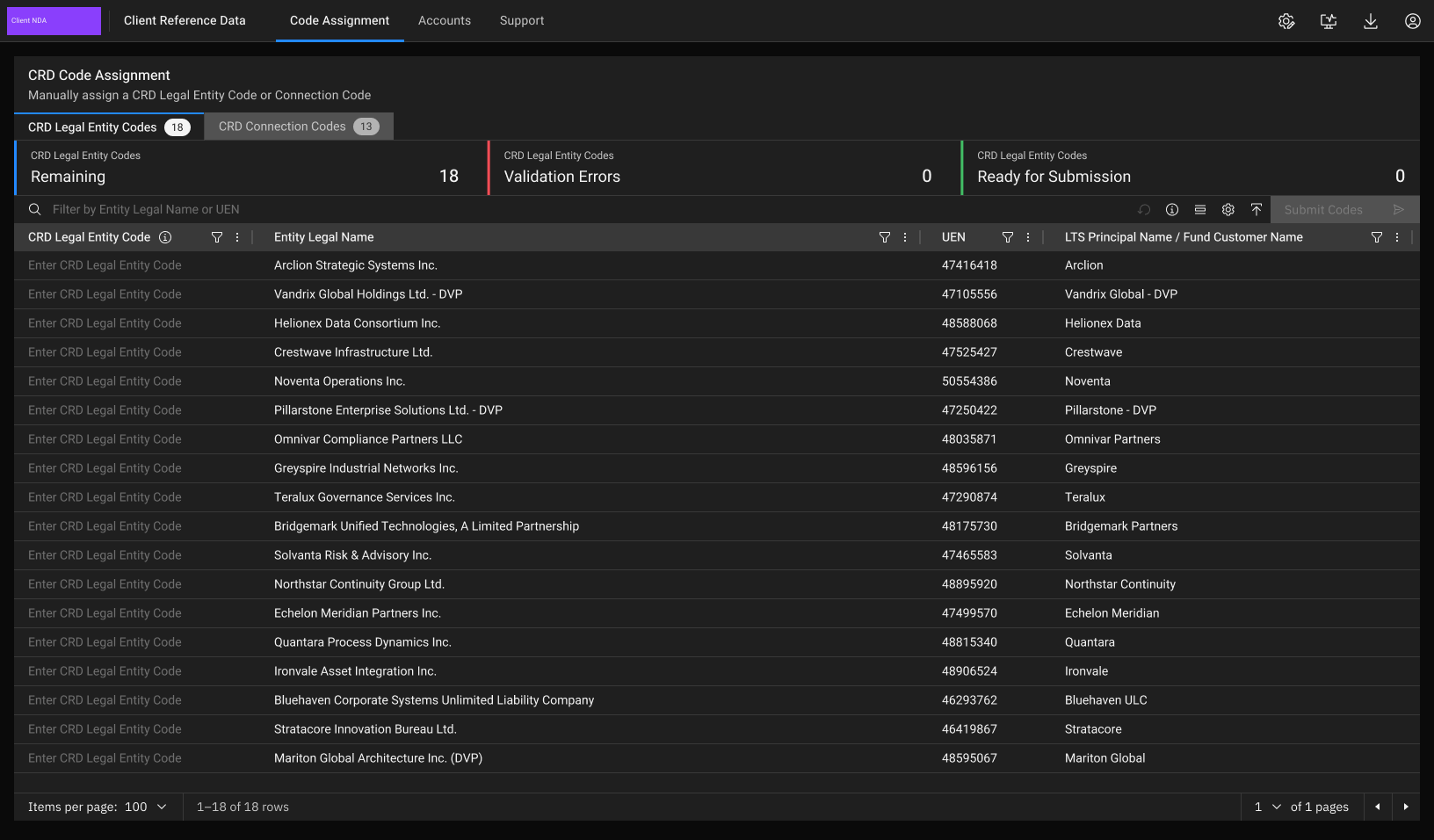
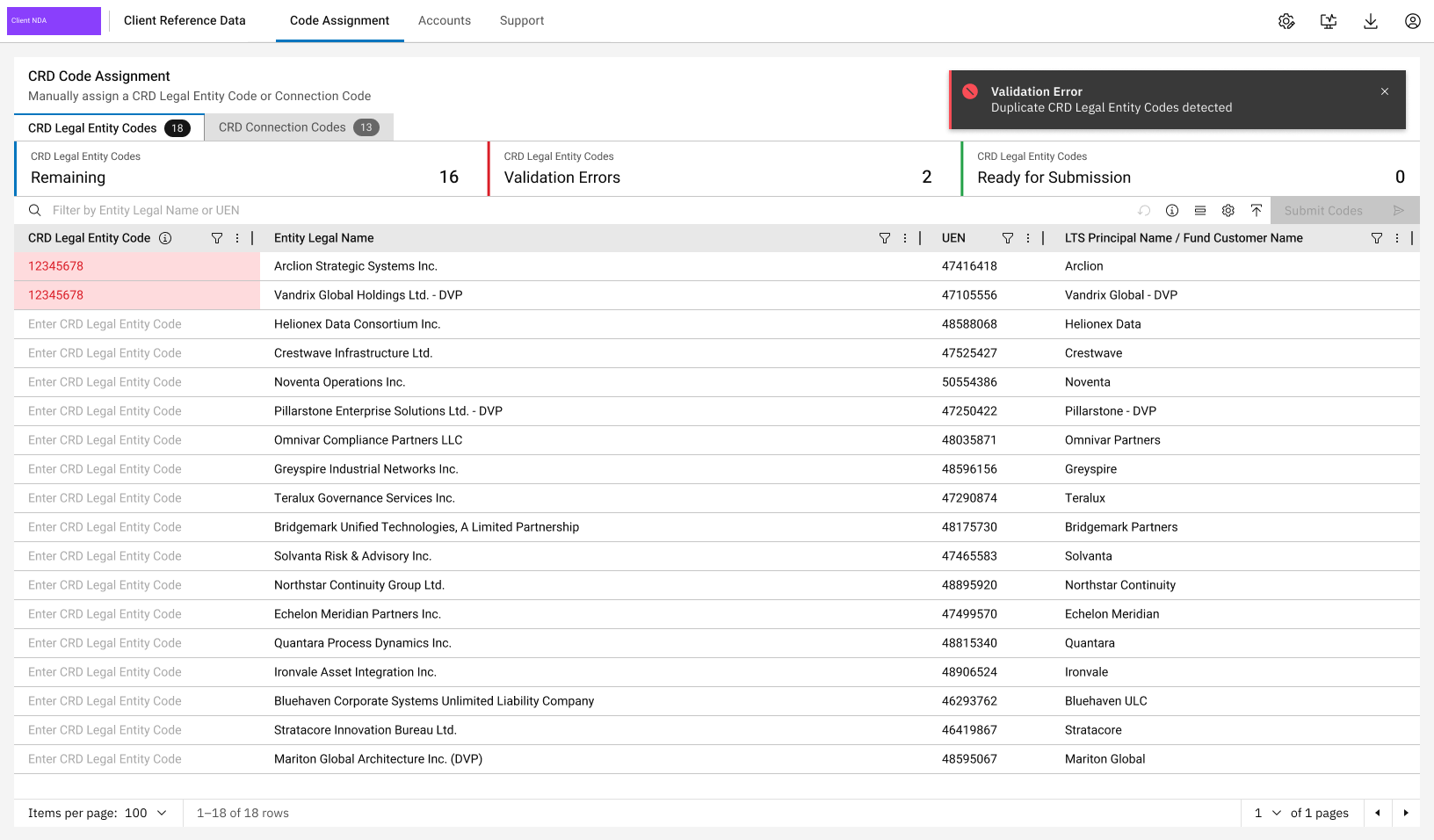
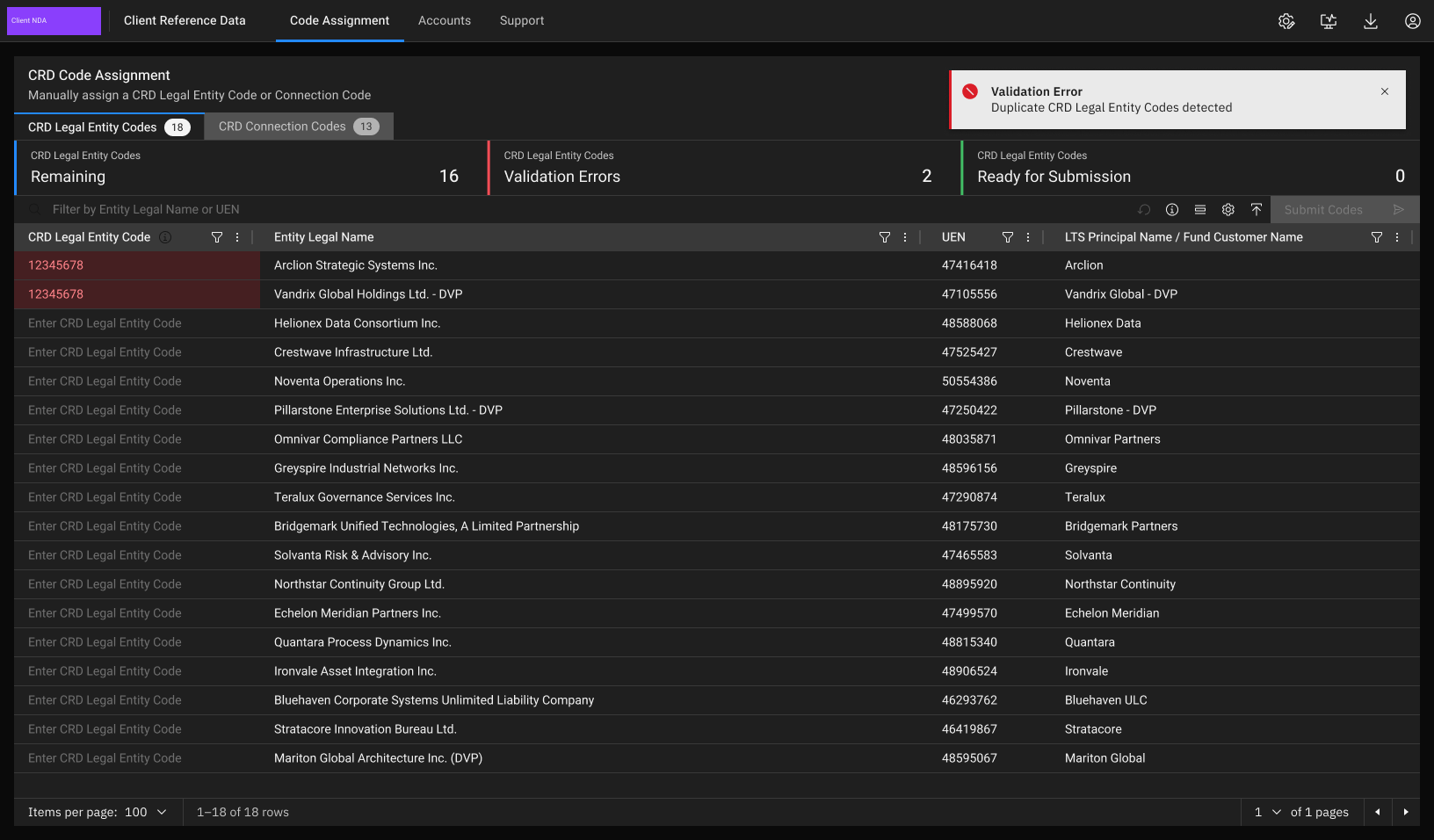
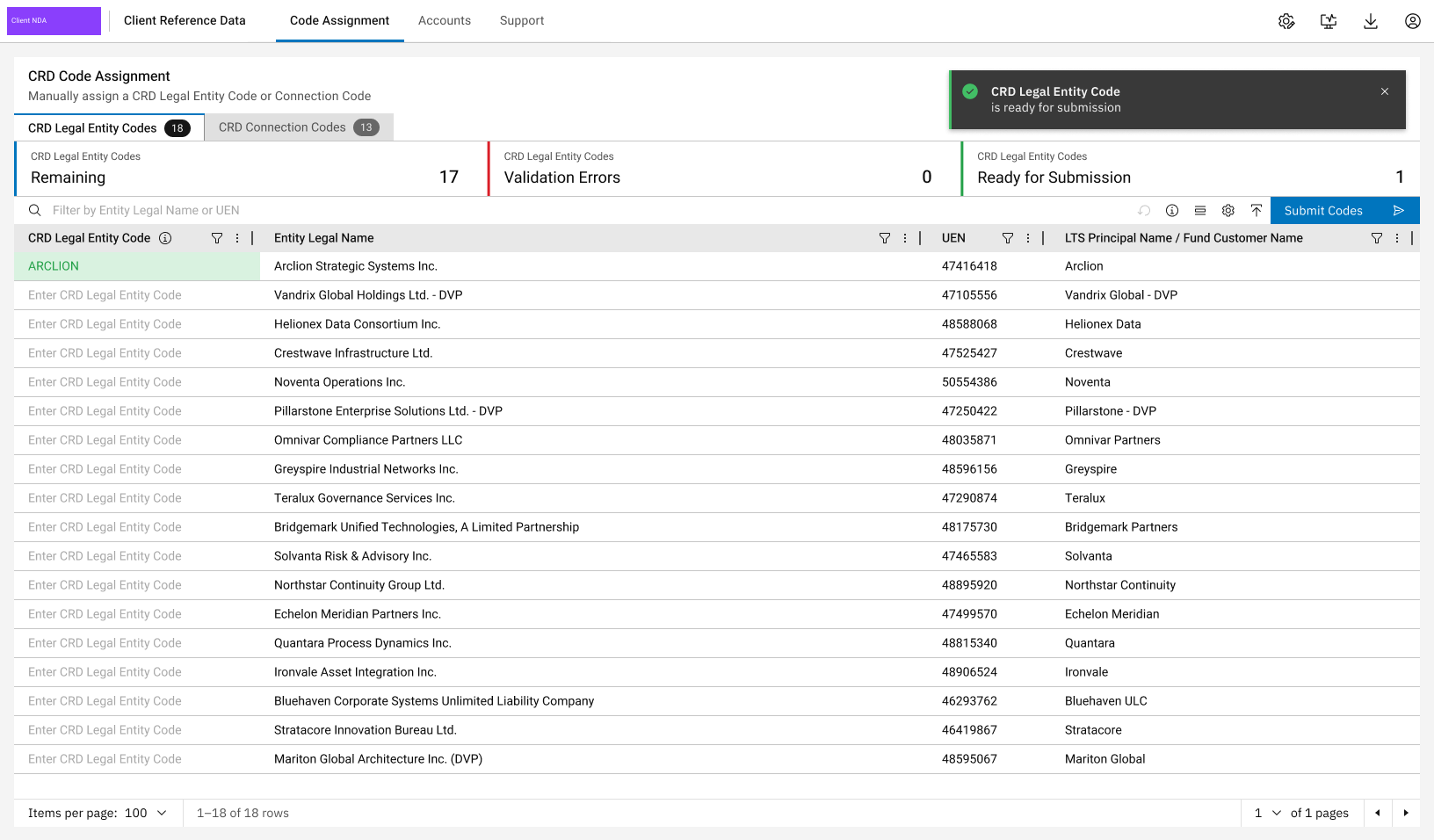
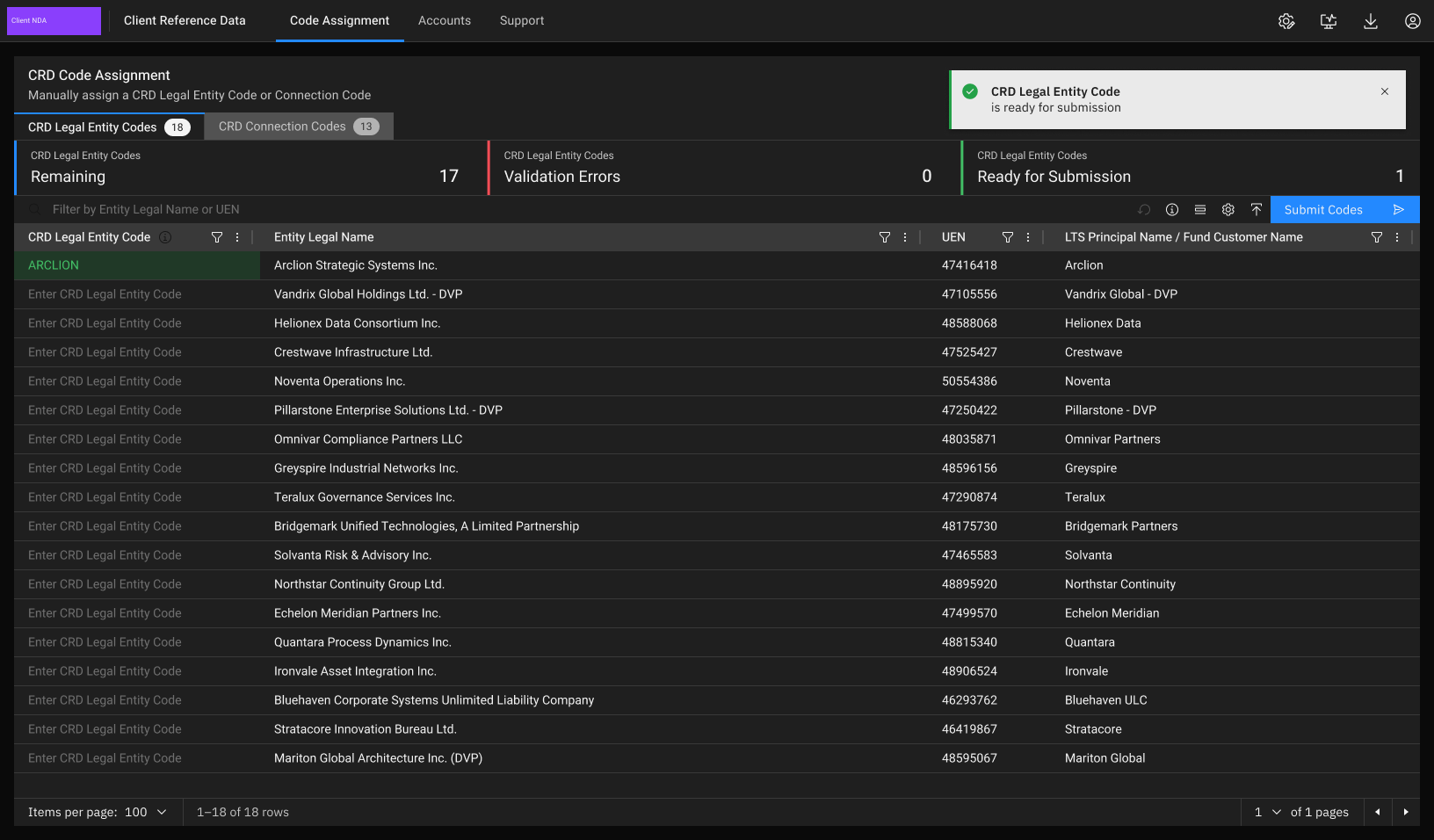
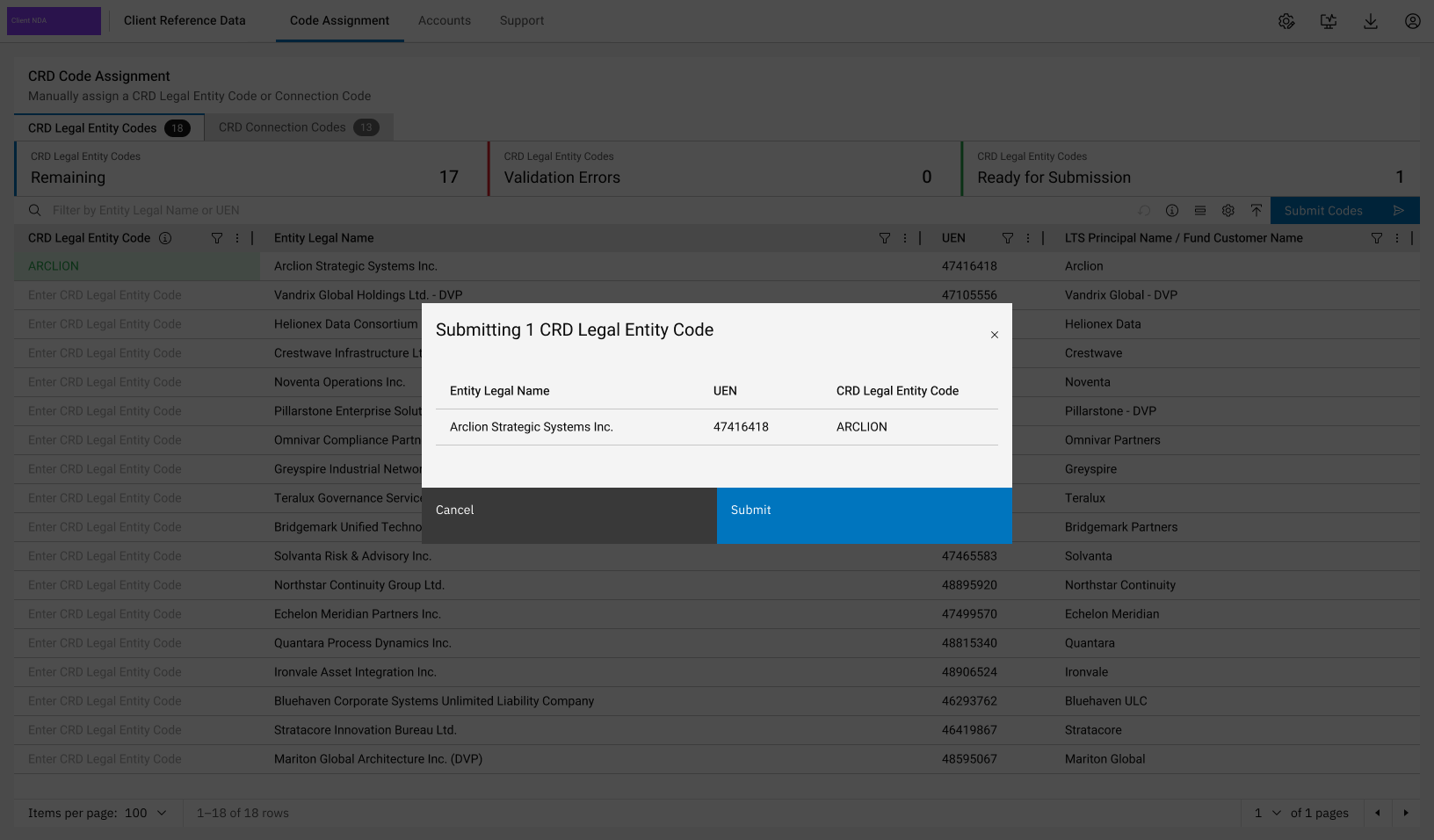
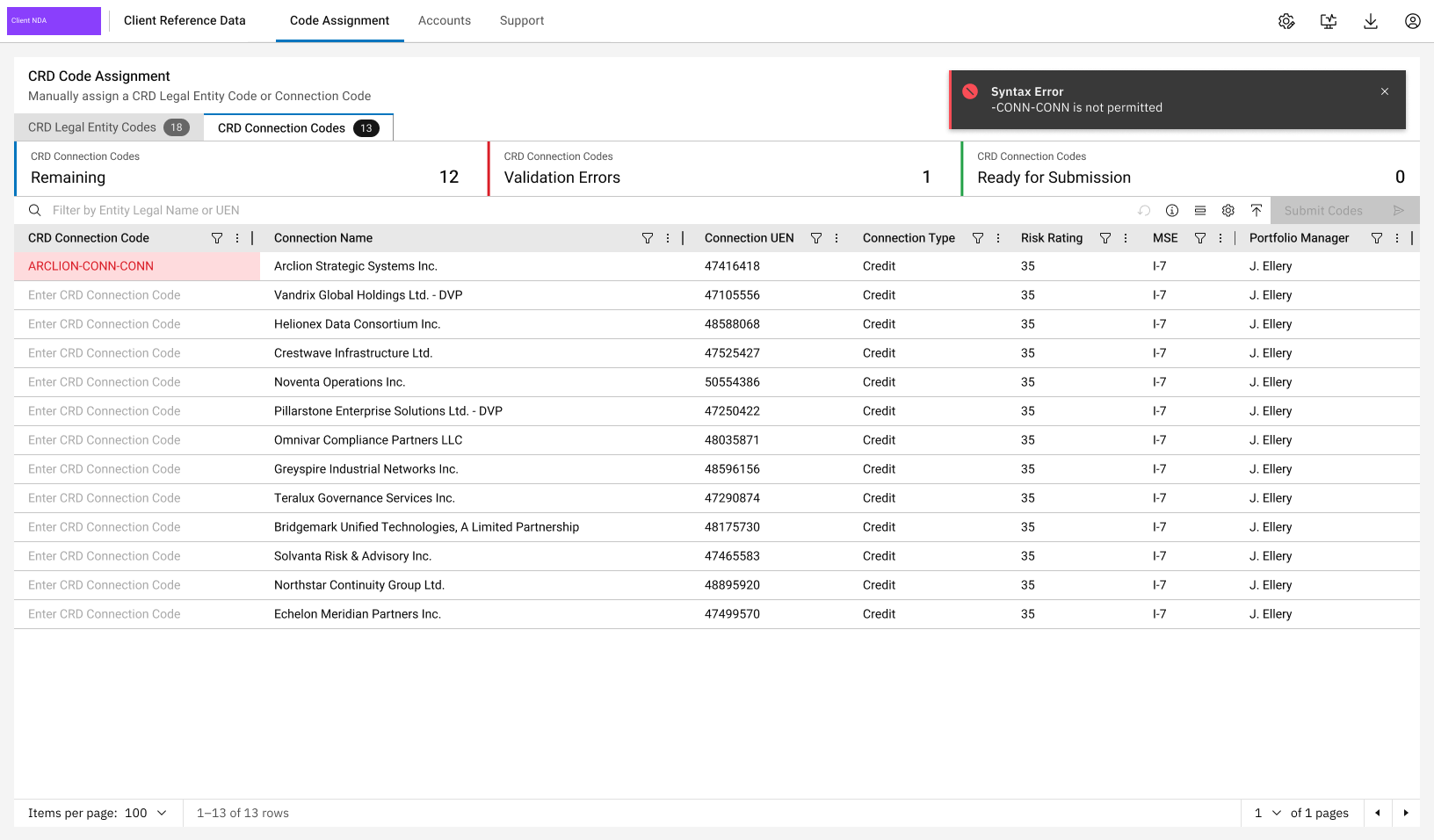
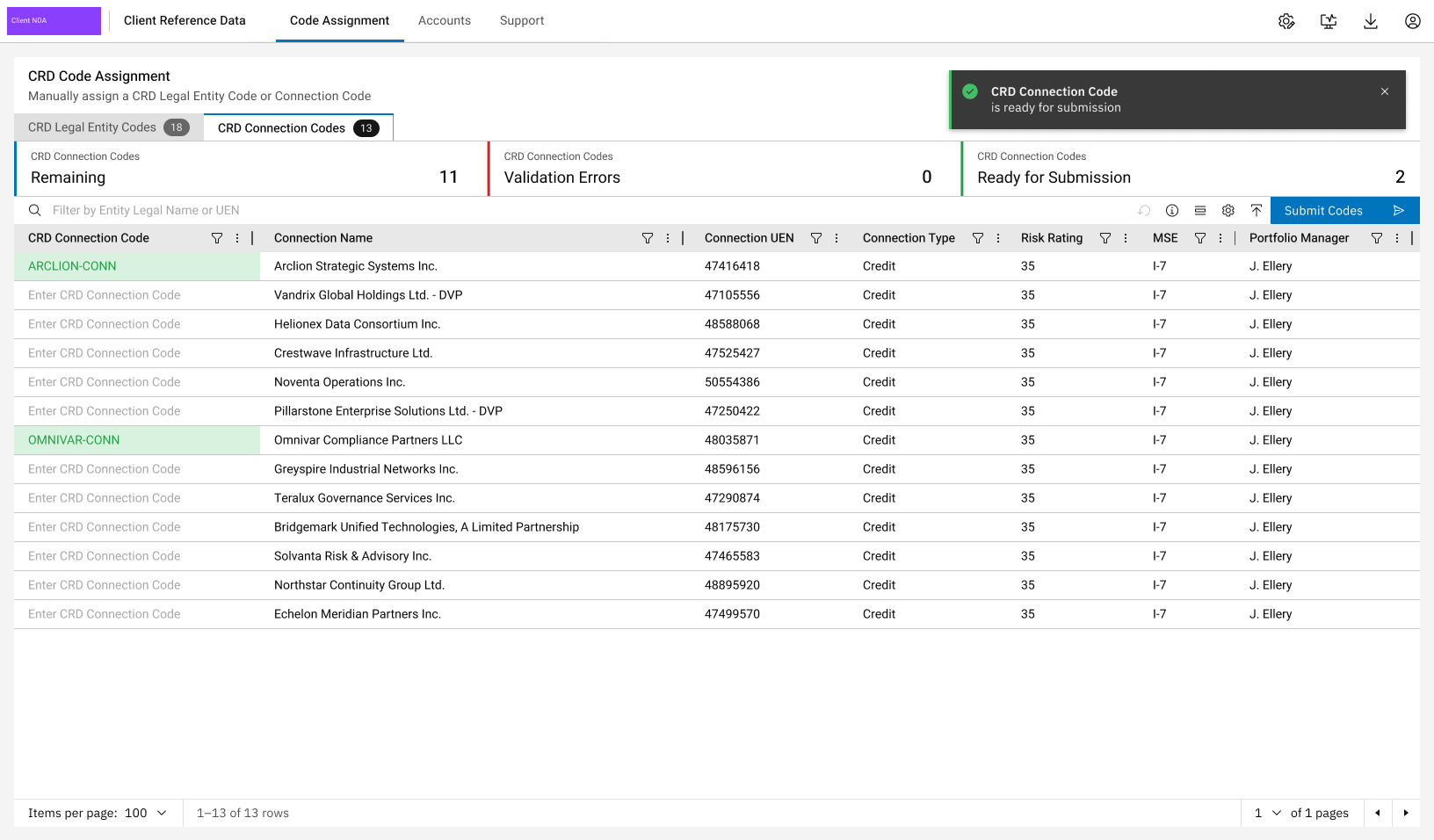
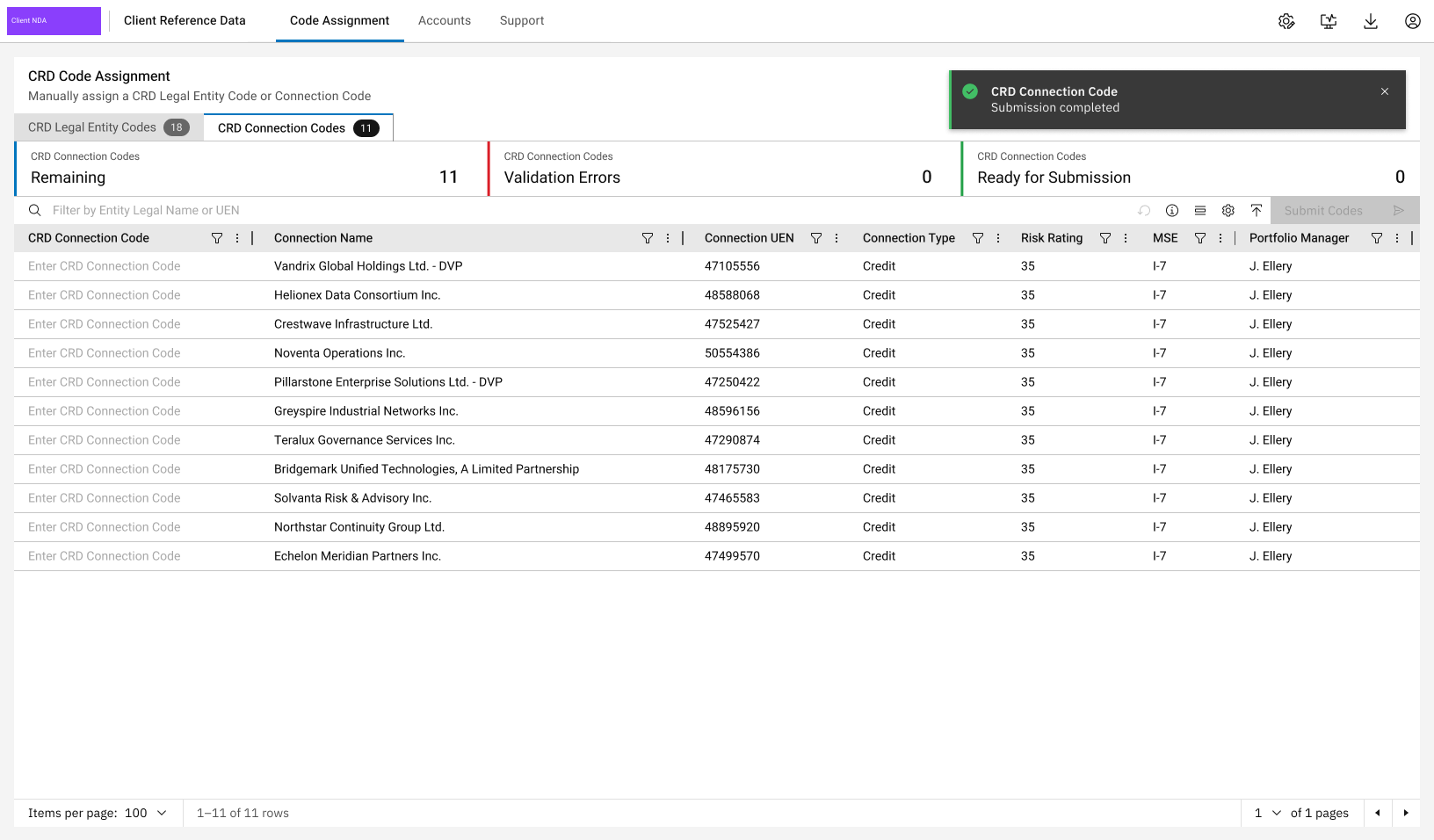
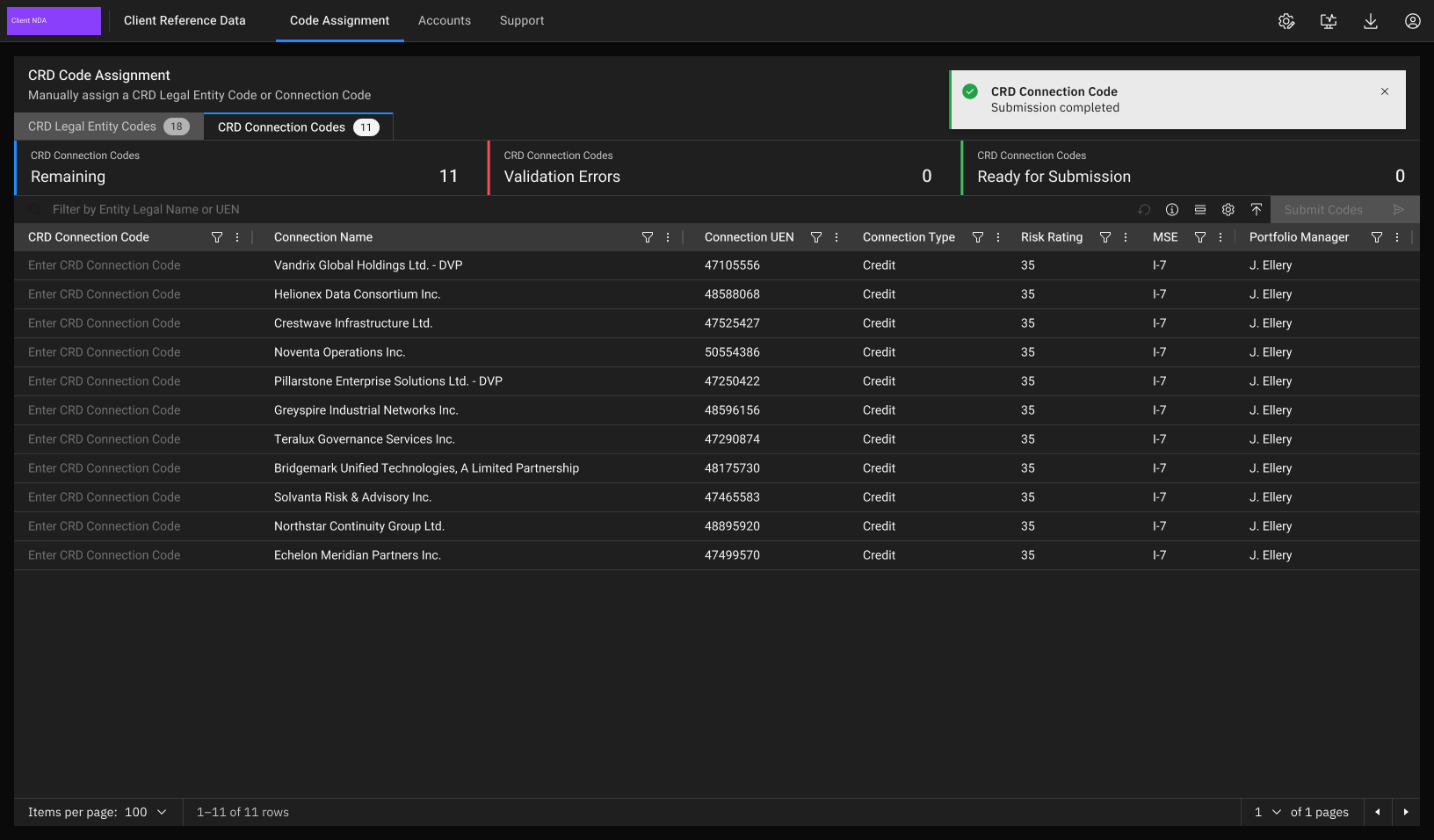
18 entities waiting for a CRD Legal Entity Code. Summary tiles count Remaining, Validation Errors and Ready for Submission; Submit stays disabled until something is valid.
- 1Edit in the grid
Each code is entered beside the entity name and UEN it identifies, so the analyst checks the right entity as they type, with no separate form to open.
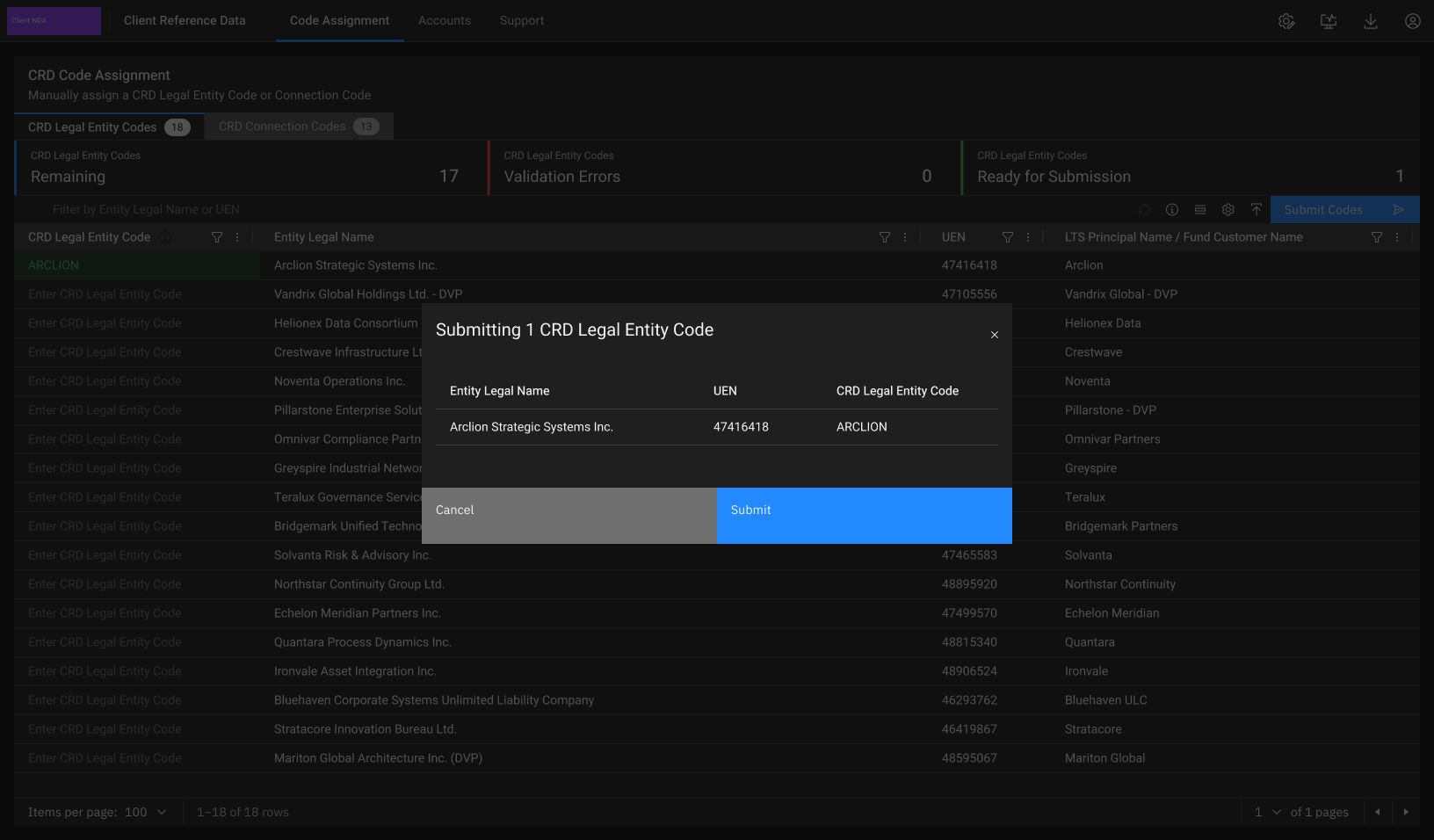
- 2Validate before submit
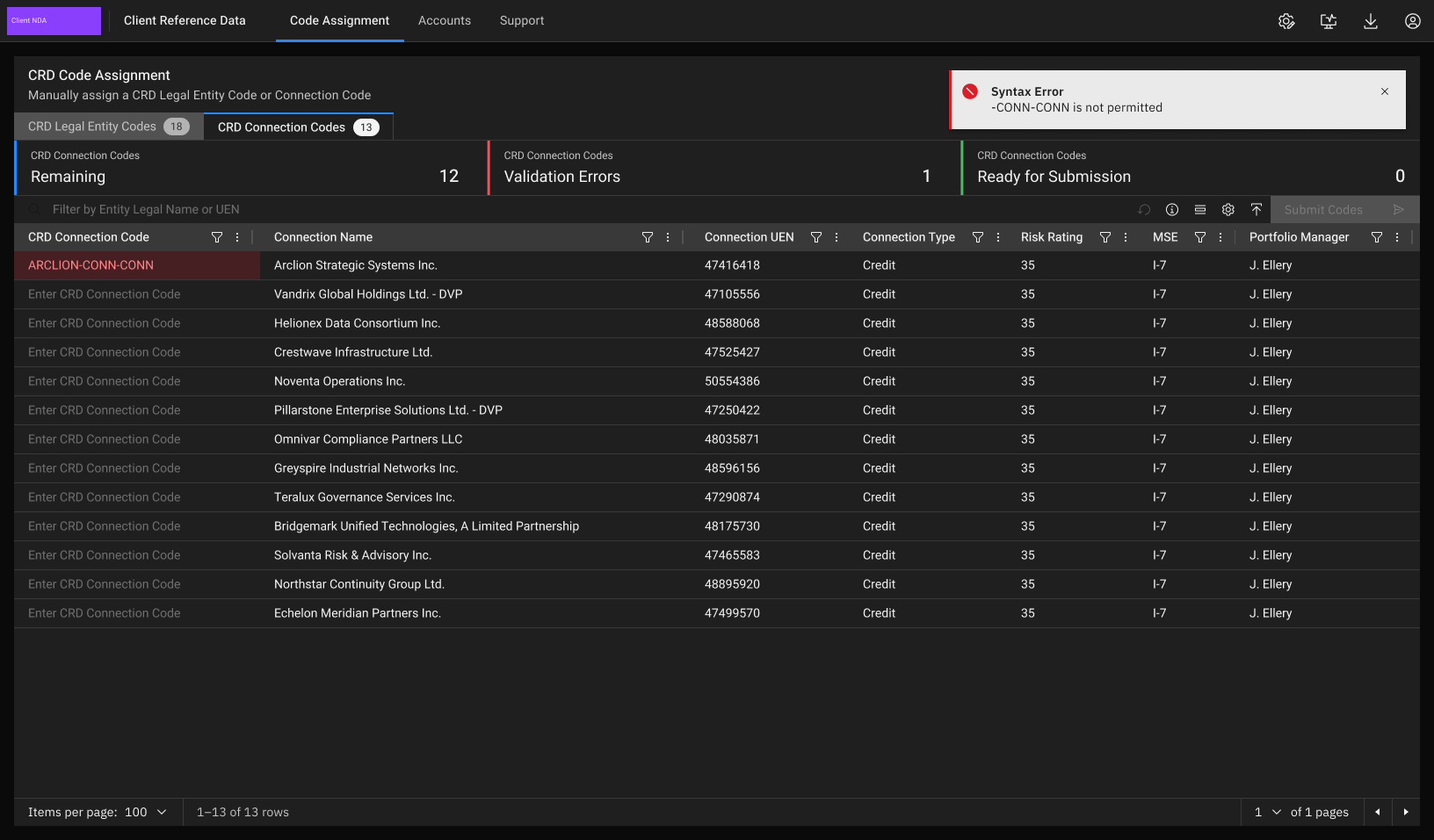
Bad codes are caught at the cell, before they can reach downstream systems. The toast names the rule that failed, so the fix is obvious.
- 3Always show progress
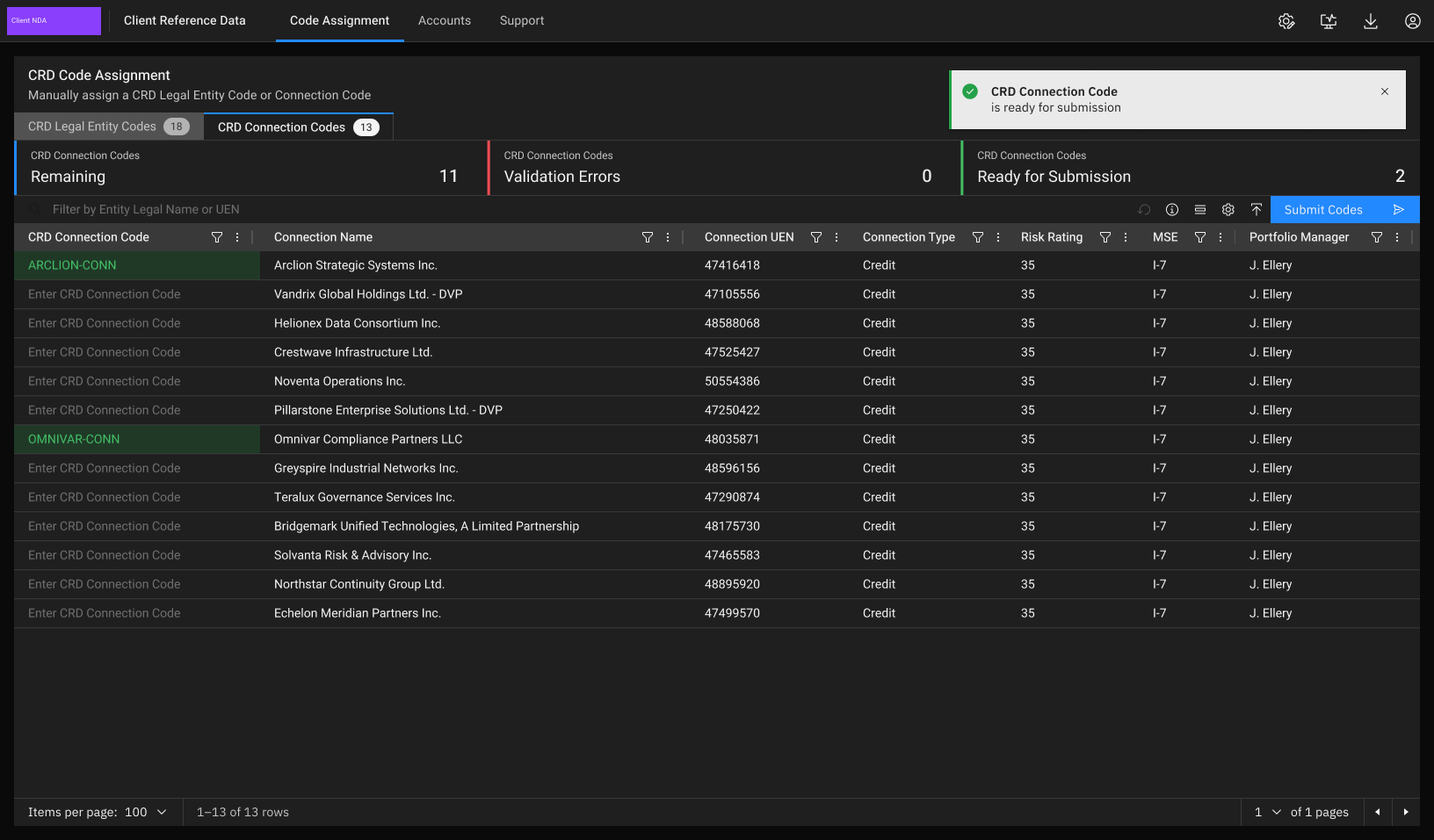
Remaining, Validation Errors and Ready counts per tab show how much of the queue is left and whether anything is blocking submission.
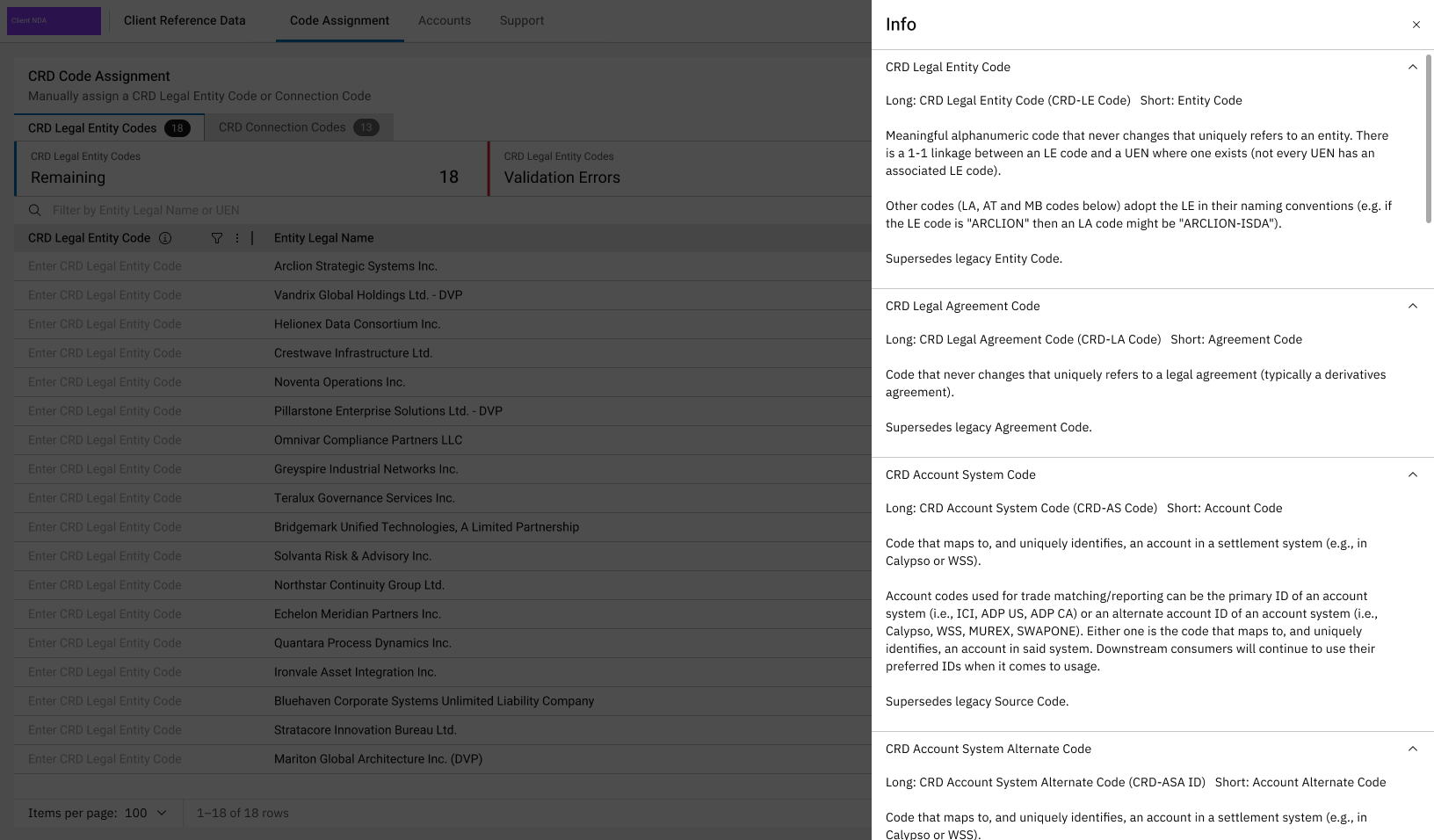
- 4Explain codes in place
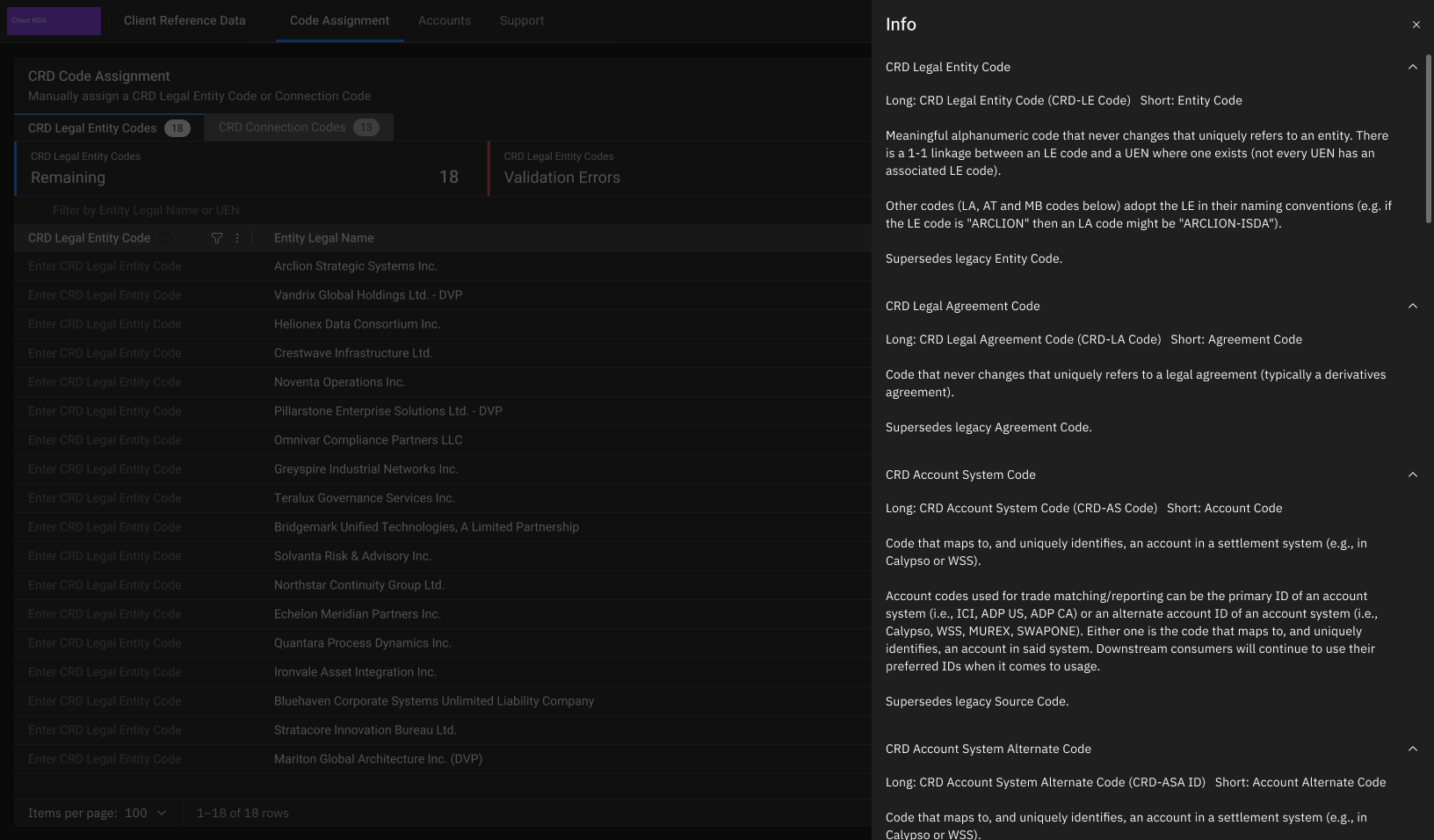
Several CRD codes have similar names. A column tooltip and the Info panel define each one where it is used, so analysts don't need separate documentation.
Client Account Management
Client accounts were managed through spreadsheets and email. With Client Reference Data we digitised account management in-house for the first time, replacing 4 legacy systems with new workflows and data models and saving CAD 1 million a year. It took 80+ design workshop hours with stakeholders.
- Before: current data flow
Codes and mappings were kept up by hand around a legacy credit risk system and pushed downstream once a day. Simplified and anonymised from the programme's dataflow model.
1 · Upstream sources
Credit approval systemCounterparty data, hierarchy, facilities and limitsCredit origination systemCredit code requestsExternal credit sourcesFacilities, credit limits and tenorsTrading systemsTrades and account referencesRe-keyed by hand
2 · Manual handling
Daily code spreadsheetCreated by a scheduled job each morning, submitted once at the end of the dayRequests by spreadsheet and emailAccount and code requests tracked outside any systemManual mappingAccount and counterparty mappings kept up by the data operations teamEnd-of-day batch
3 · Legacy system
Legacy credit risk systemHeld entity, agreement, source and counterparty codesAccount mappingsUpdated by an end-of-day feedOnce a day
4 · Downstream
Risk and reporting systemsReceived new codes once a dayLegal reportingLegal agreements loaded by end-of-day feedProblemsCodes reached downstream once a dayManual re-keying and mappingDuplicate or invalid codes could reach downstream systemsNo single source for entity and account codesSource or downstream systemManual step - After: future state
CRD becomes the single place where codes, hierarchies, limits, agreements and mappings are created and checked, then fed downstream in real time. Simplified and anonymised from the future-state model.
1 · Upstream sources
Credit approval systemCounterparty data and hierarchy, fed in automaticallyCredit origination systemTriggers credit code creation and legal agreement setupExternal credit sourcesFacilities, credit limits and tenorsData operations teamSemi-manual counterparty creation, now inside CRDReal time
2 · CRD UI and data management
Connection · Customer · Trading counterpartyLinked by hierarchy mapping; each carries a CRD codeFacilities, credit limits and tenorsHeld against the customer recordLegal agreementSet up by a real-time automated processAlias mappingBuilt into the CRD account workflowValidated before submit
3 · Processing and reporting
ReconciliationAligned with source and legal systemsDownstream feed and reportsOne feed for every consumerReal-time data flow
4 · Downstream
Risk engineTransaction reconciliation, credit calculation, violation generationLegal reporting engineFed from the legal document repositoryCollateral systemKept in step by the reconciliation processOutcomes of the solution4 legacy systems replaced, saving CAD 1 million a yearReal-time data flow replaces the end-of-day batchCRD codes replace legacy codes, one source of truthLegal agreements set up automaticallyMappings move into the CRD workflowValidation stops duplicate or invalid codes reaching downstreamReconciliation against source systemsSource or downstream systemCRD moduleManual step - New data model
The first structured model for account data. Every record joins back to the entity's UEN or the facility's ID, so codes, aliases, limits and agreements connect instead of sitting in separate spreadsheets. Keys and relationships only; simplified and anonymised from the physical model.
EntityFacility and limitsLegal agreementGovernancePKPrimary keyFKForeign keyOne to many
Screens
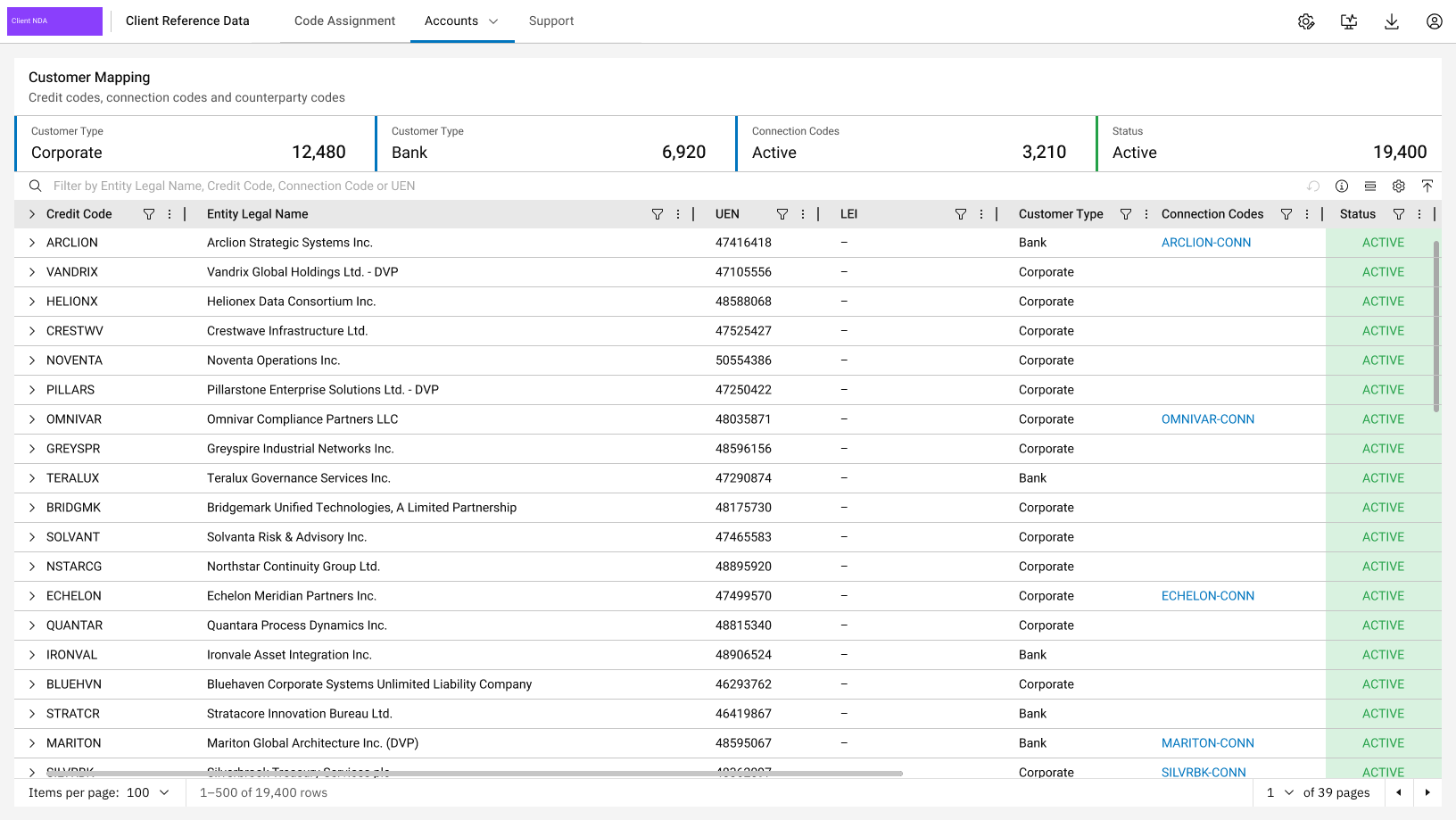
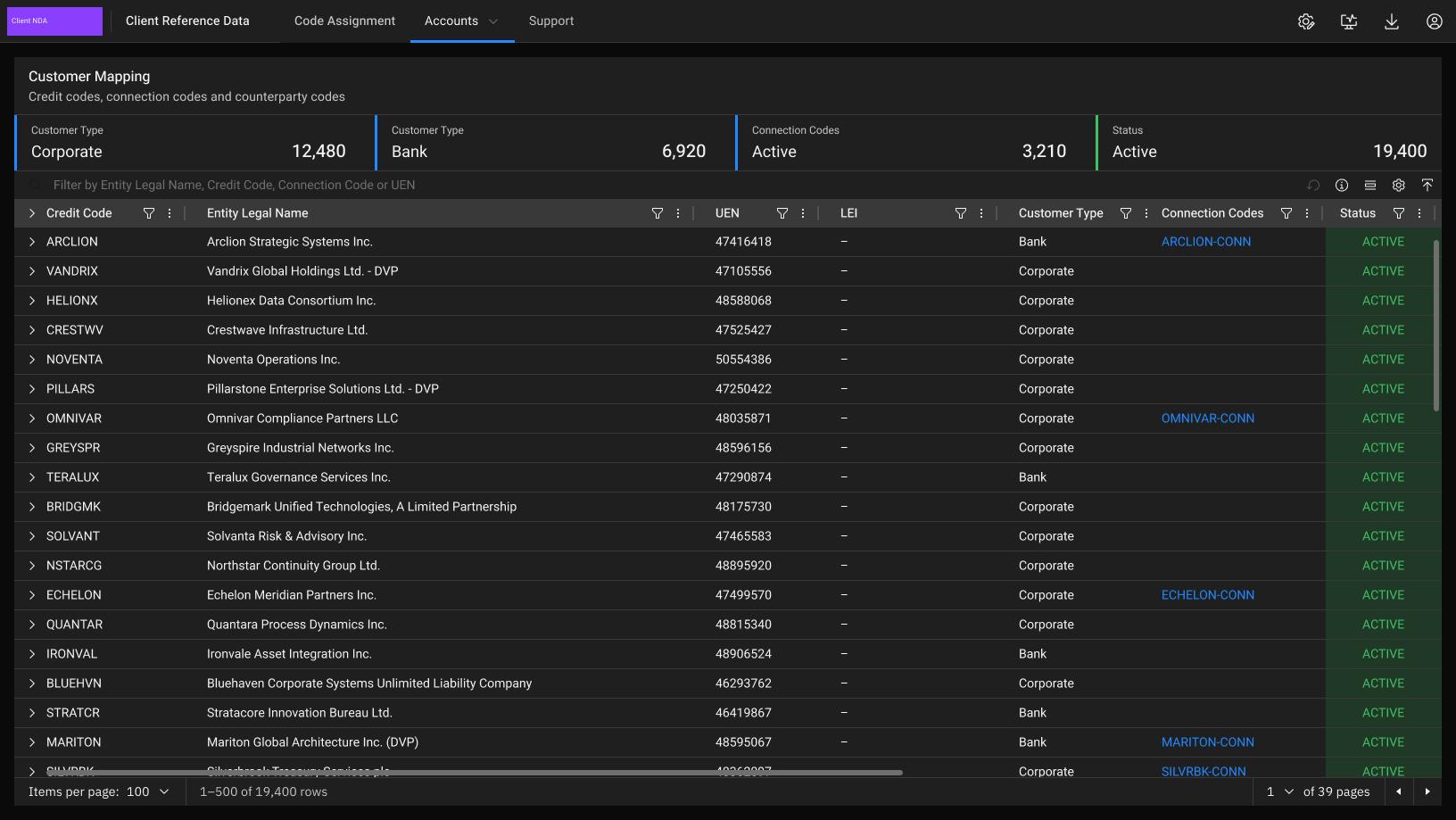
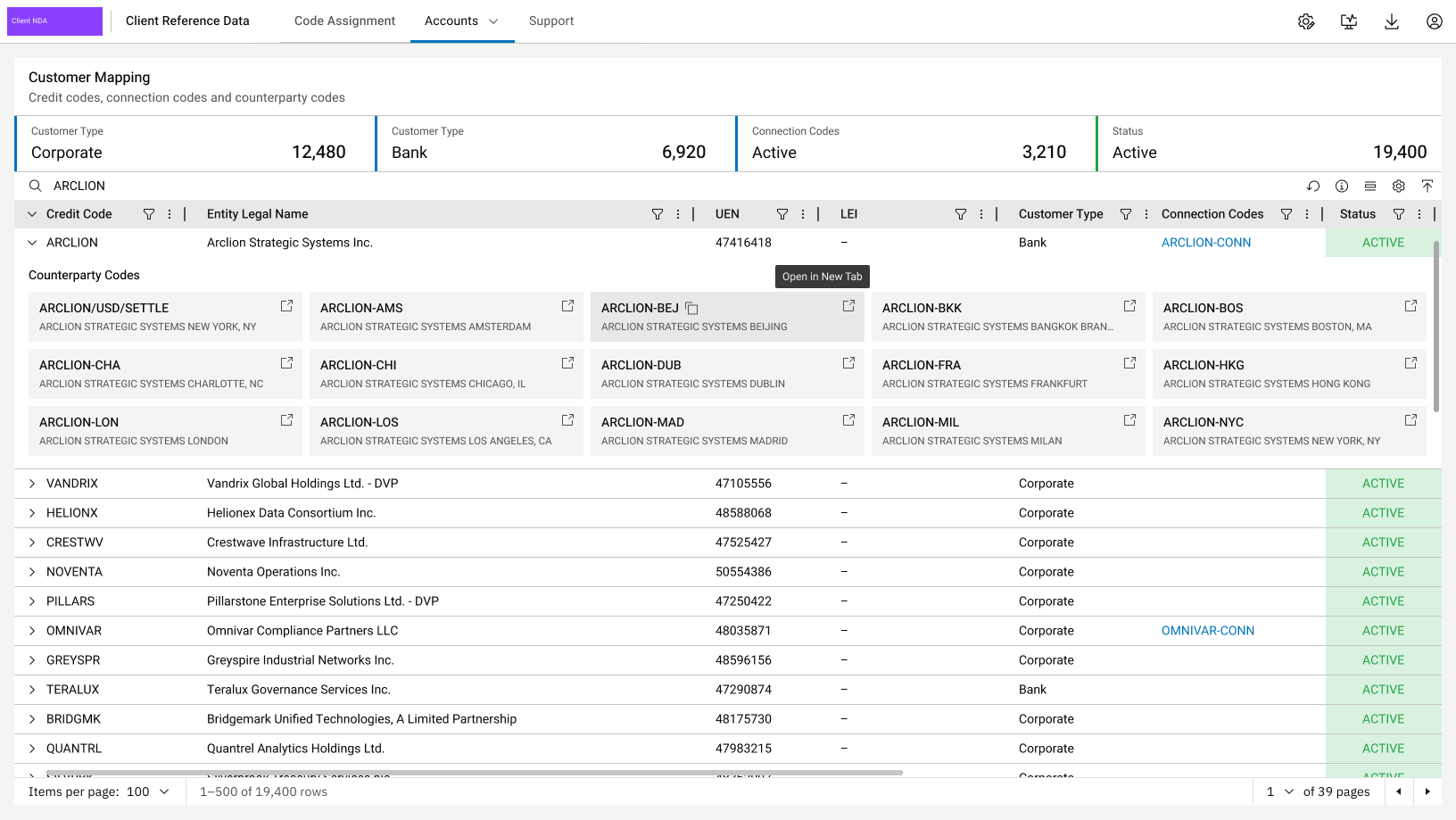
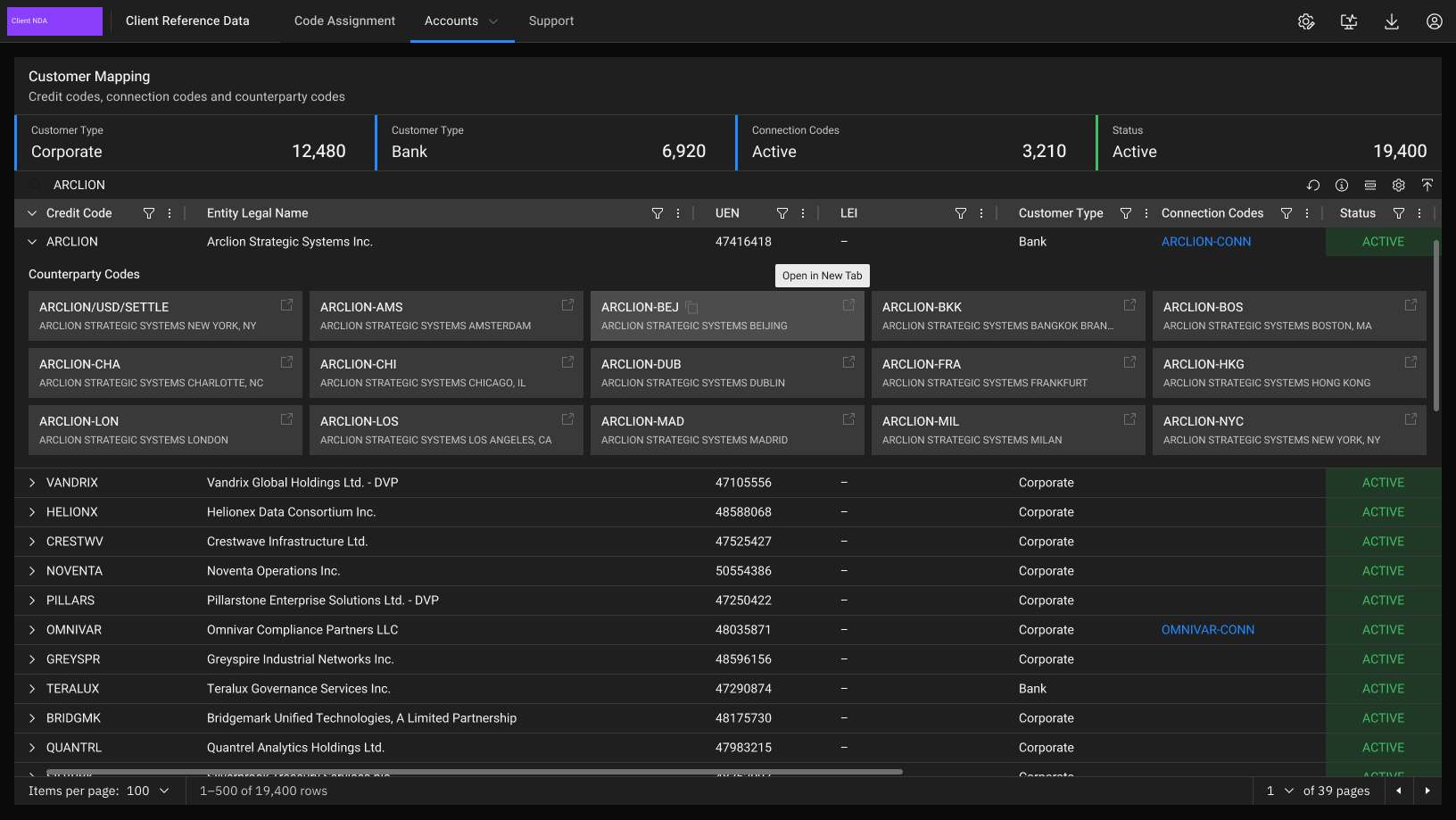
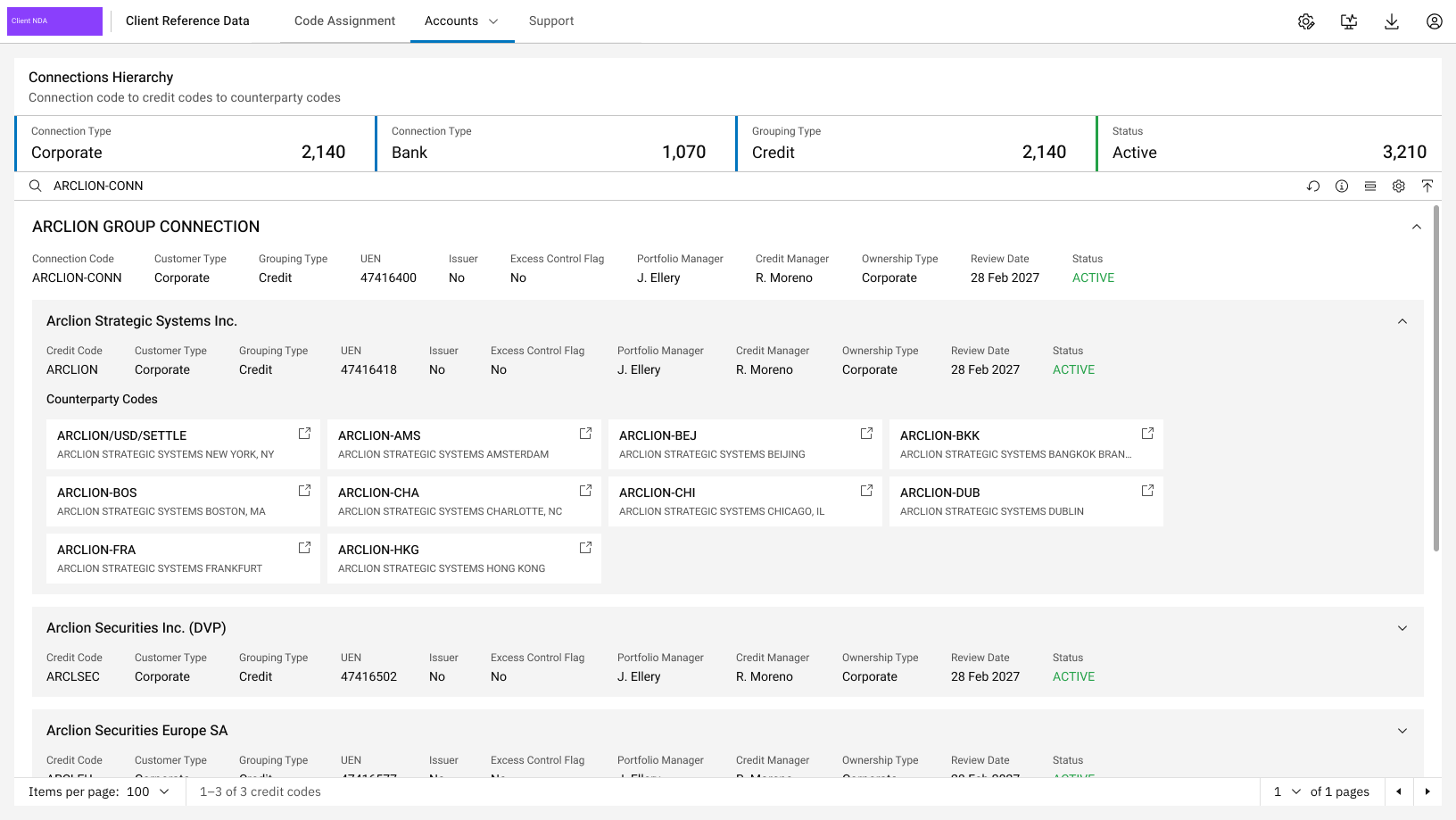
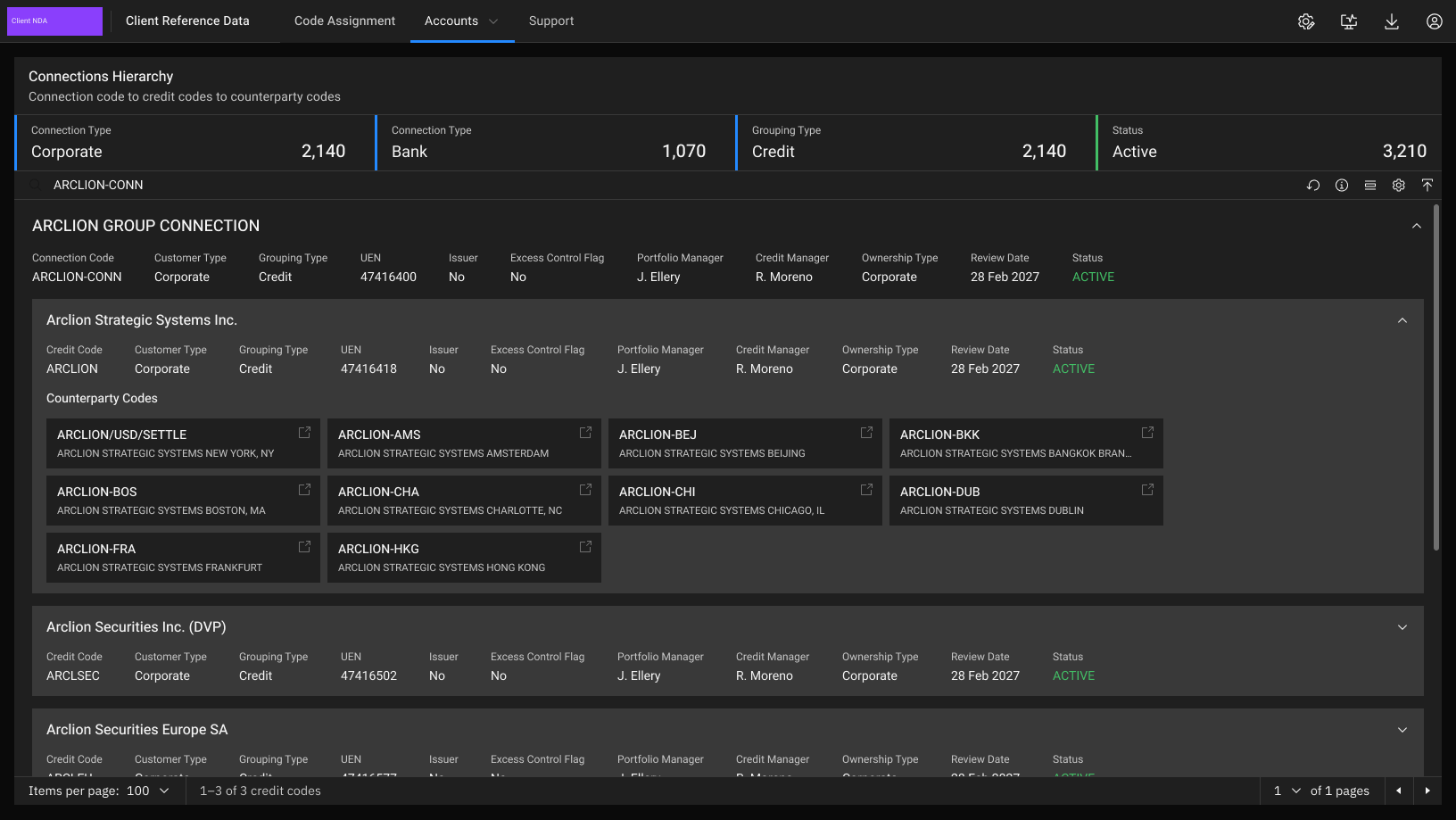
Every credit code in one grid, searchable by entity name, credit code, connection code or UEN.
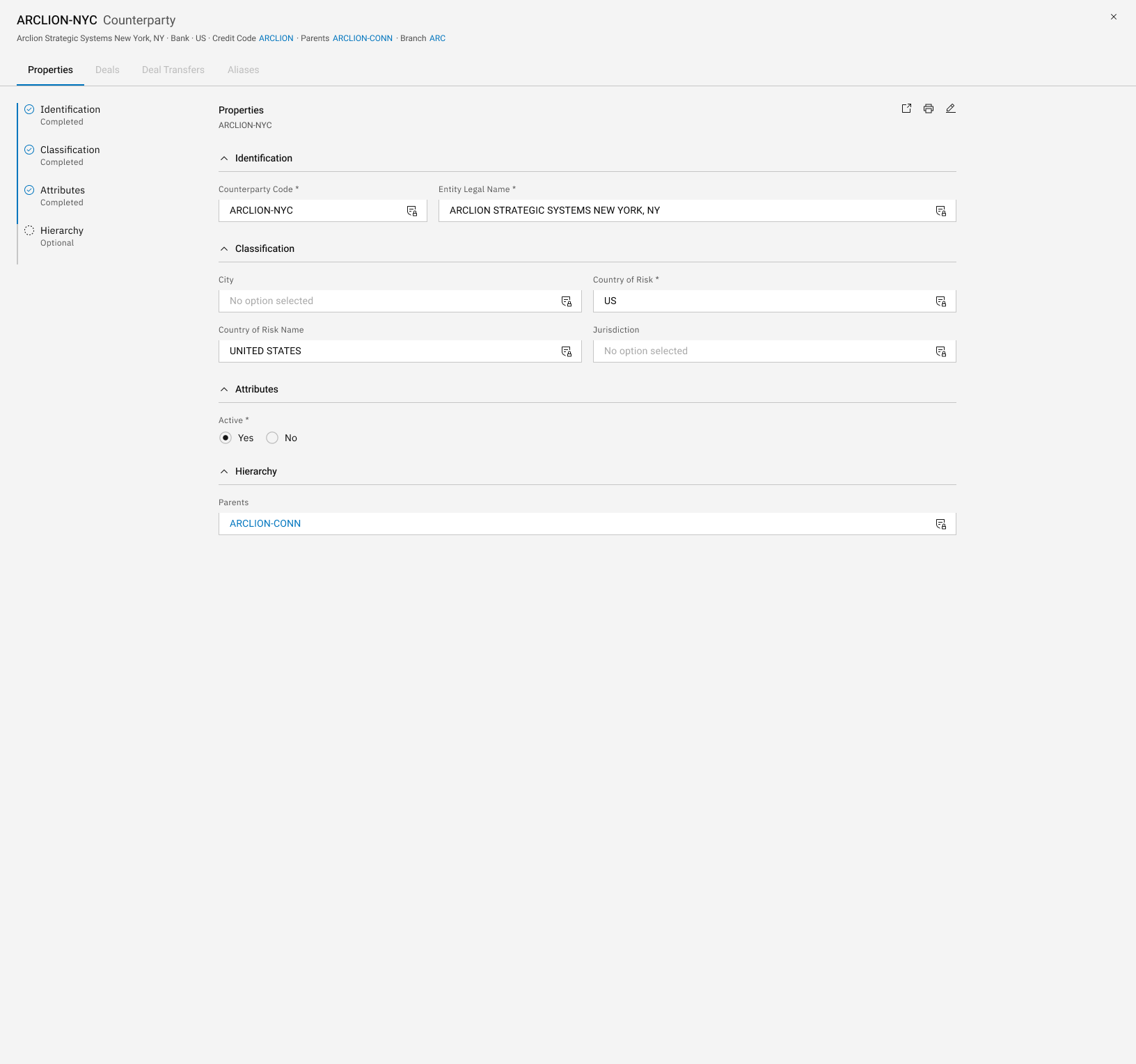
Feedback from users showed the slowest step was manually rekeying data from downstream KYC systems into the Client Onboarding app. The team proposed pulling that data in automatically, and I presented the redesign to senior stakeholders. It saves 68.97 days (550+ hours) annually across 1,100 active onboarding requests. The time saving was established through repeated qualitative feedback from end users, who reported about 30 minutes of rekeying per request.
68.97 days × 8 h per day = 551.76 h · 551.76 h ÷ 1,100 requests = 0.50 h (30 min) per request
“I have enjoyed working with you on the [Client Onboarding] project. Your timeliness, responsiveness and strategic insights have been greatly appreciated.”
SBM Associate
Screens
The request queue and request form are shown above, under Design system in use.
Every update on a request in one side panel, newest first. Filter pills narrow it to one stage (intake, regs, KYC / AML, credit, legal or account opening), and tinted rows flag the events that need attention: deactivated, with client, needs review and submitted.
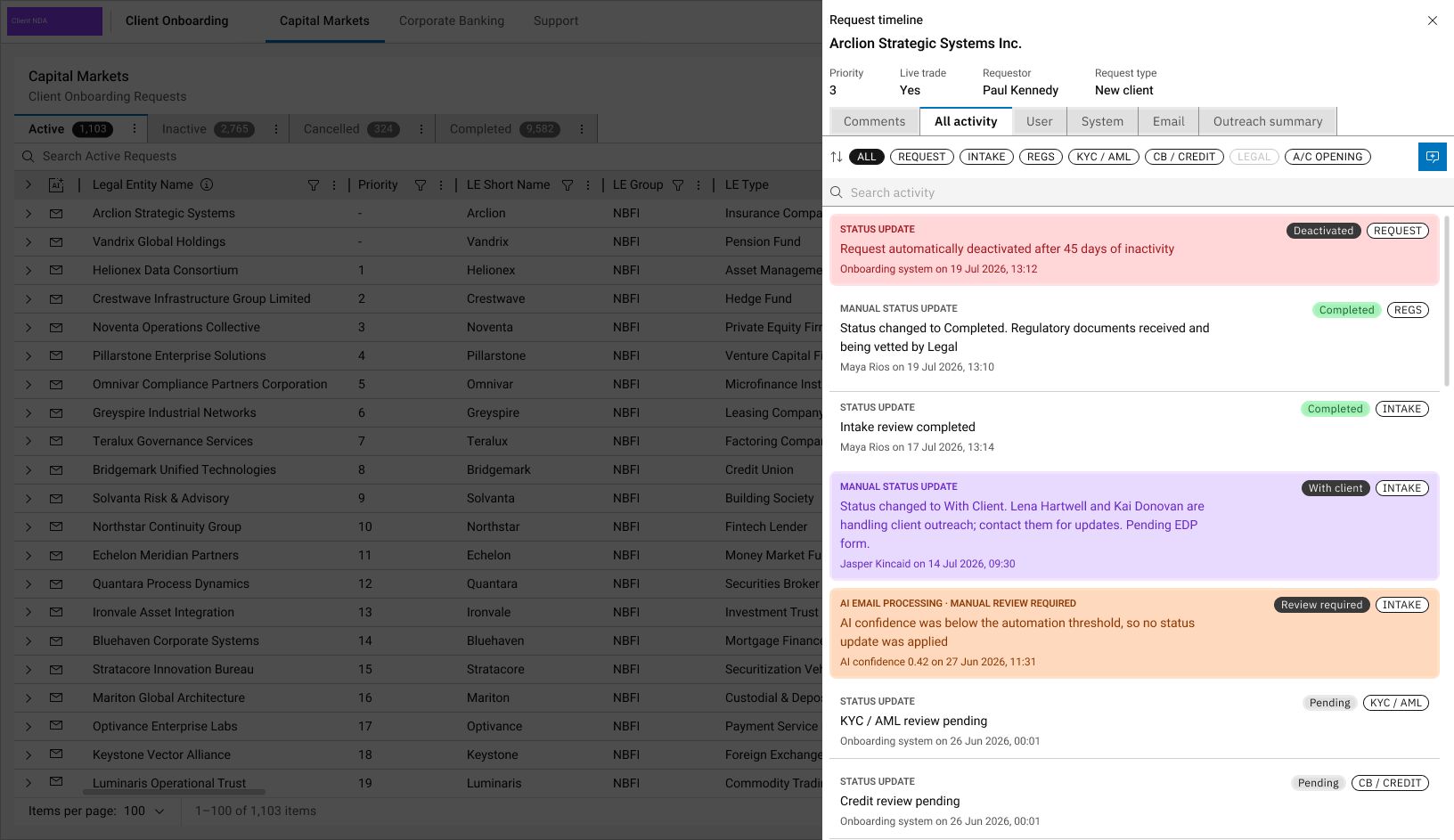
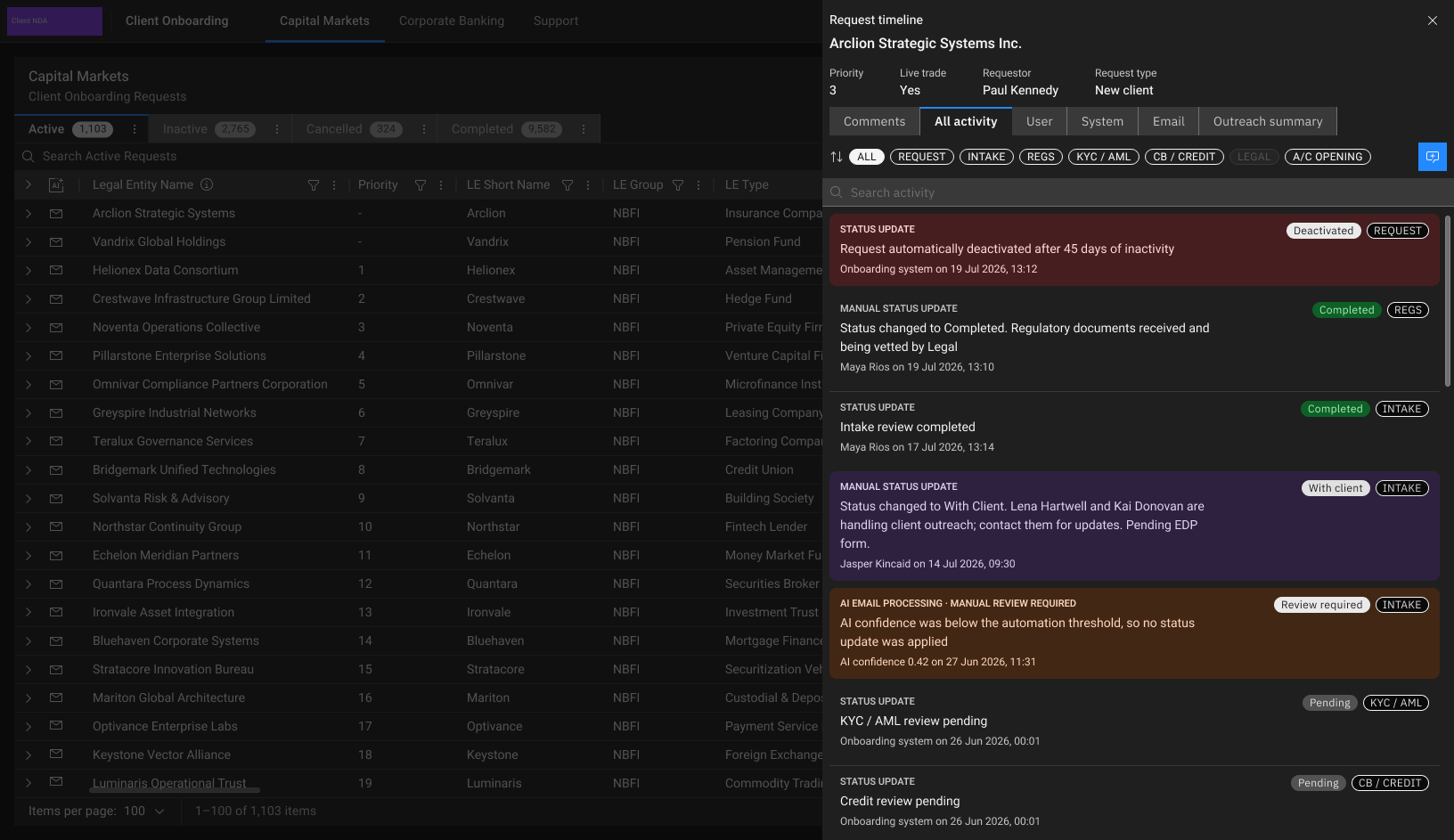
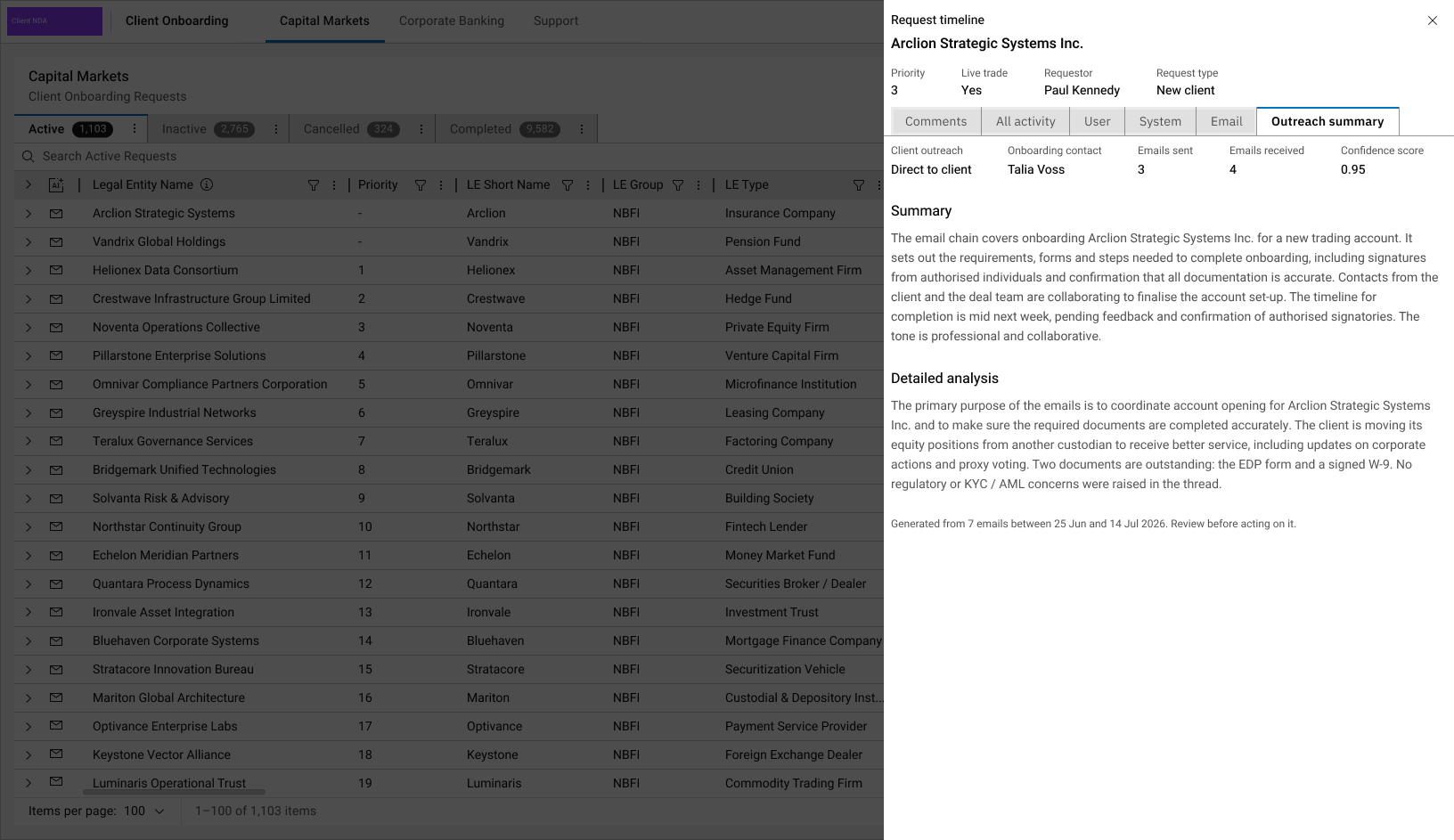
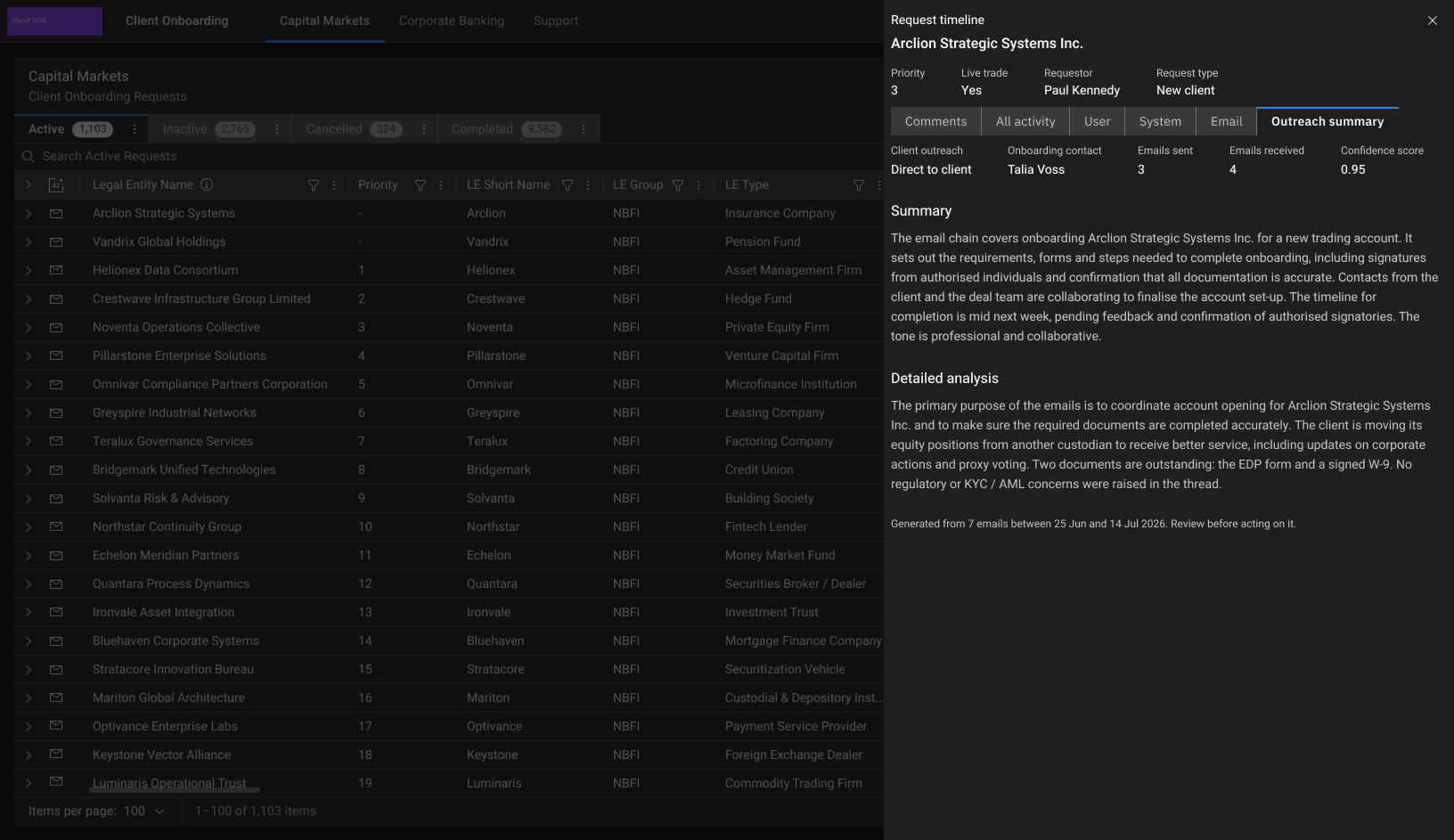
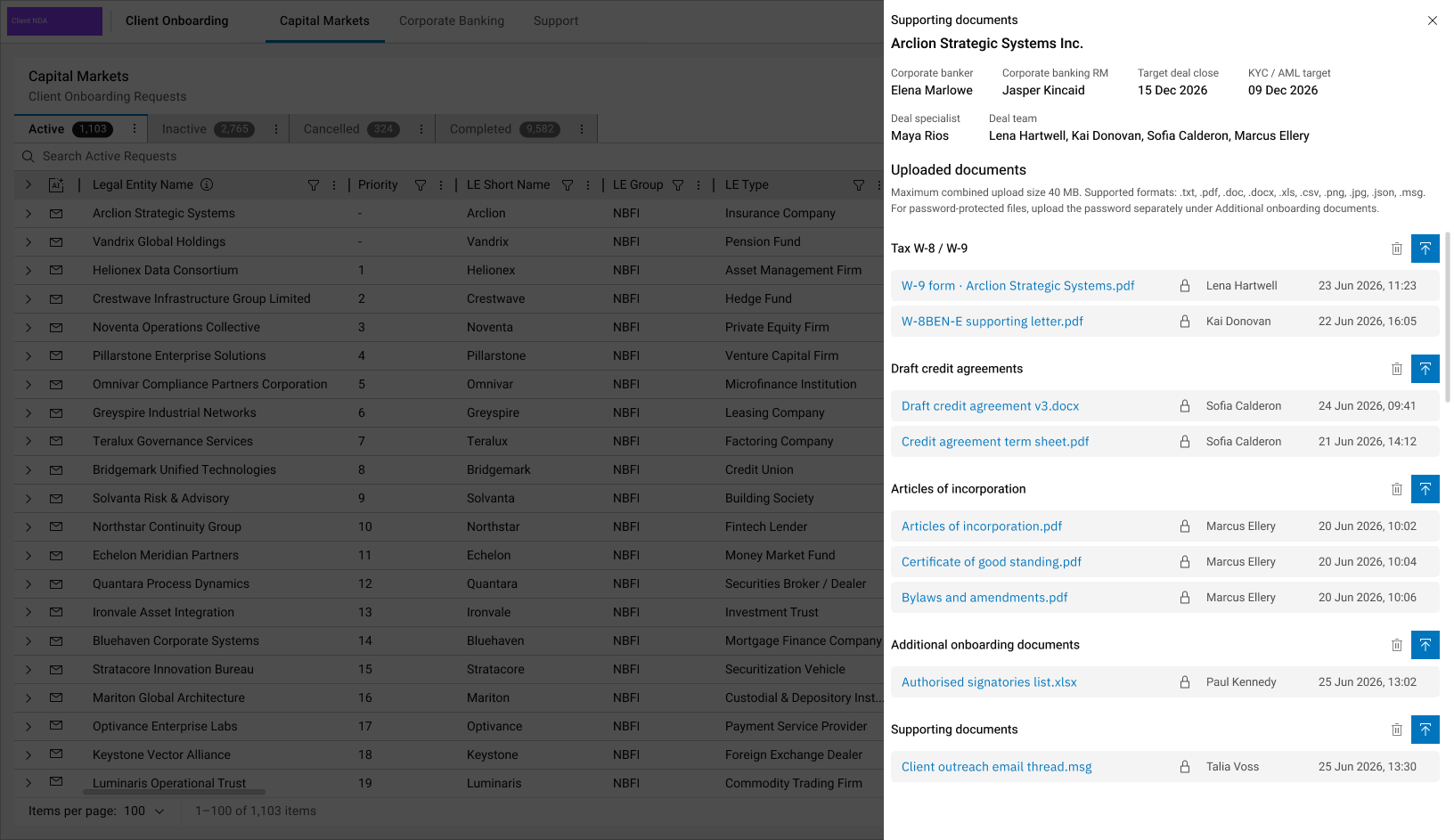
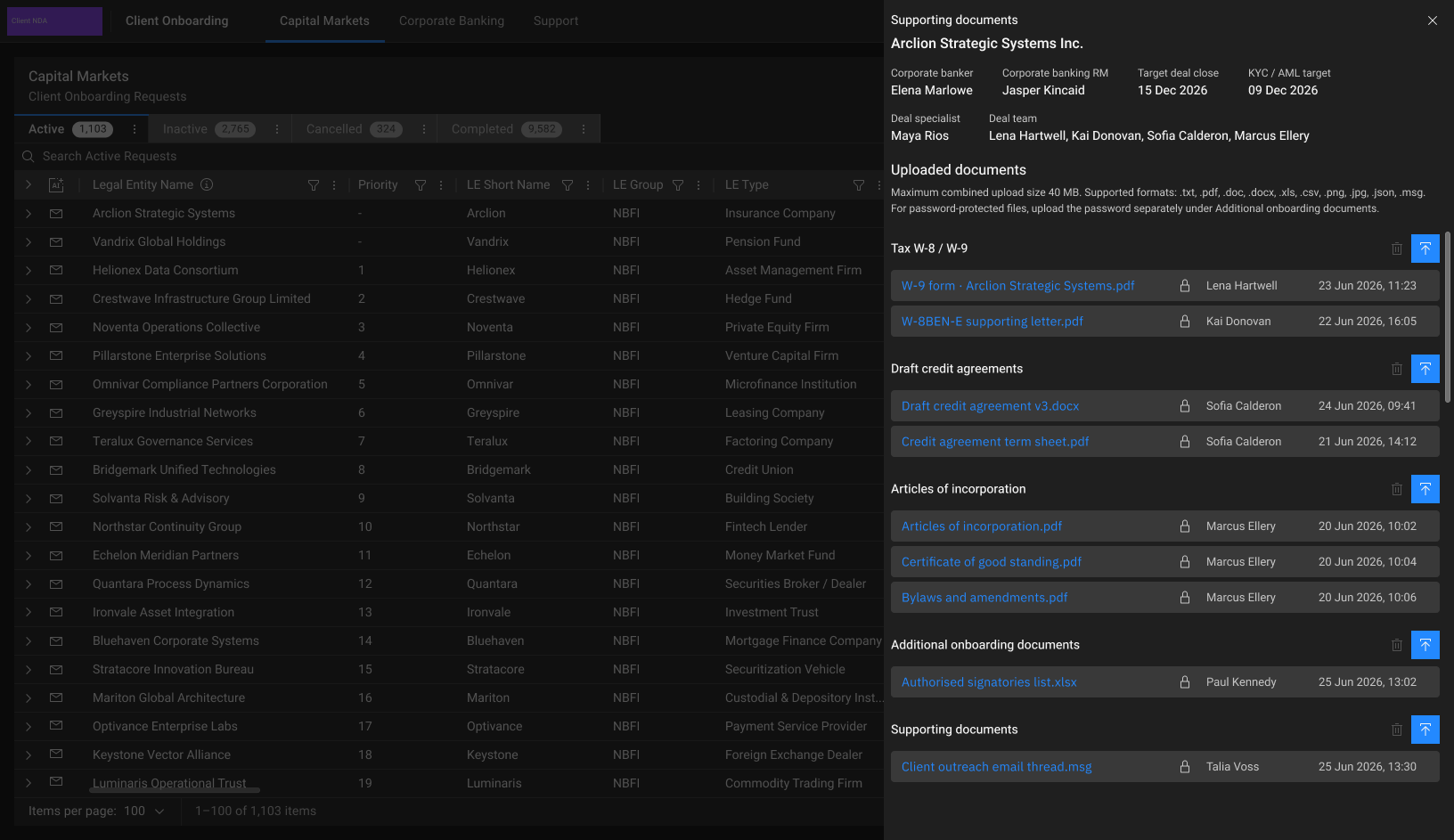
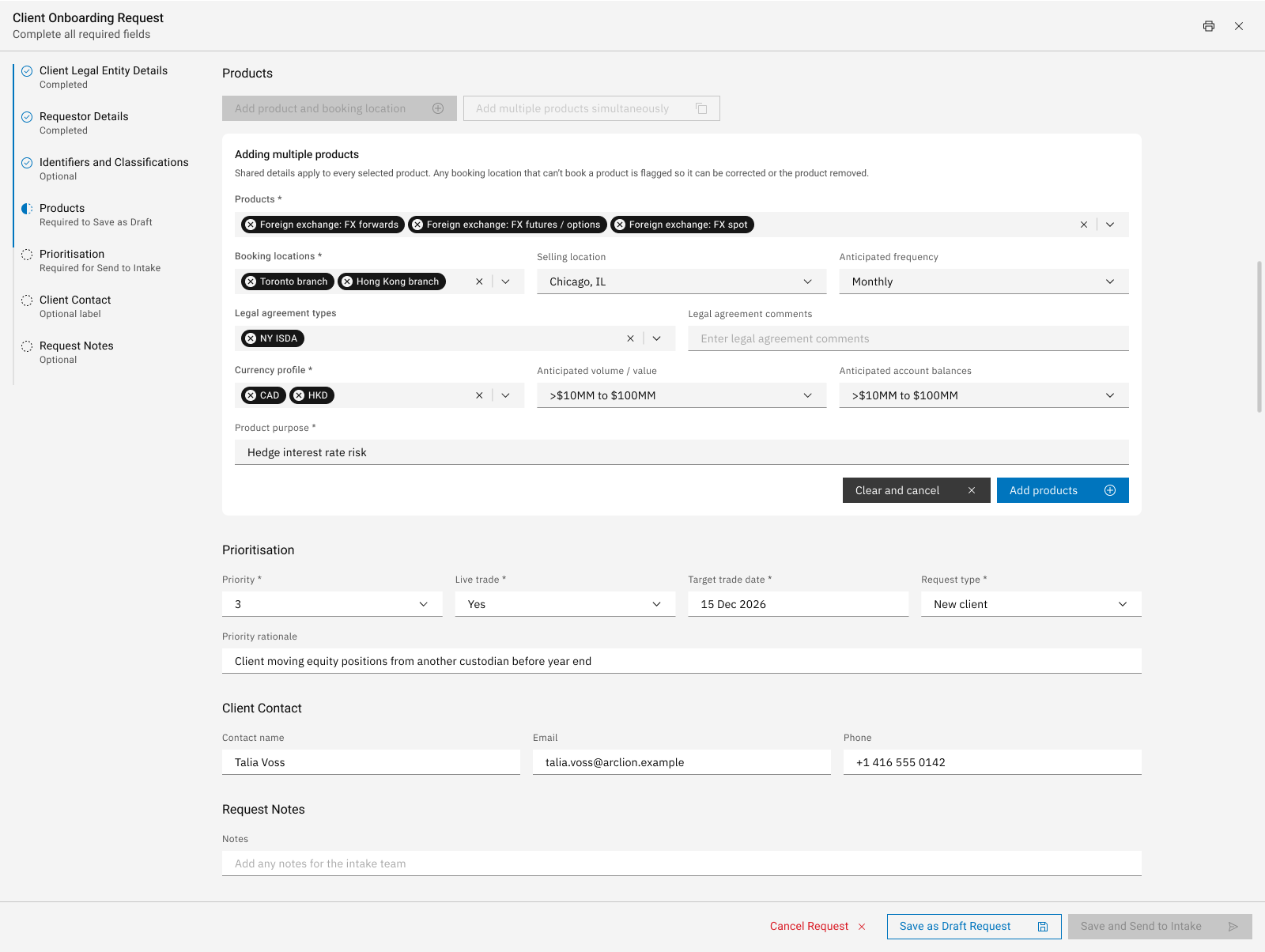
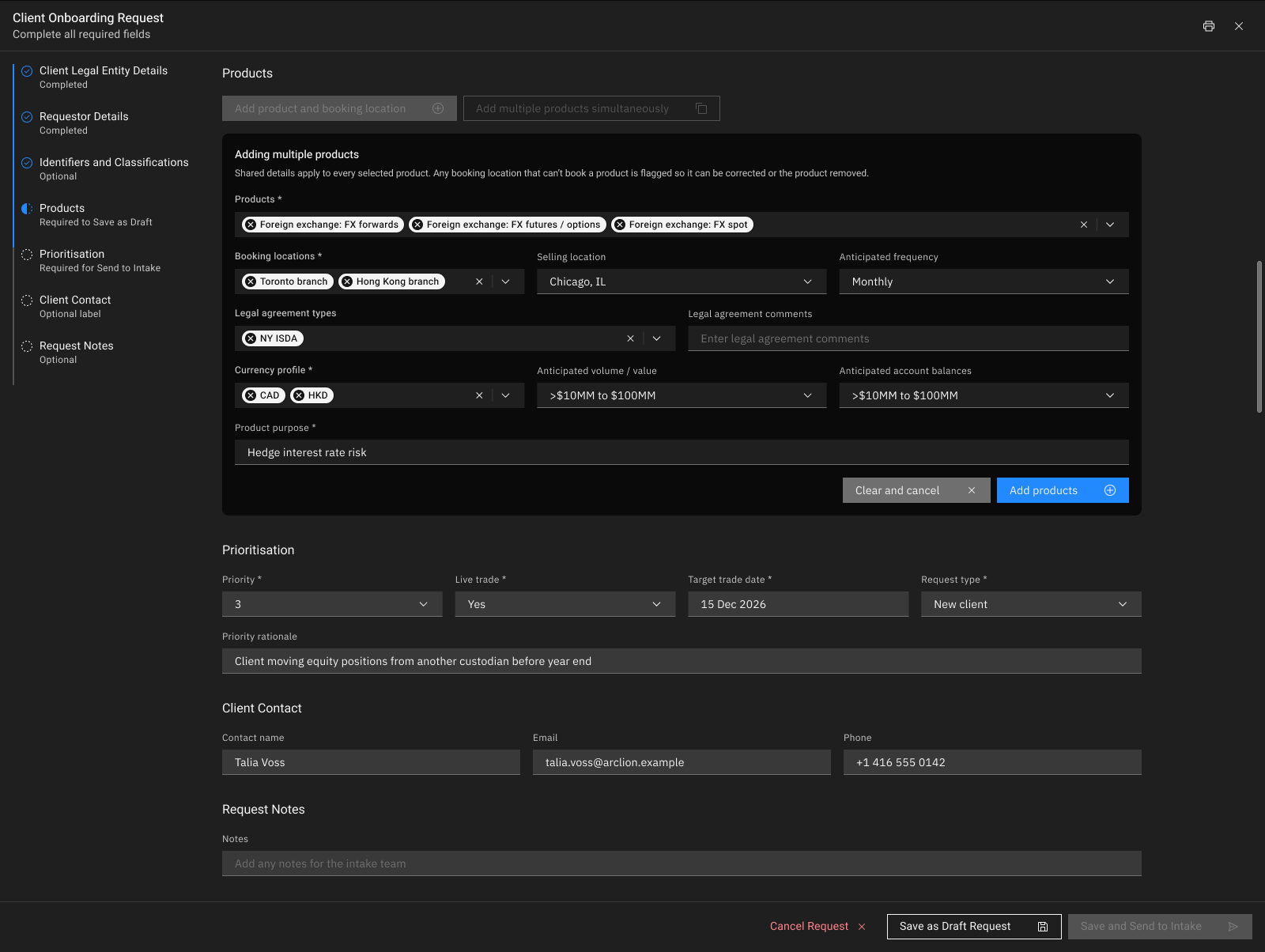
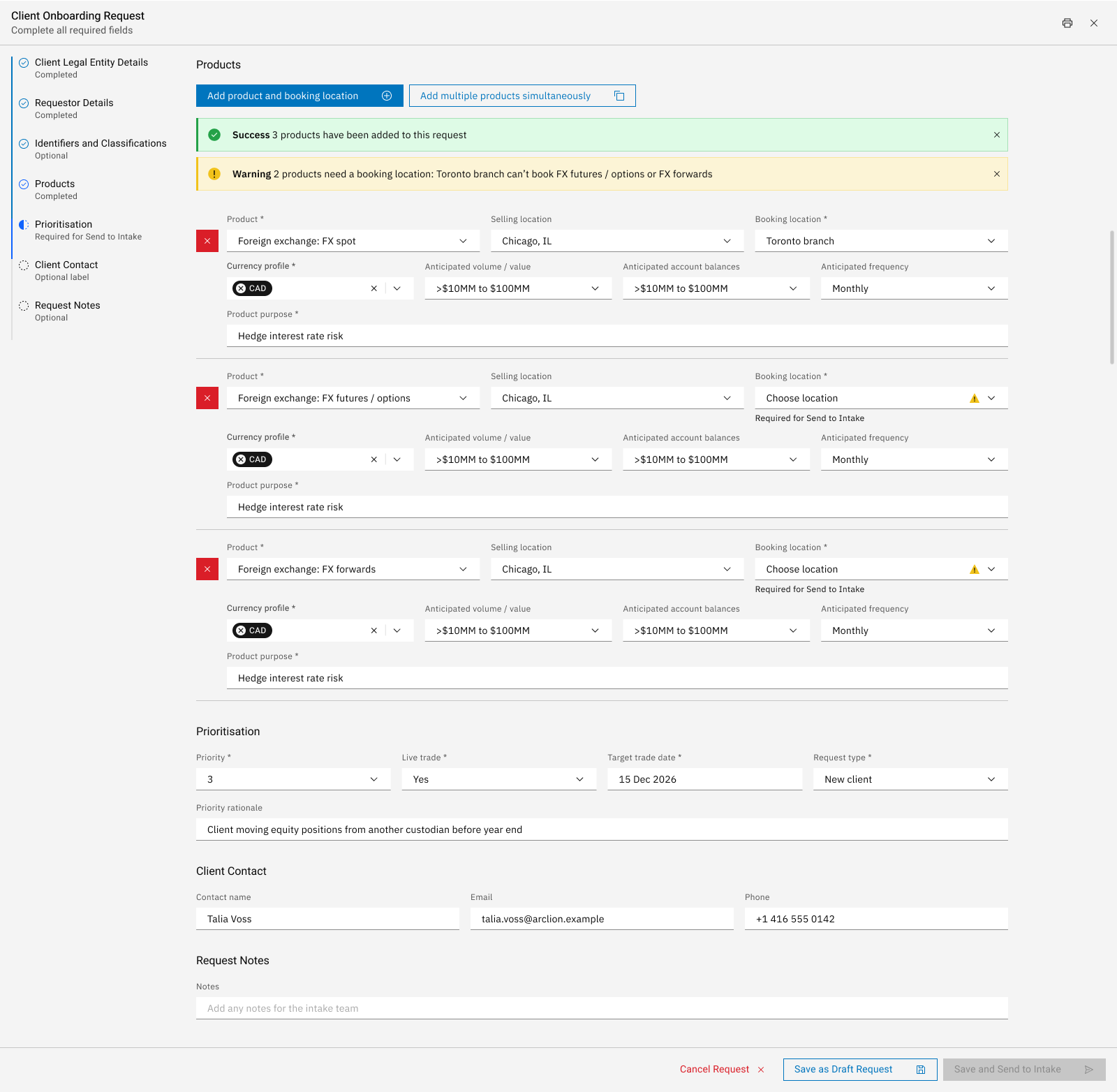
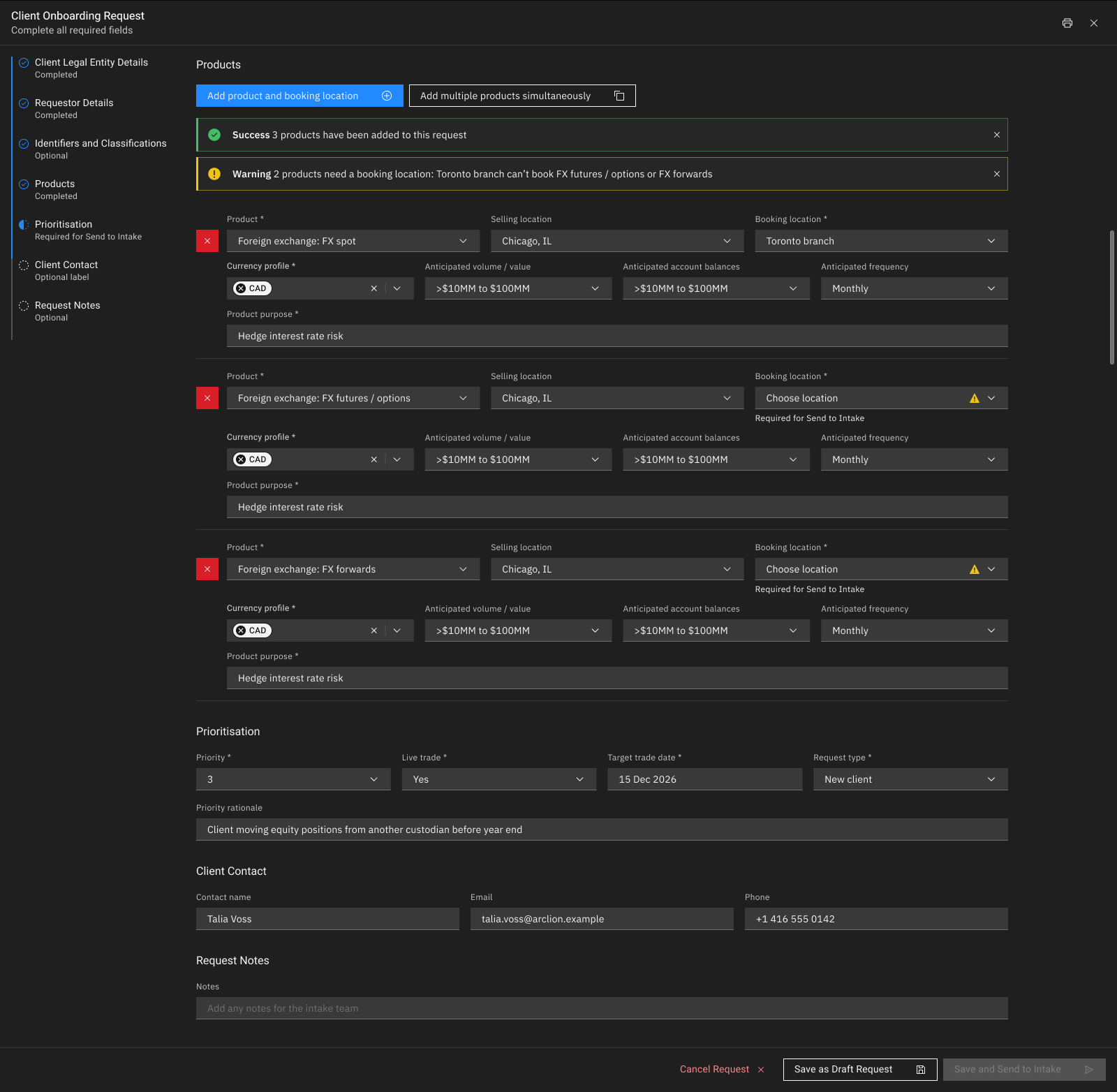
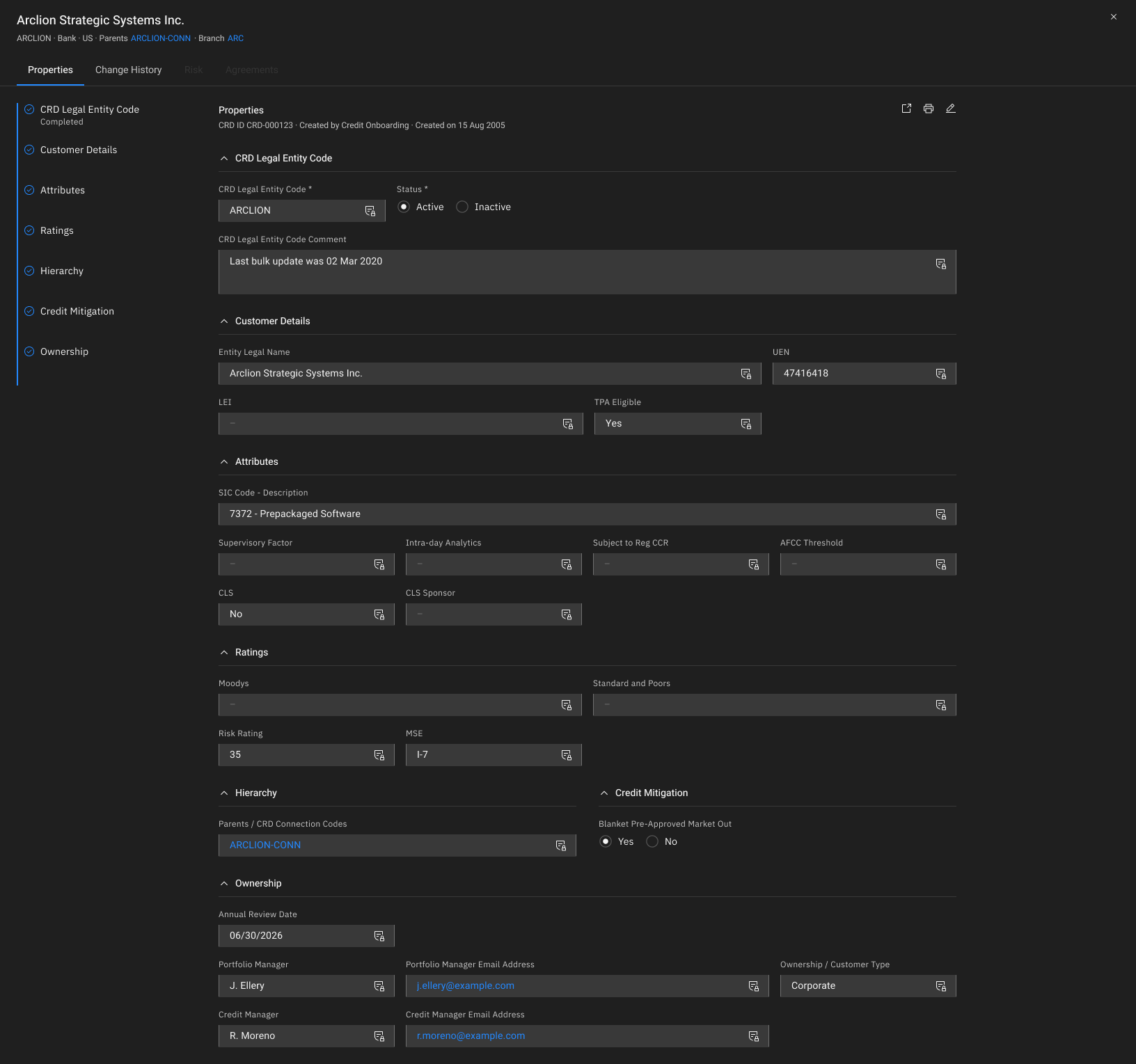
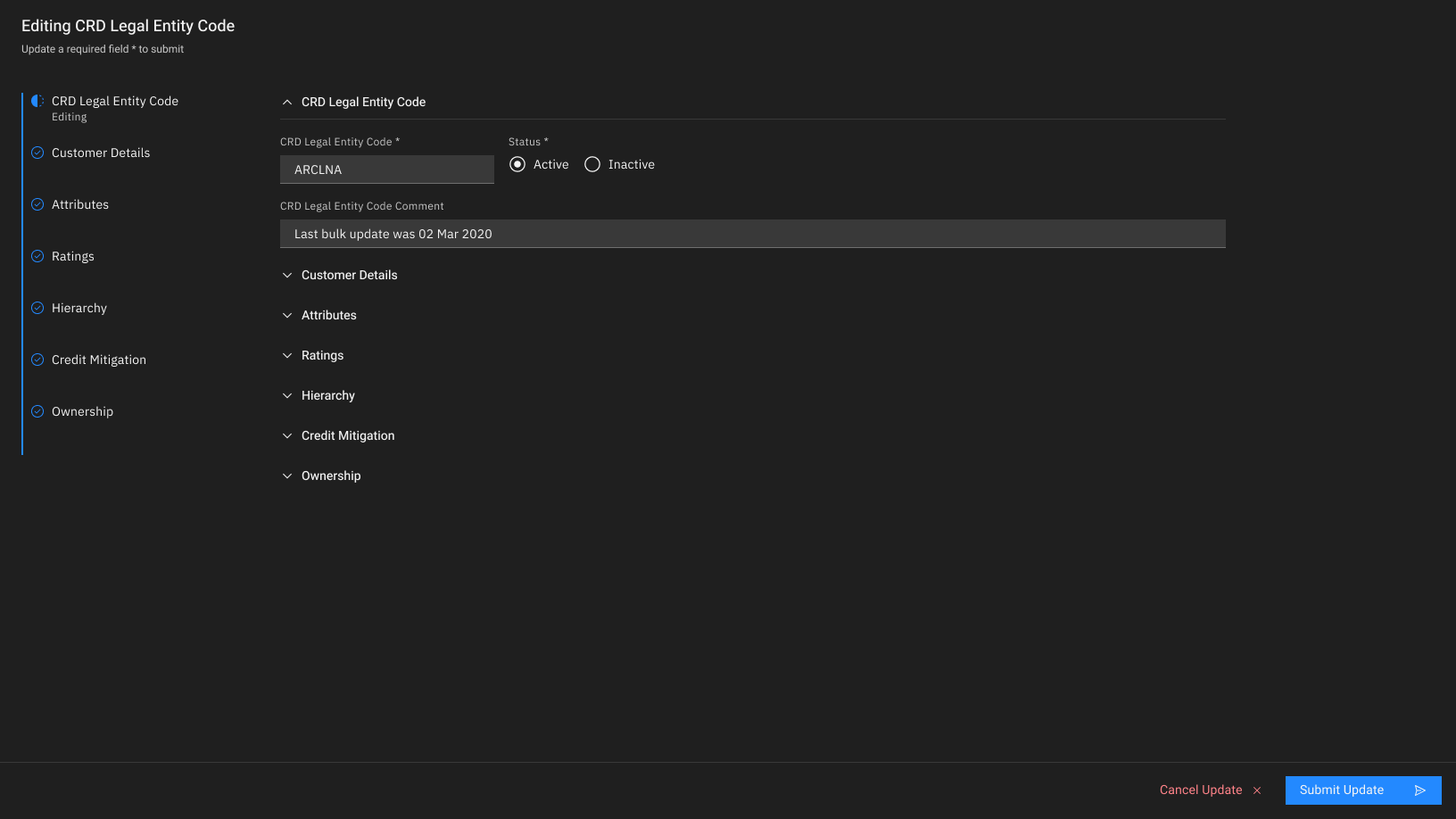
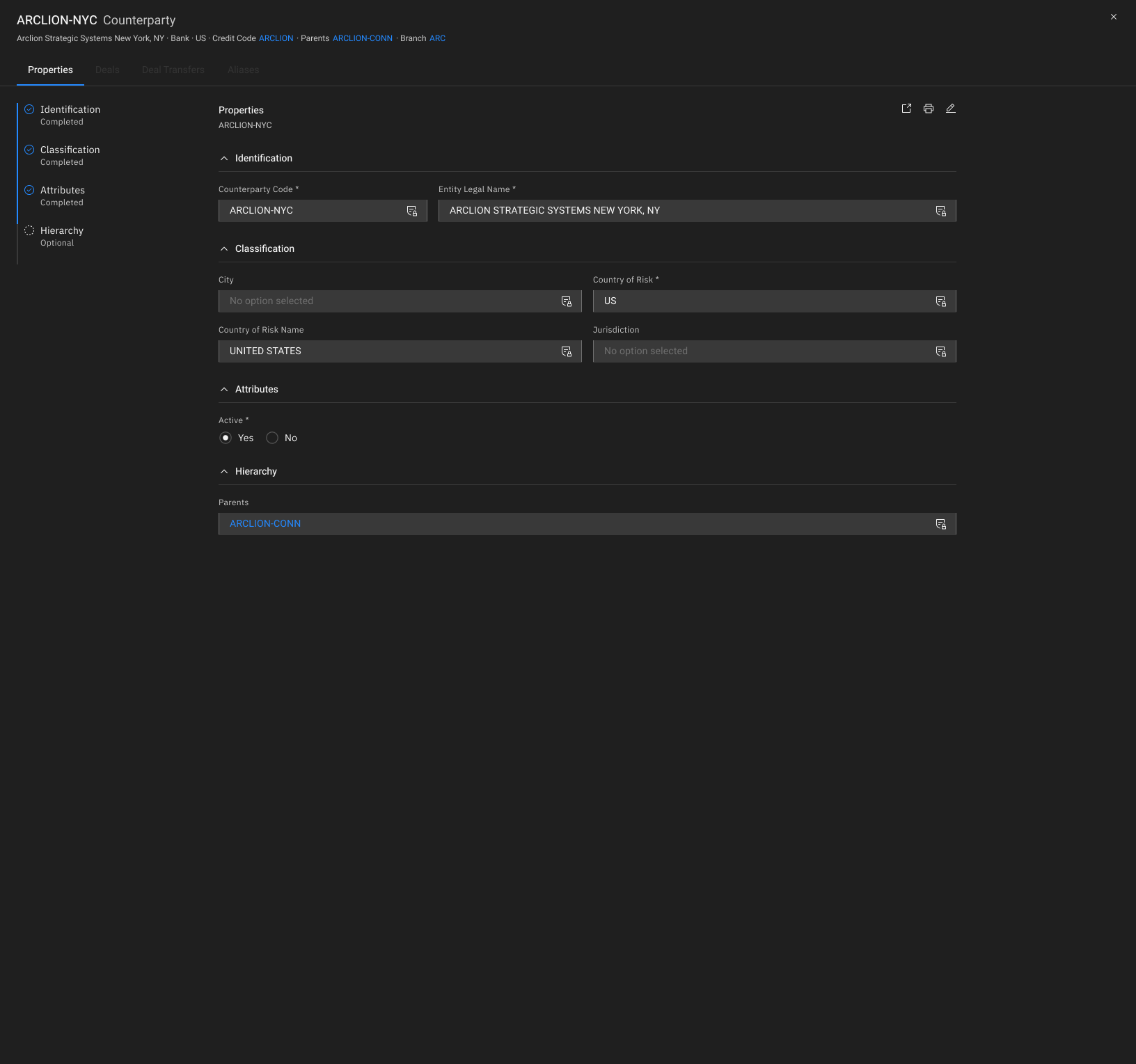
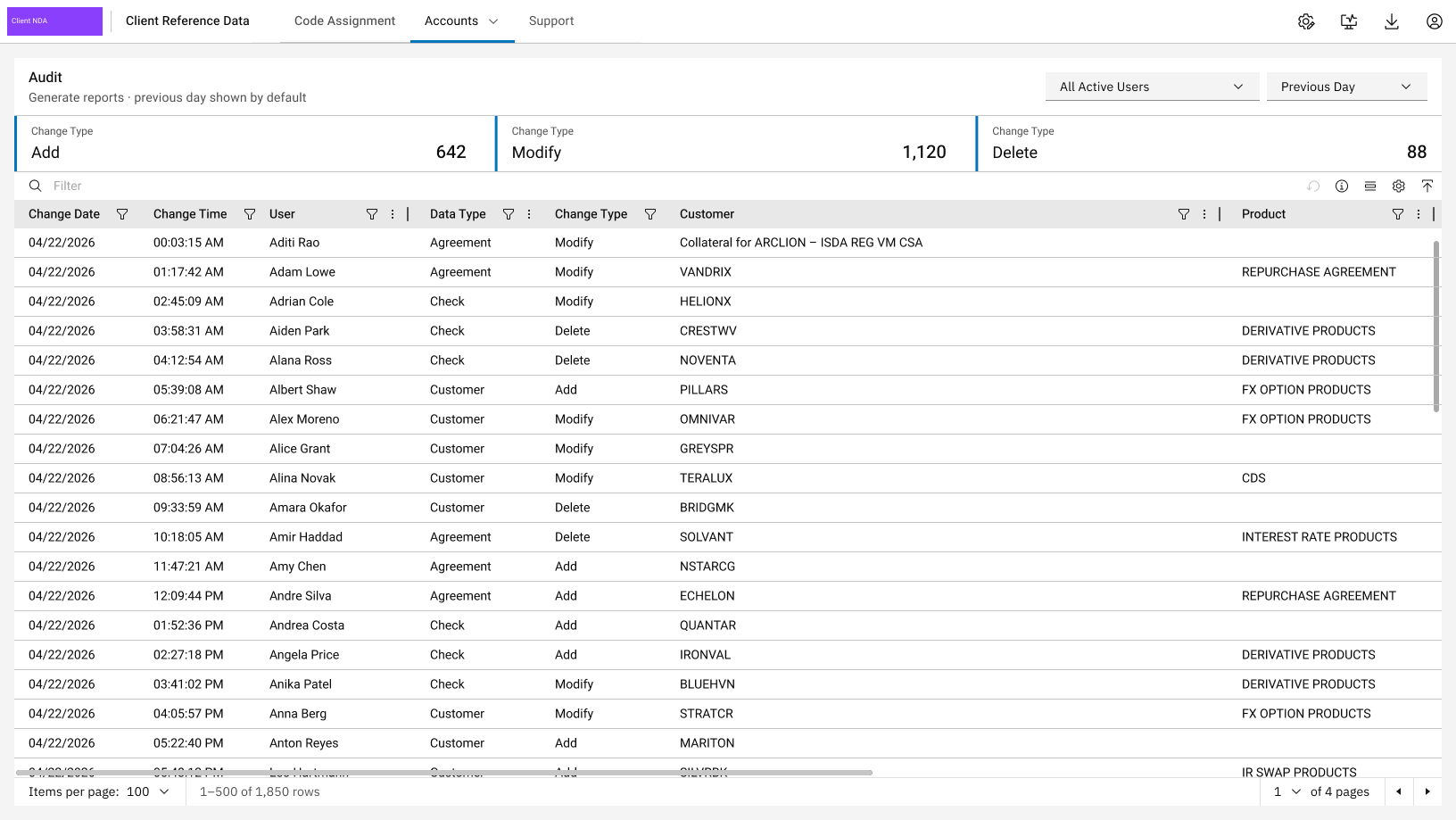
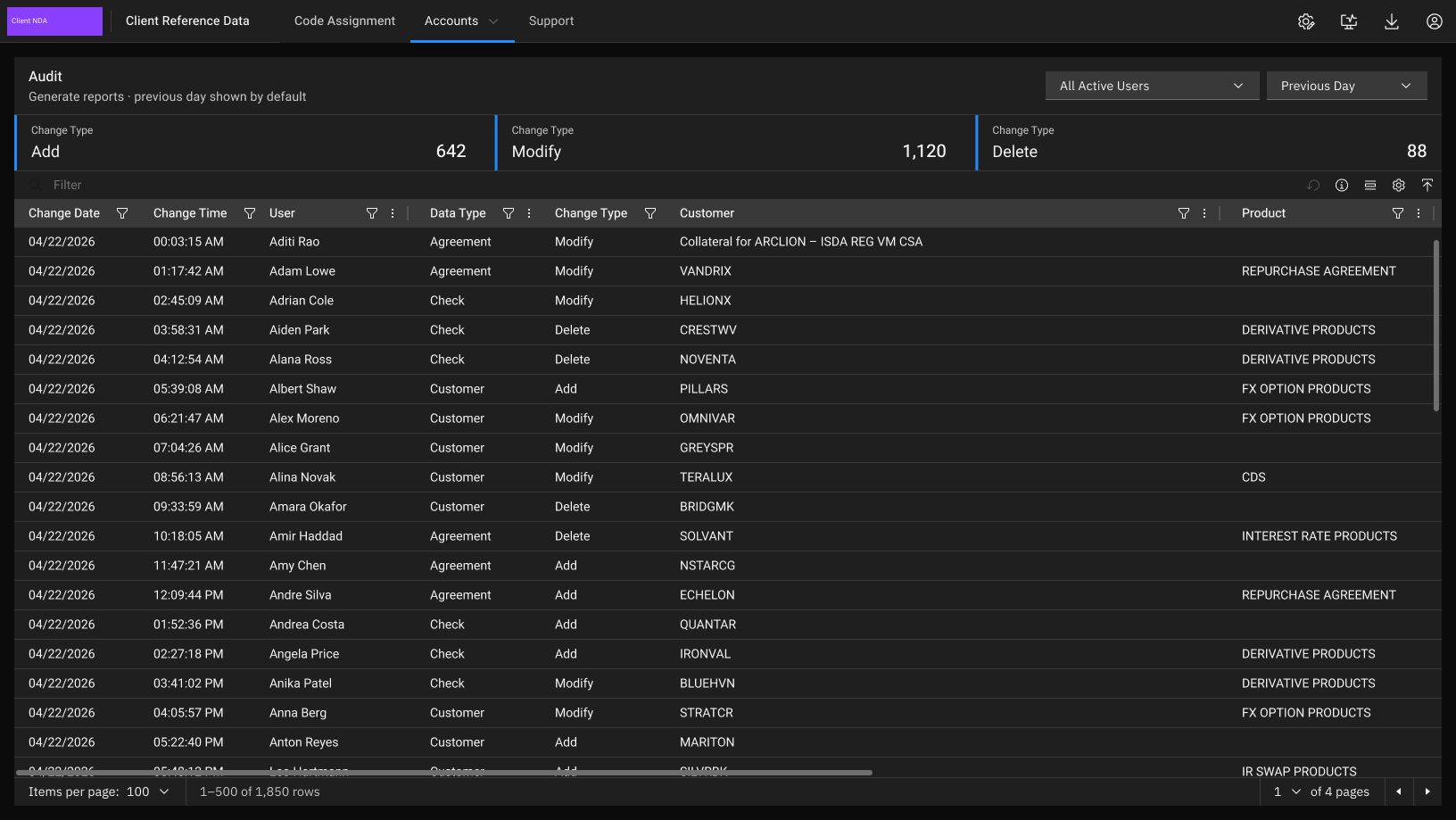
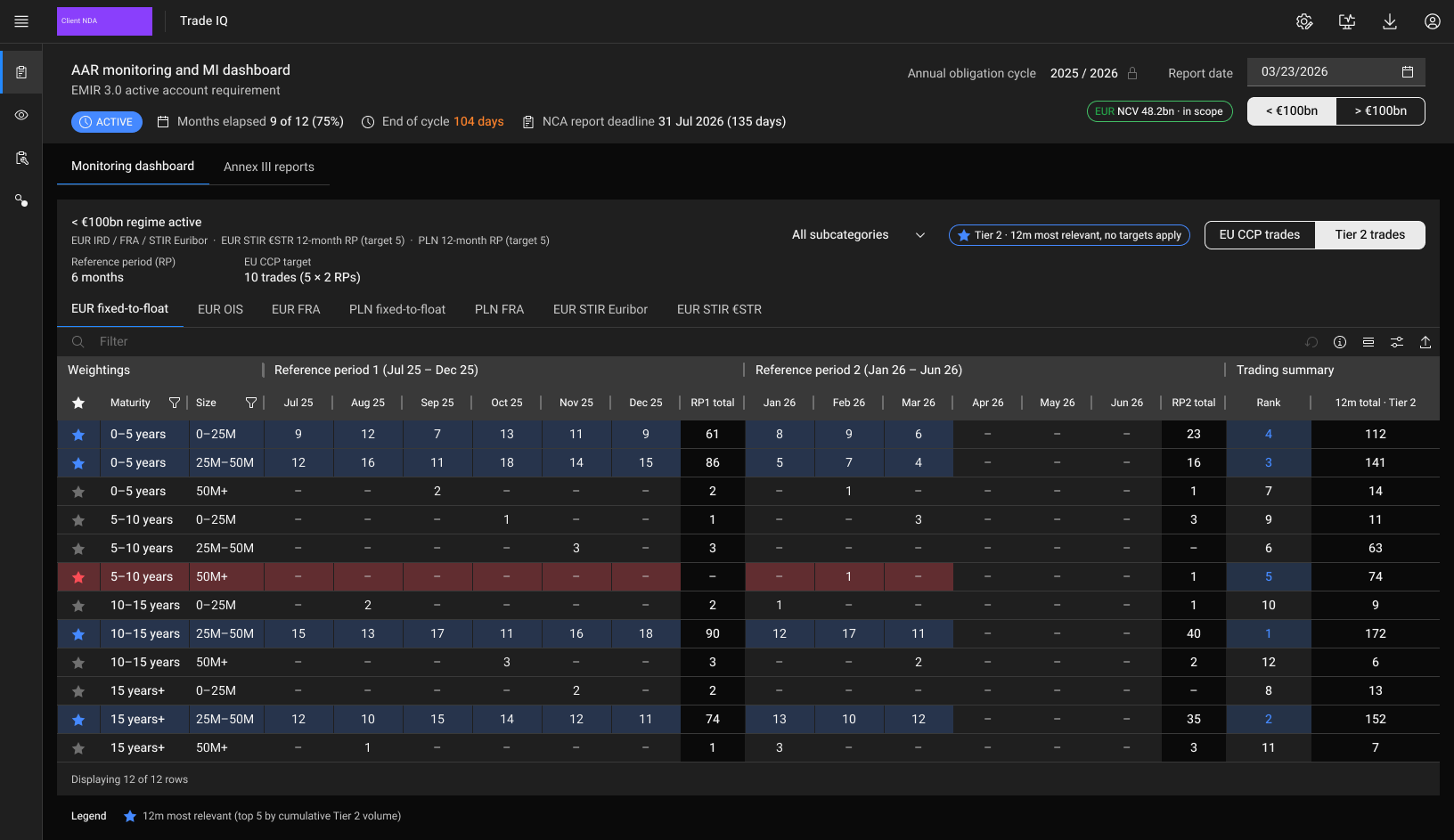
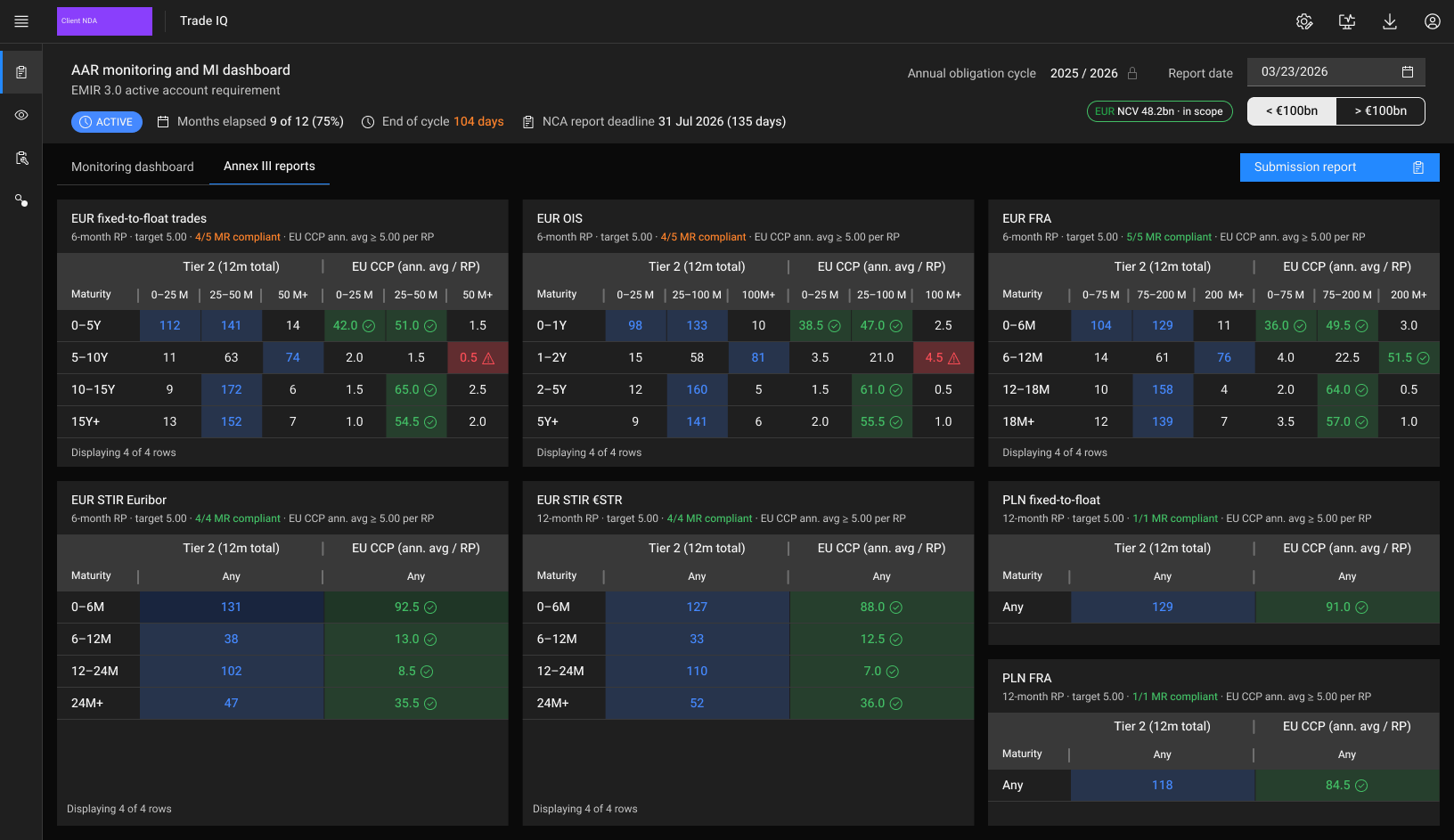
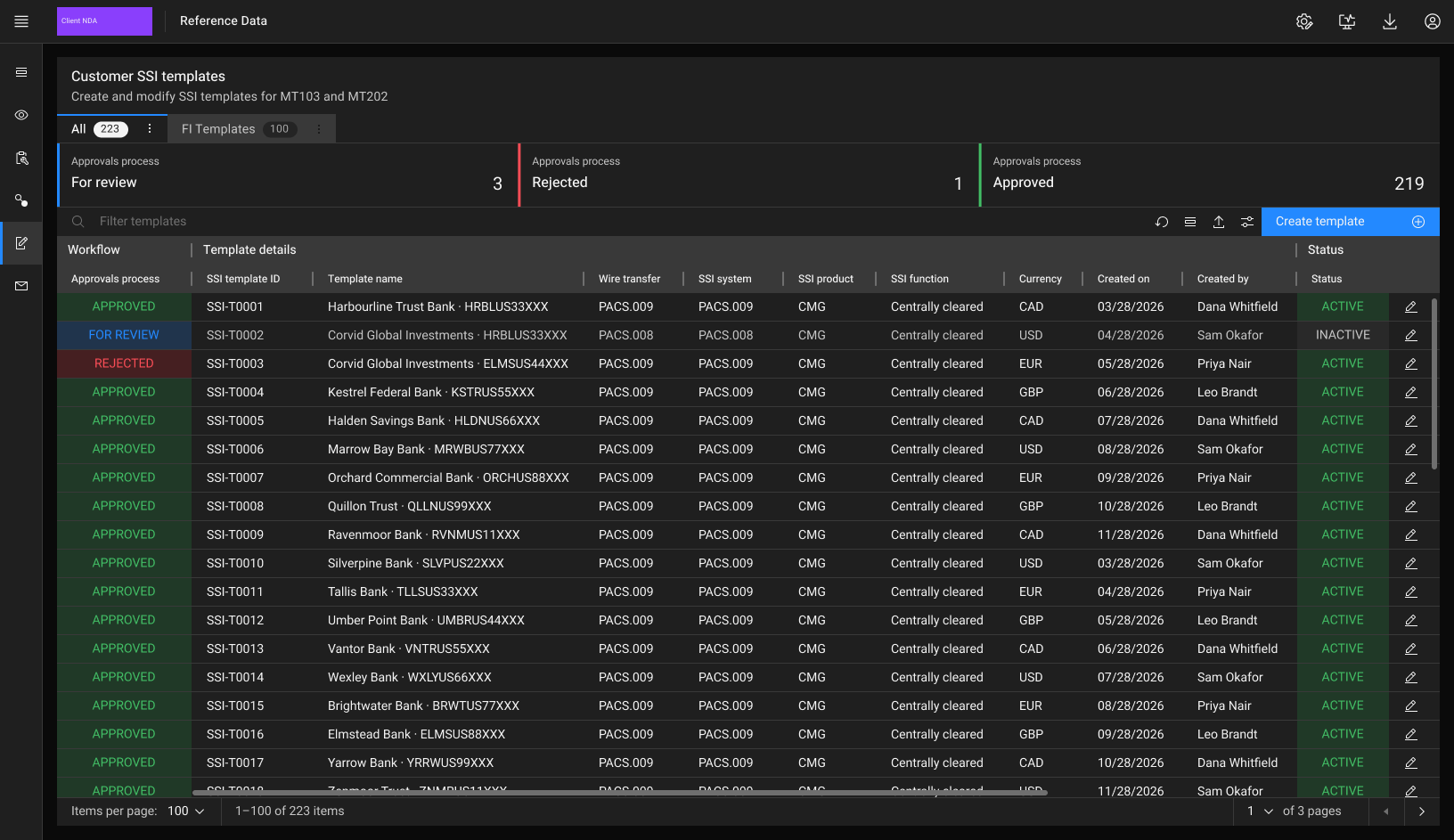
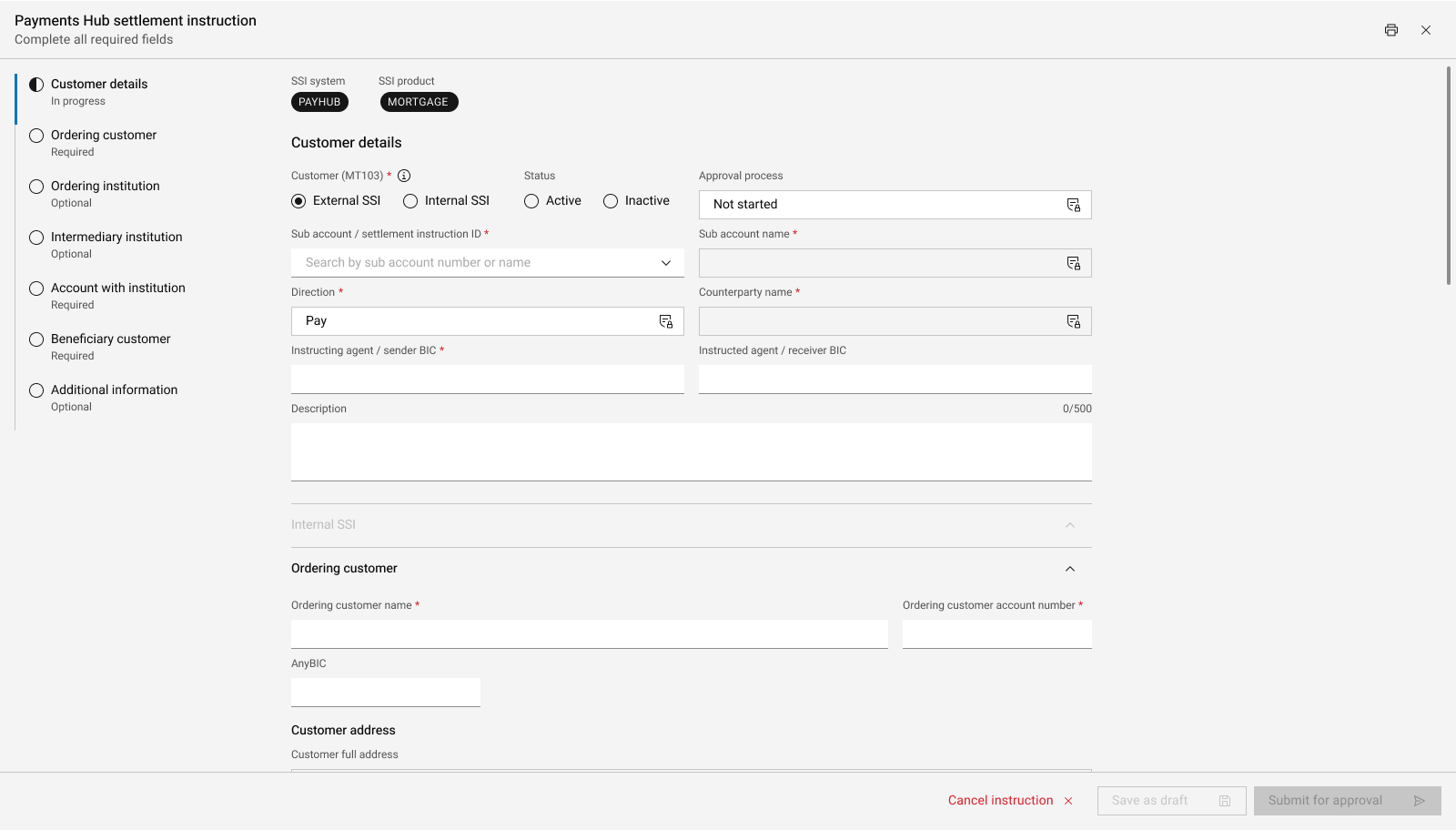
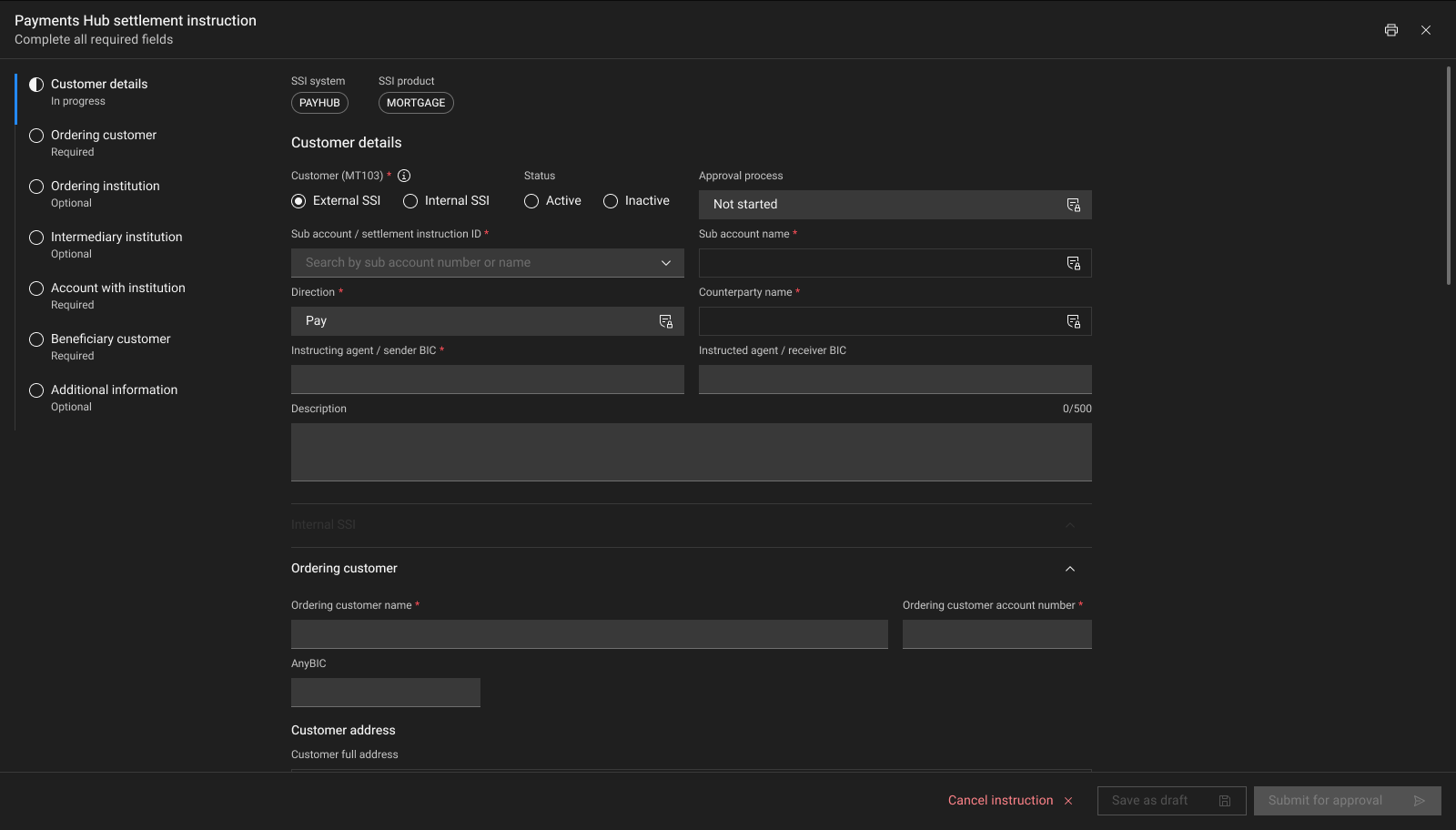
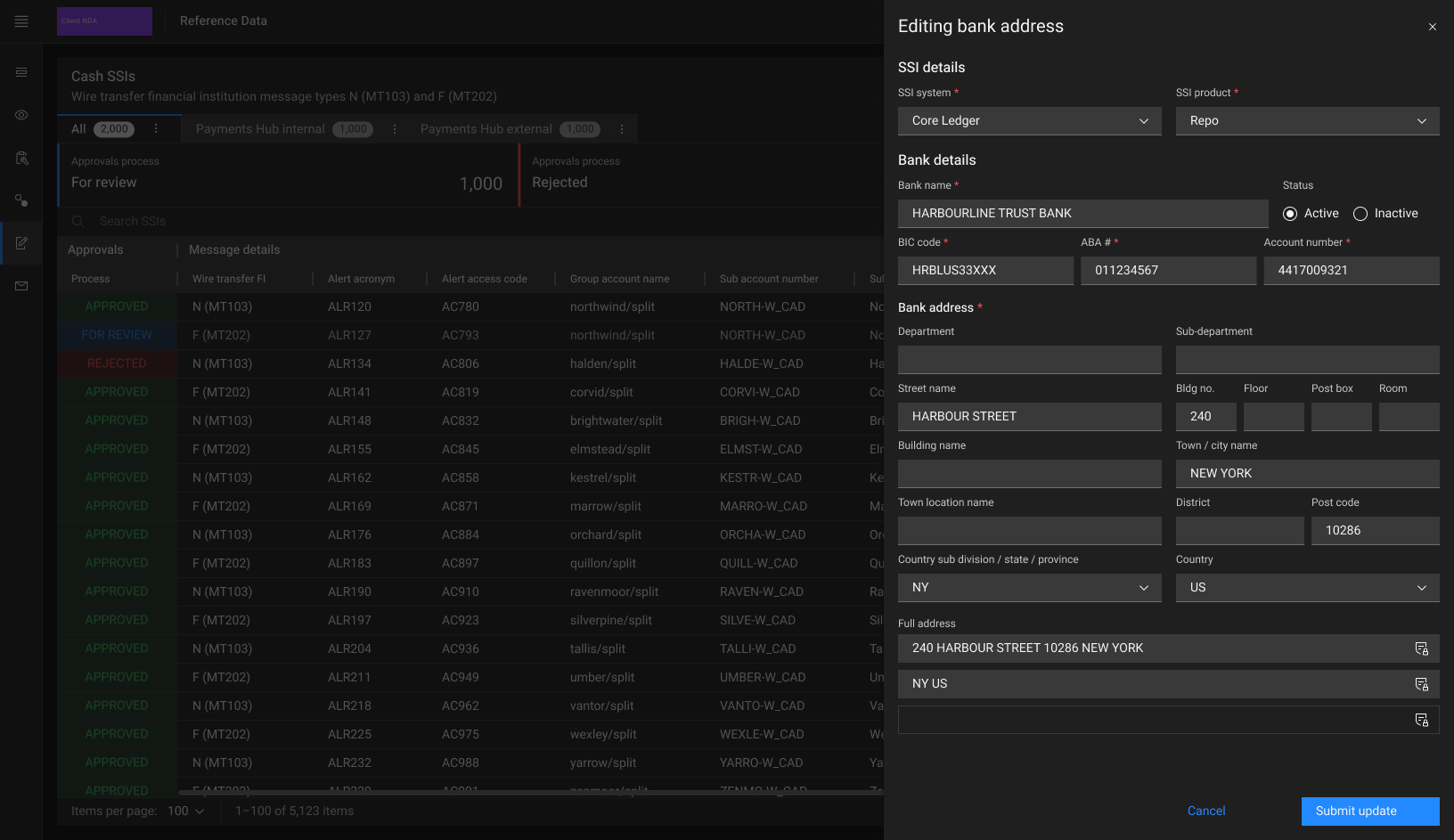
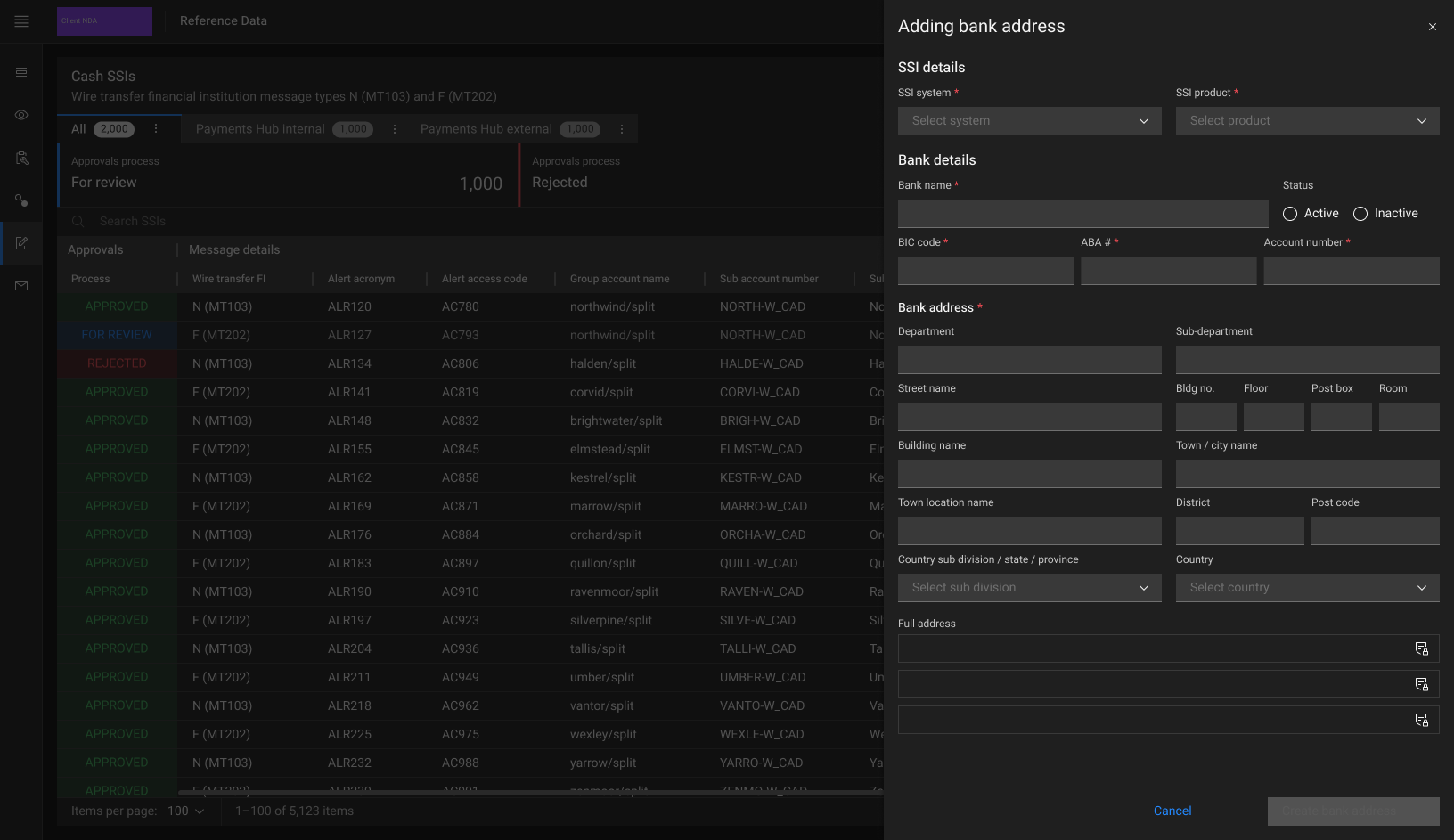
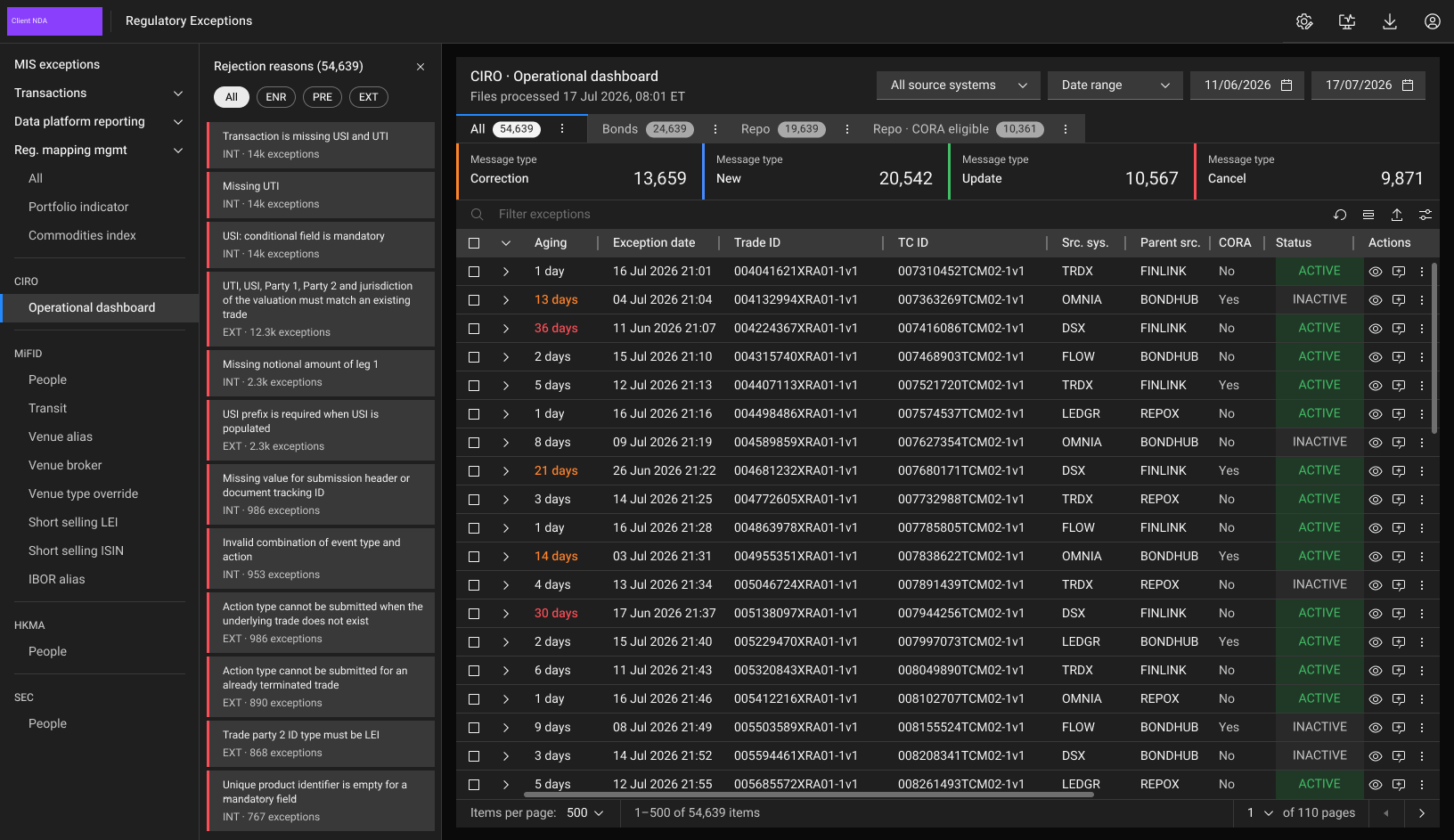
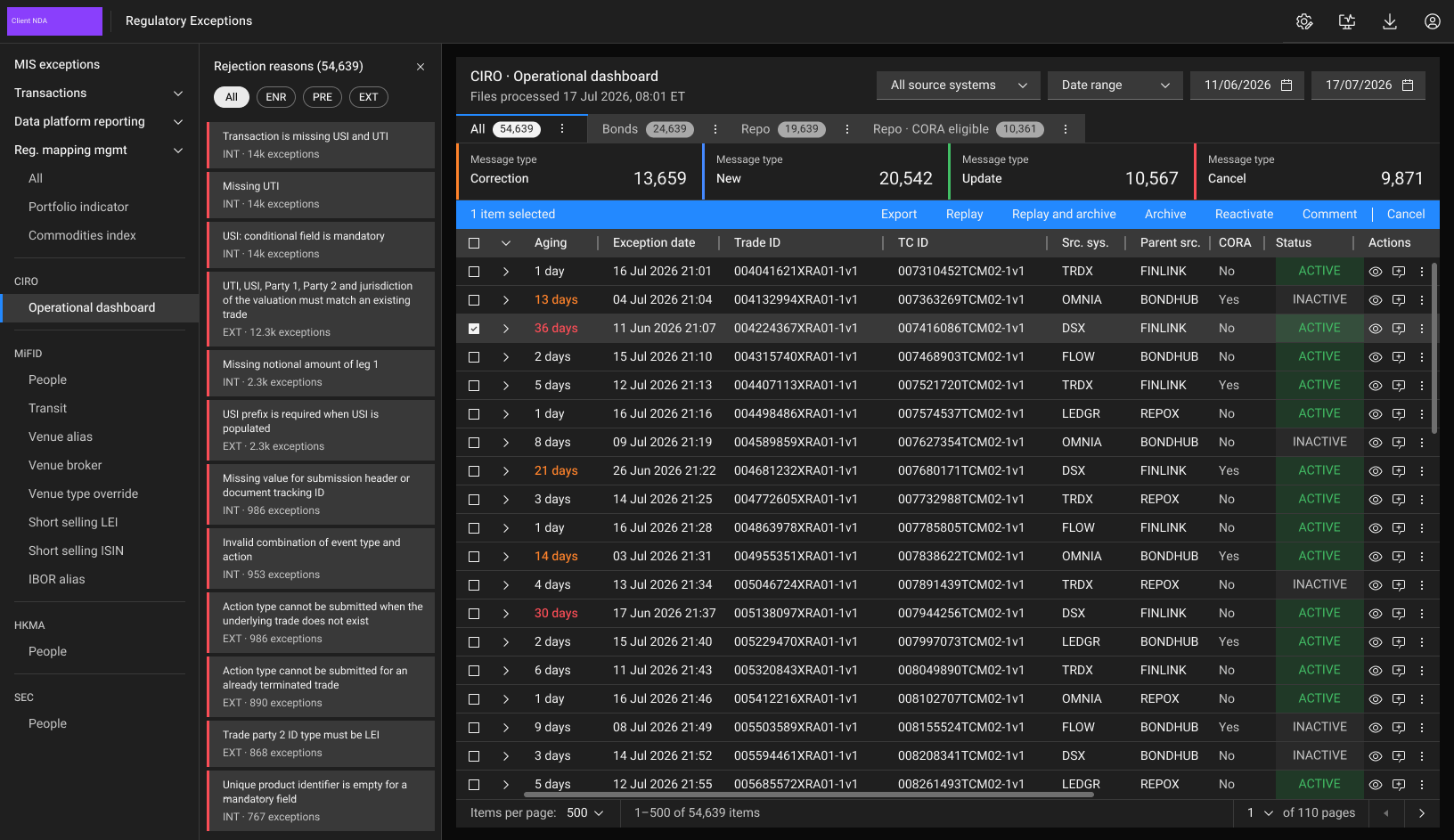
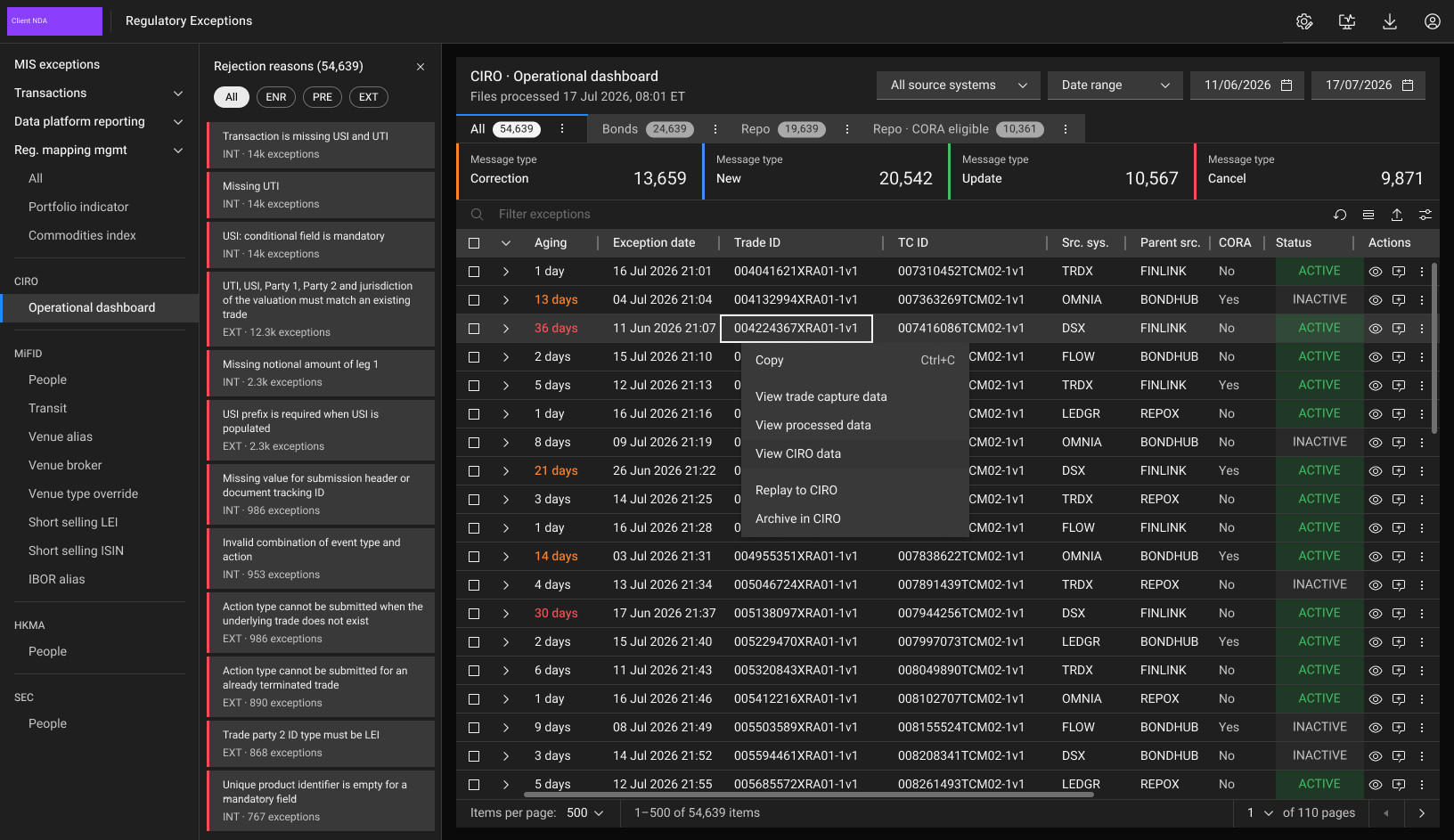
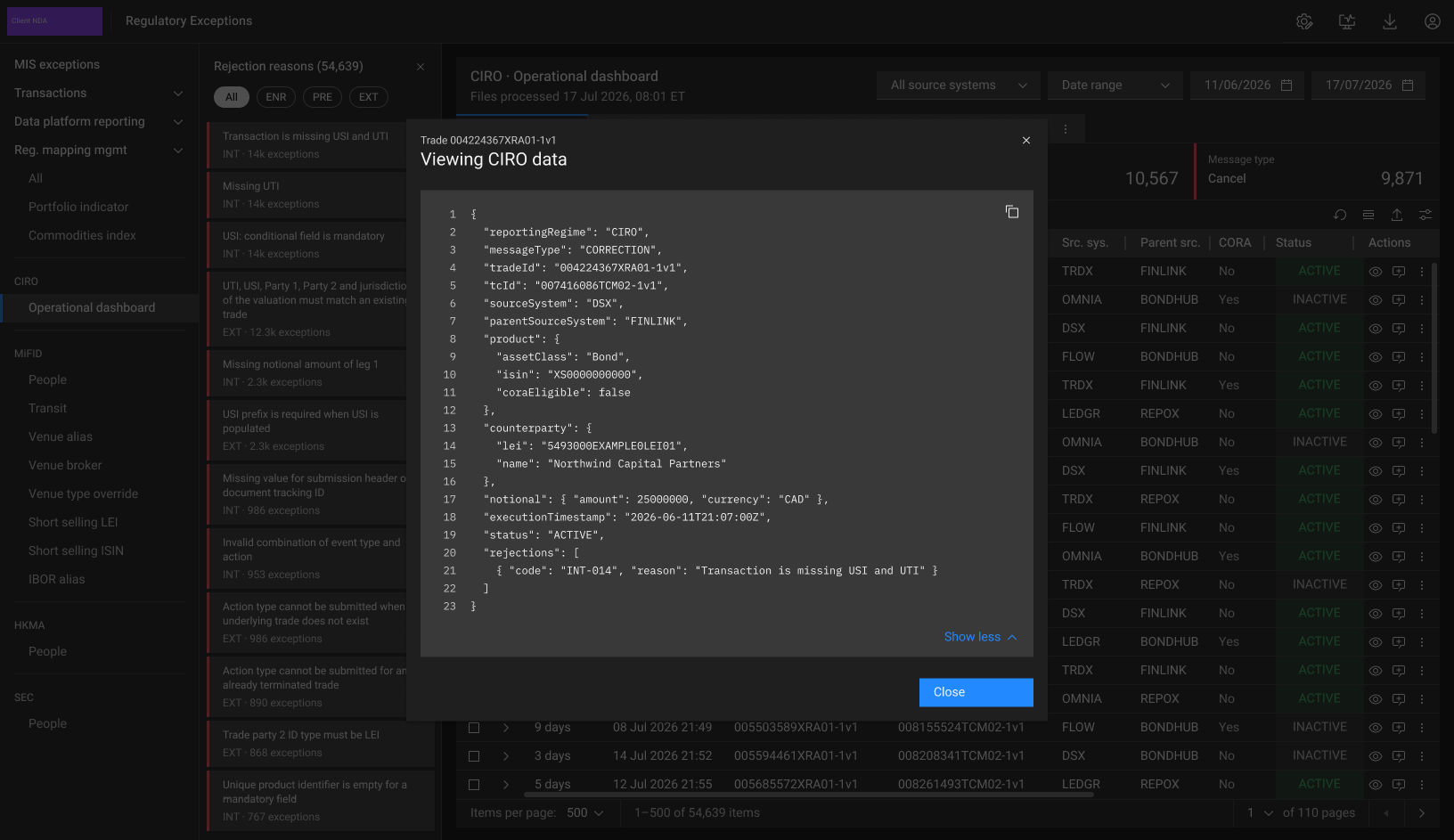
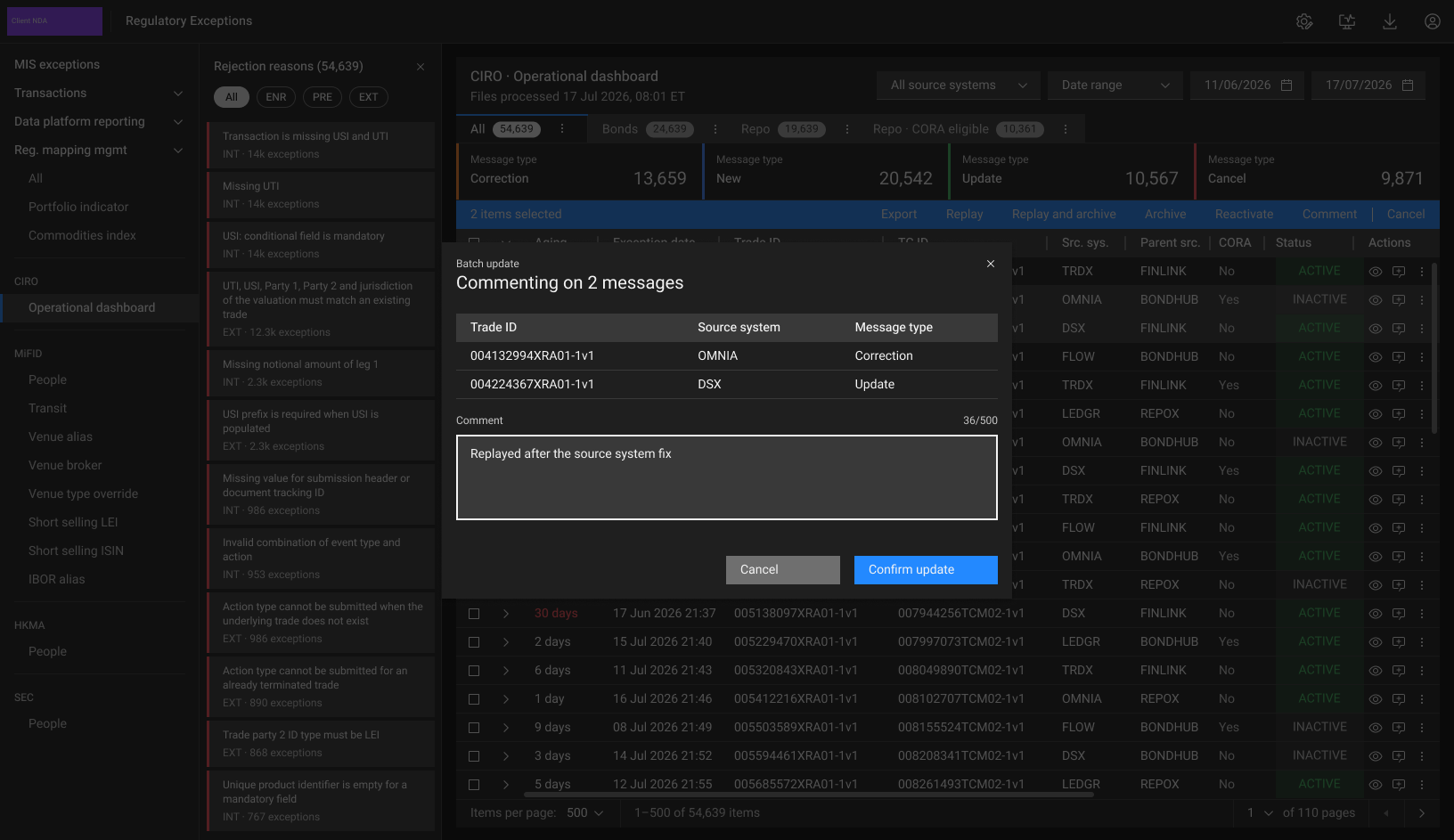
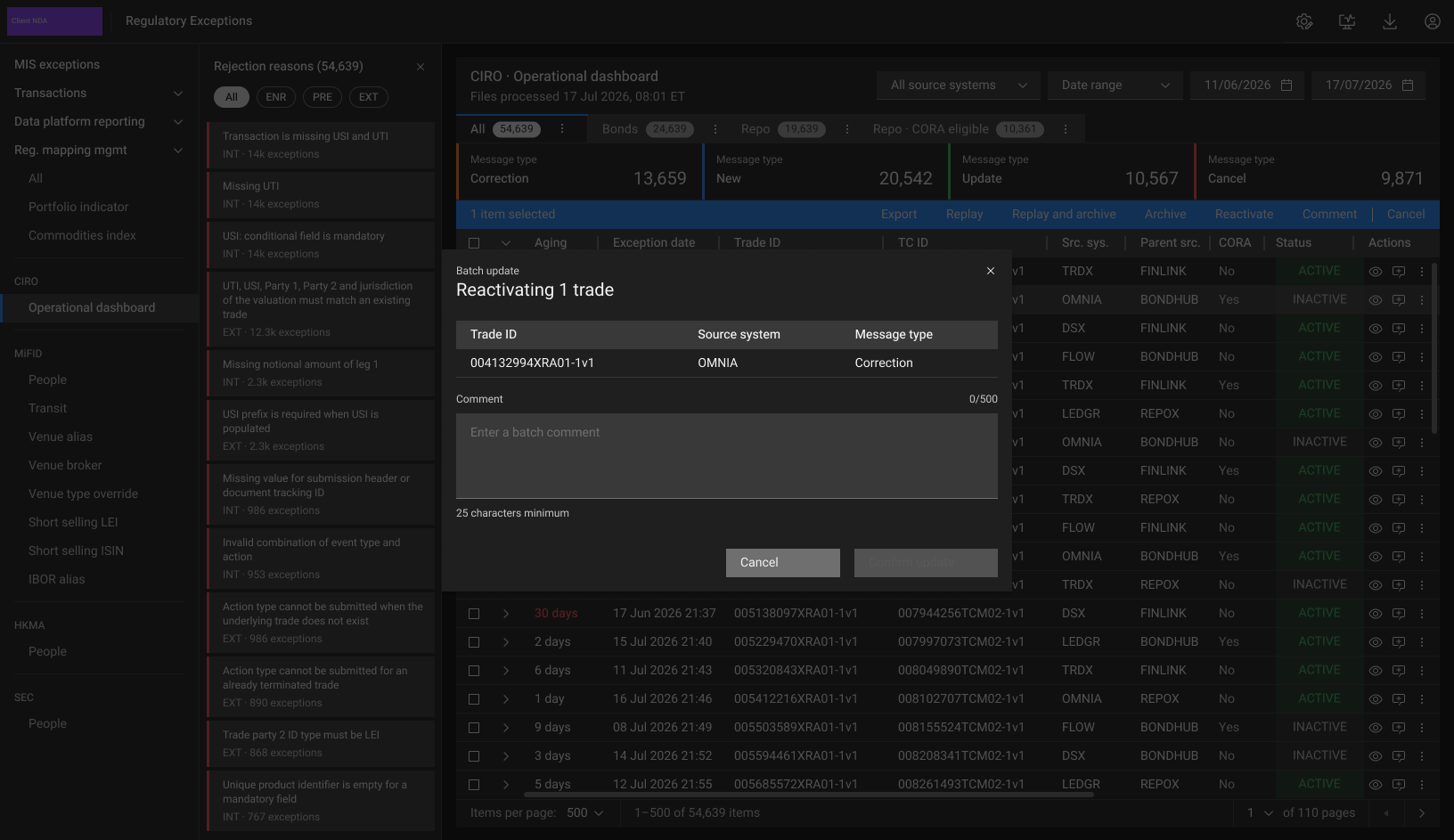
Each hub is shown briefly: what it does and its defining screens, in light and dark. All data is fictional.
Active Account Monitoring
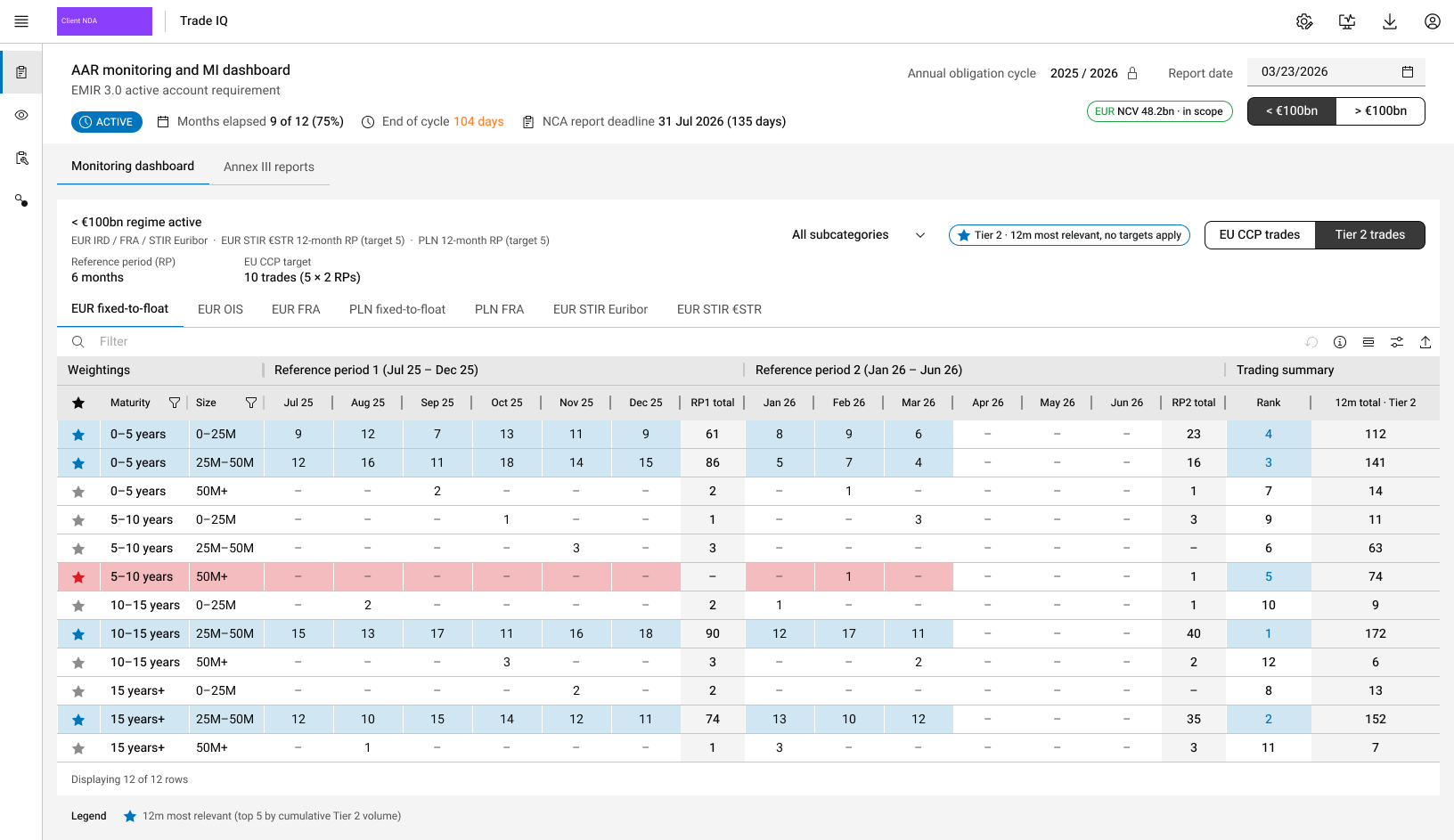
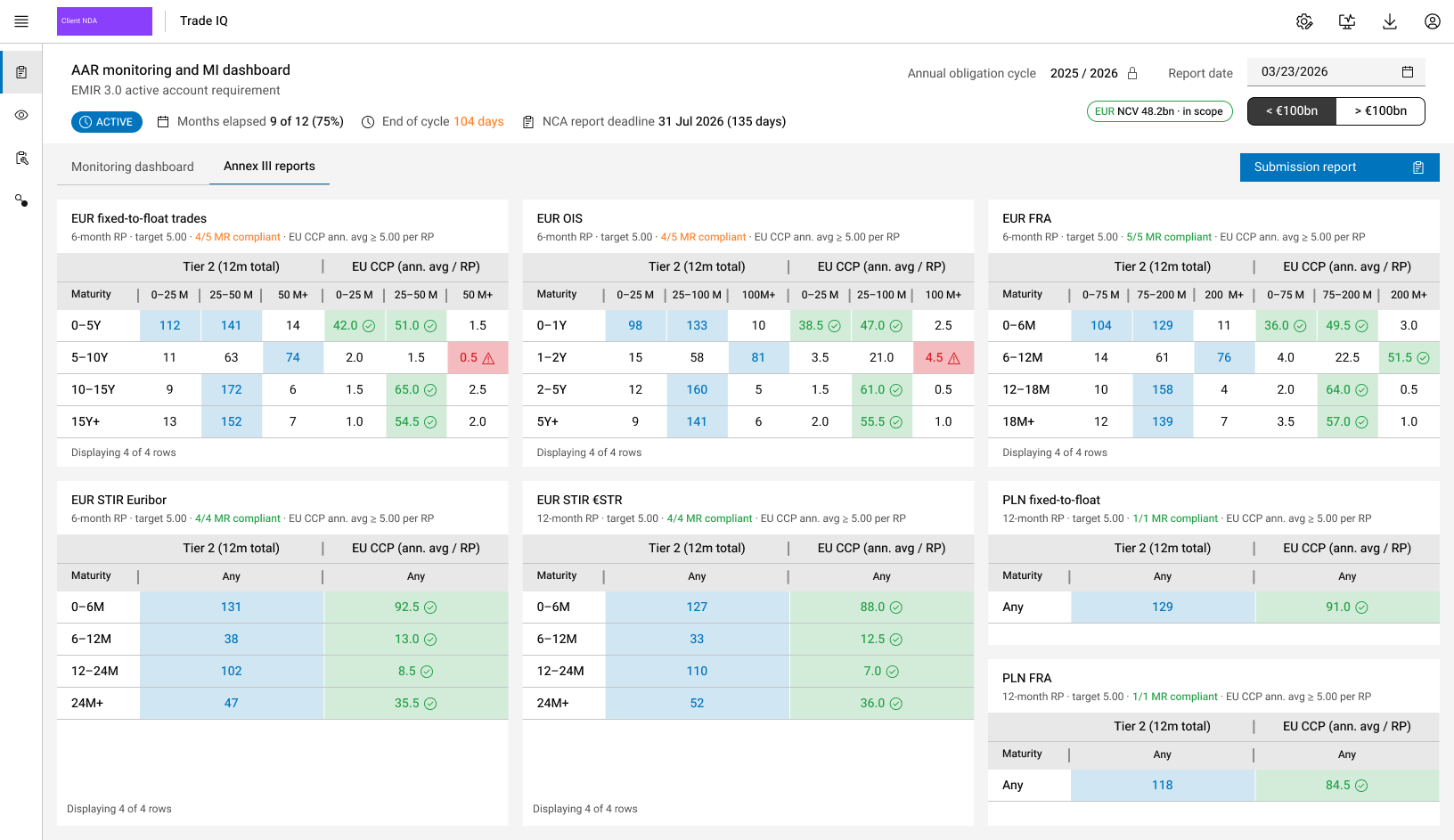
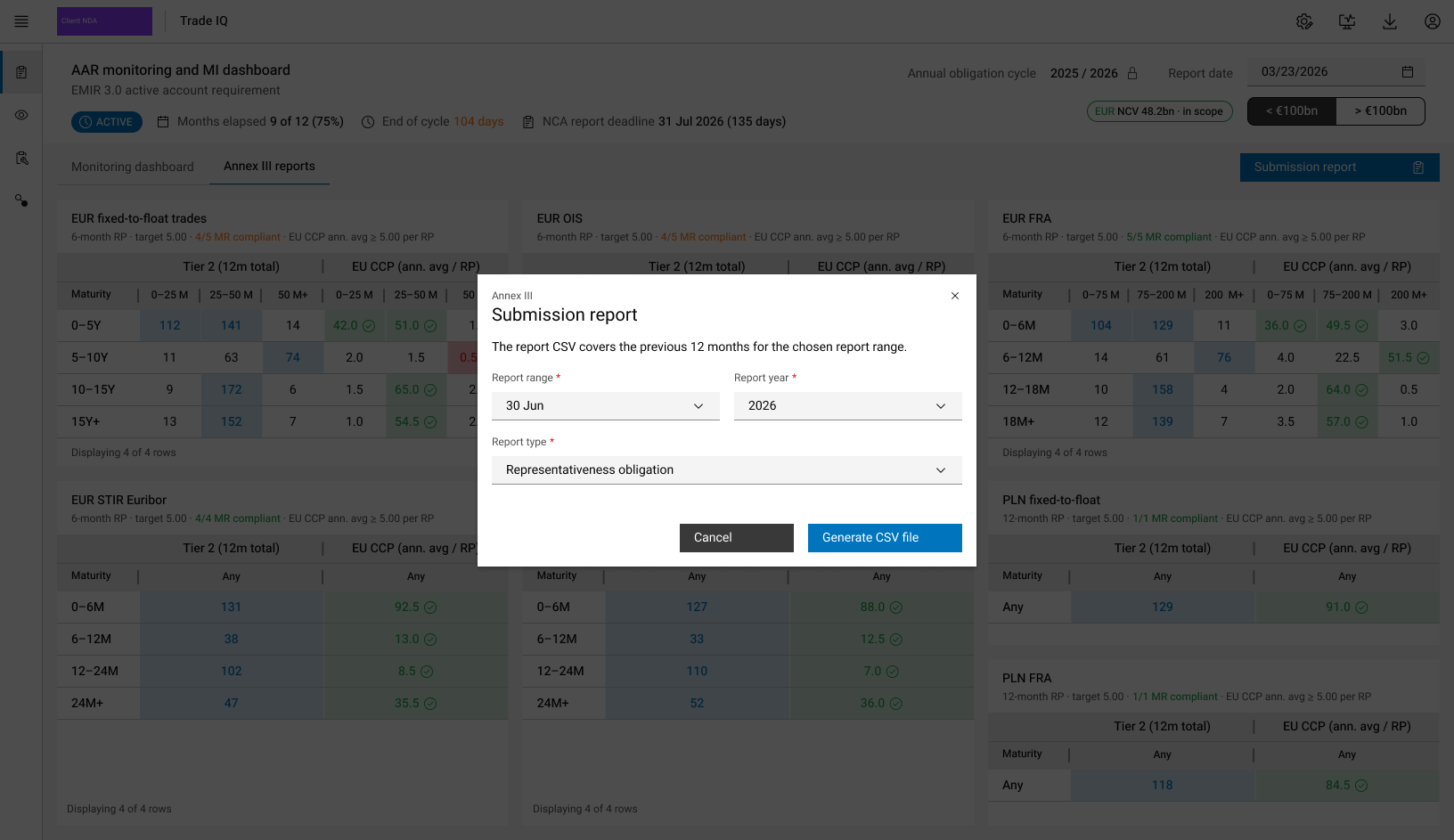
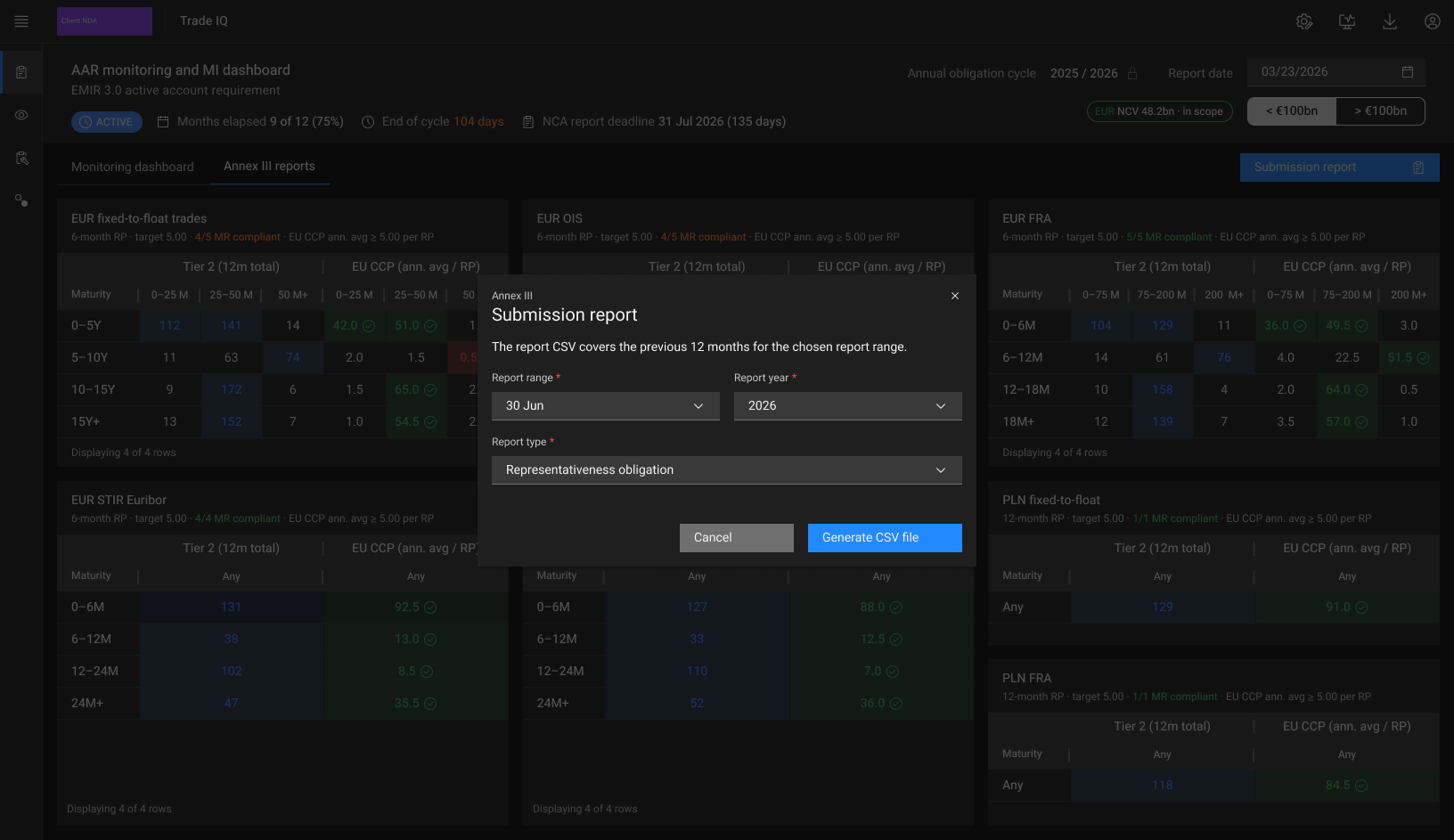
Monitoring for the EMIR 3.0 active account requirement. It tracks EU CCP and Tier 2 trading in each subcategory against reference-period targets, then produces the Annex III submission report.
Monthly trades per bucket across two reference periods, with the five most relevant starred and flagged on track or short.
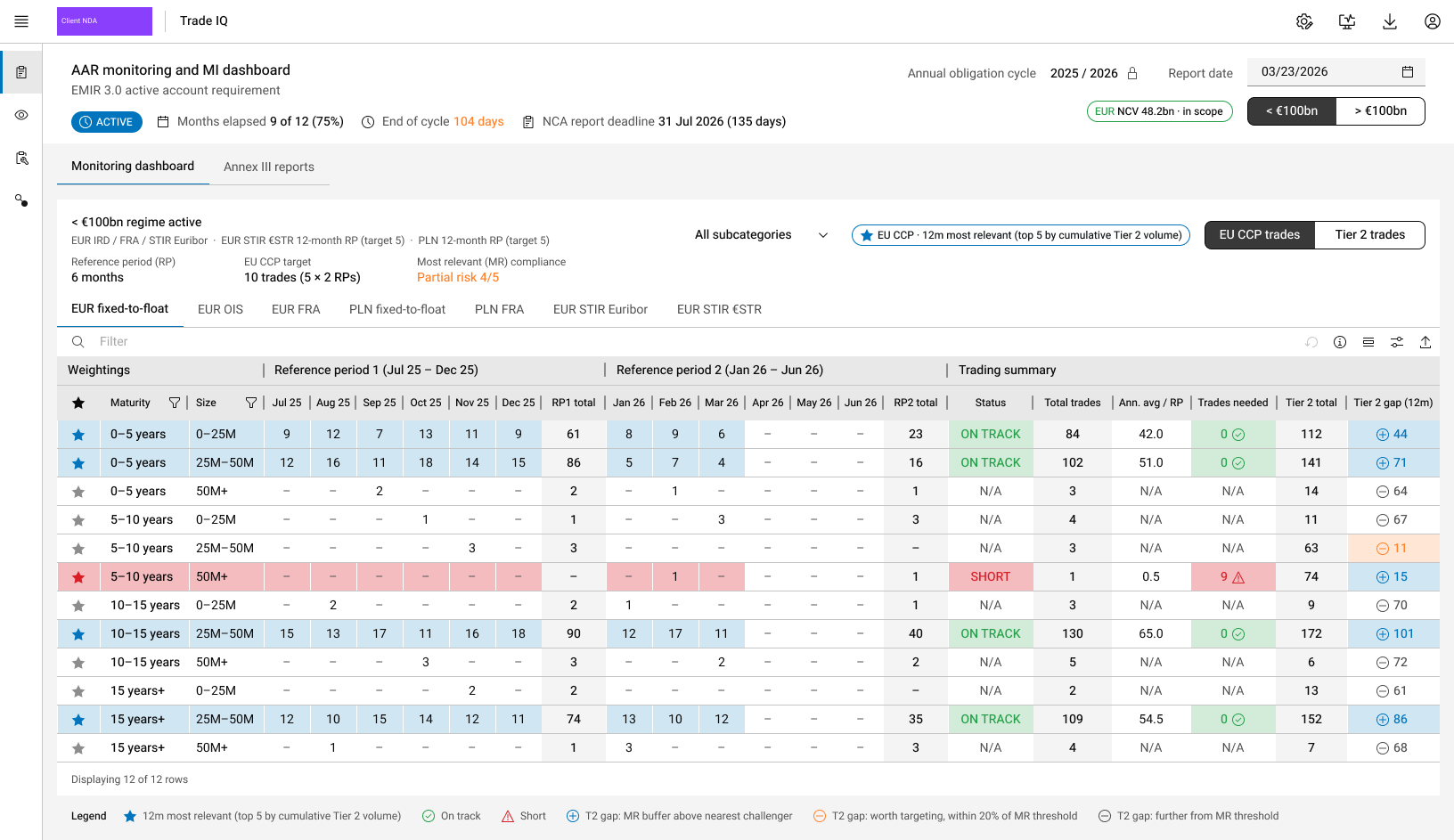
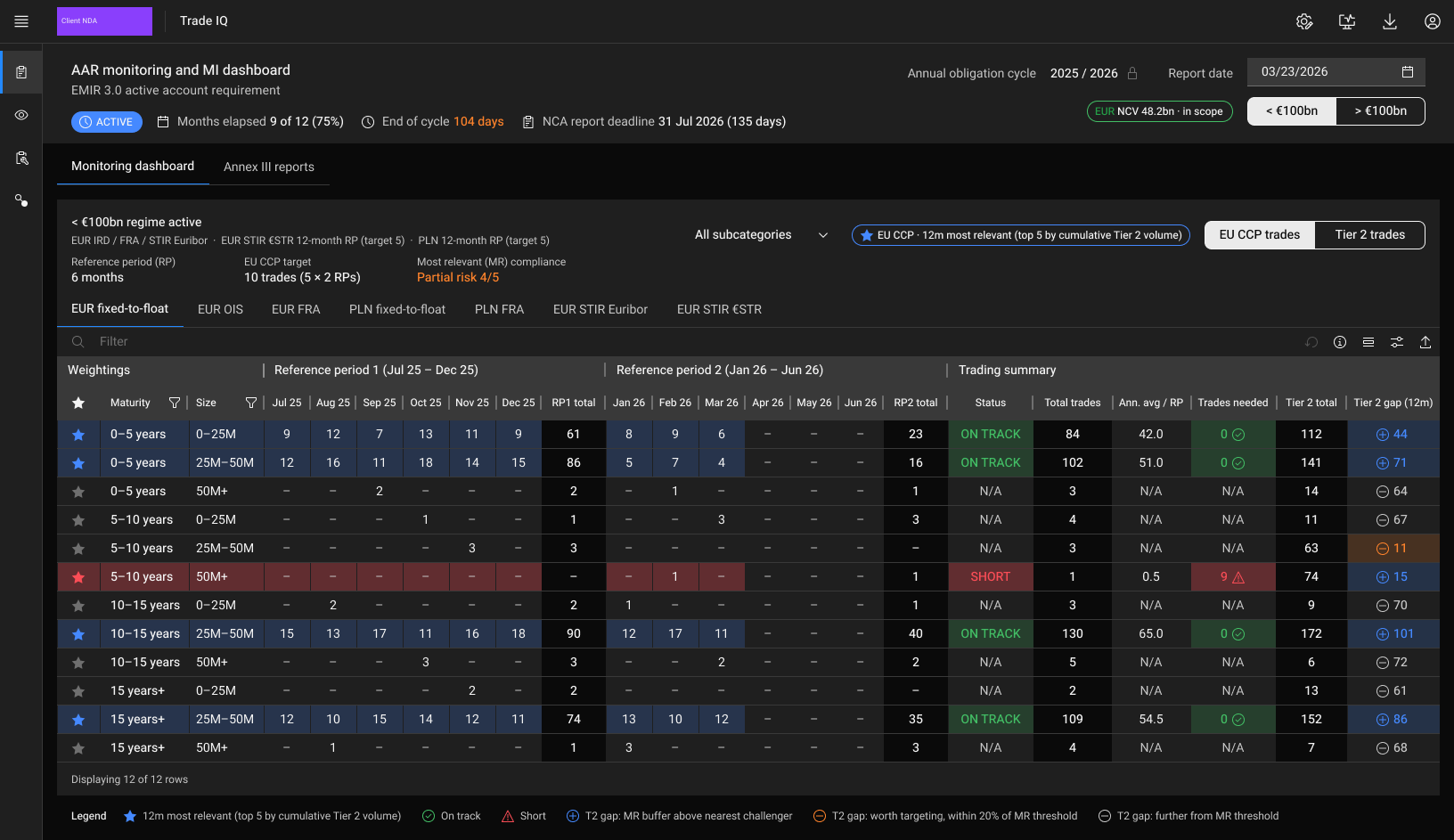
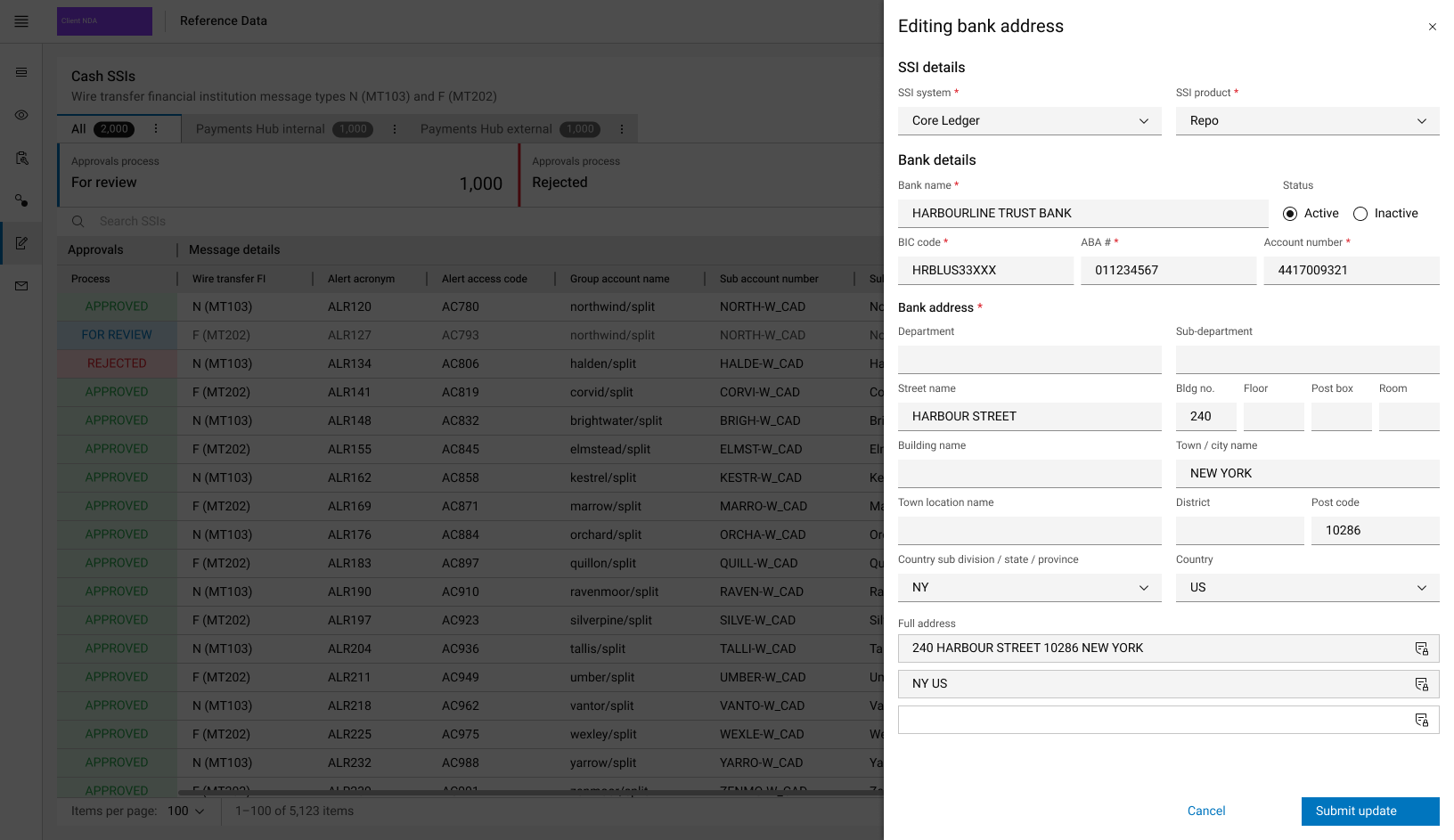
SSI management
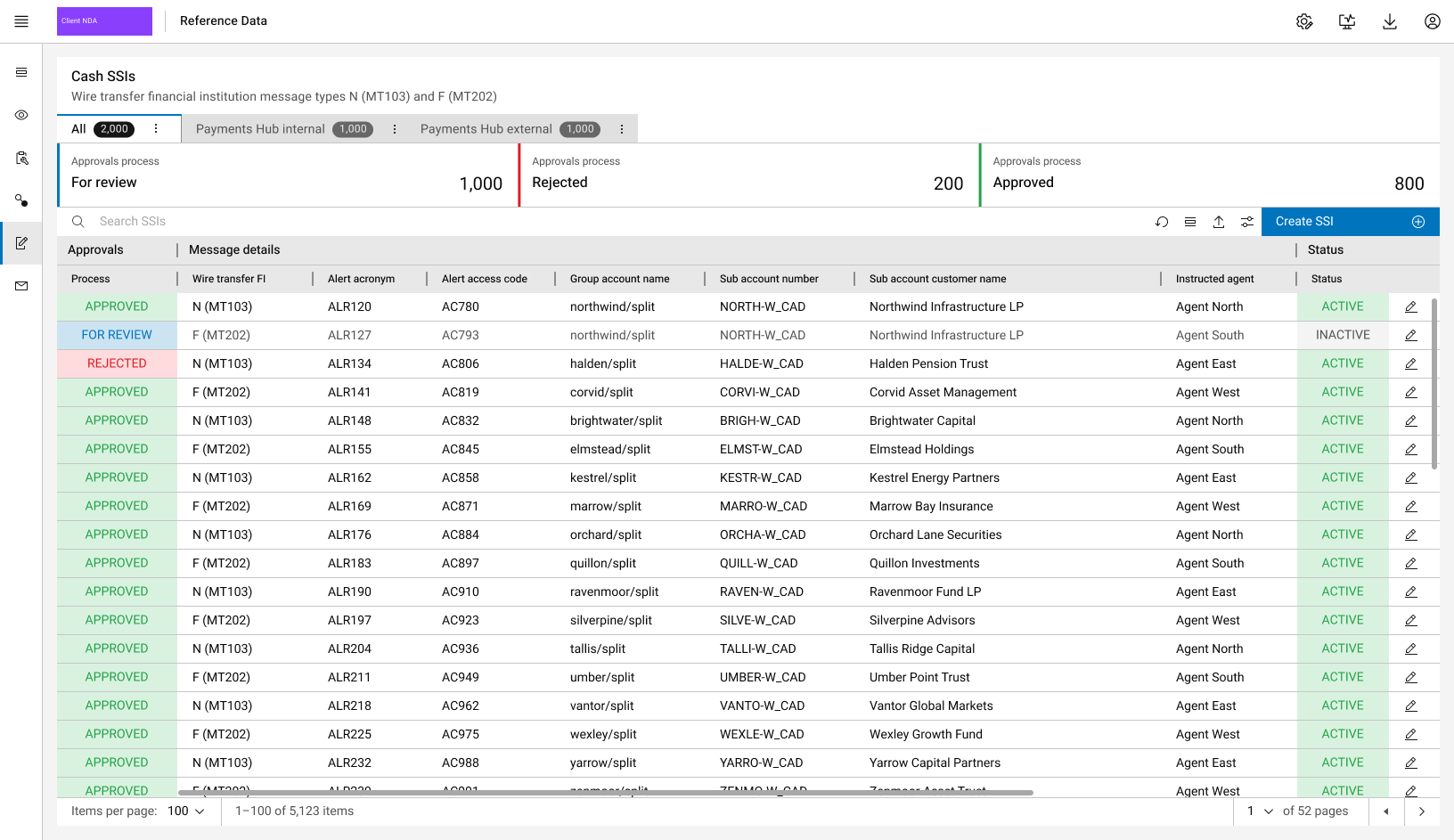
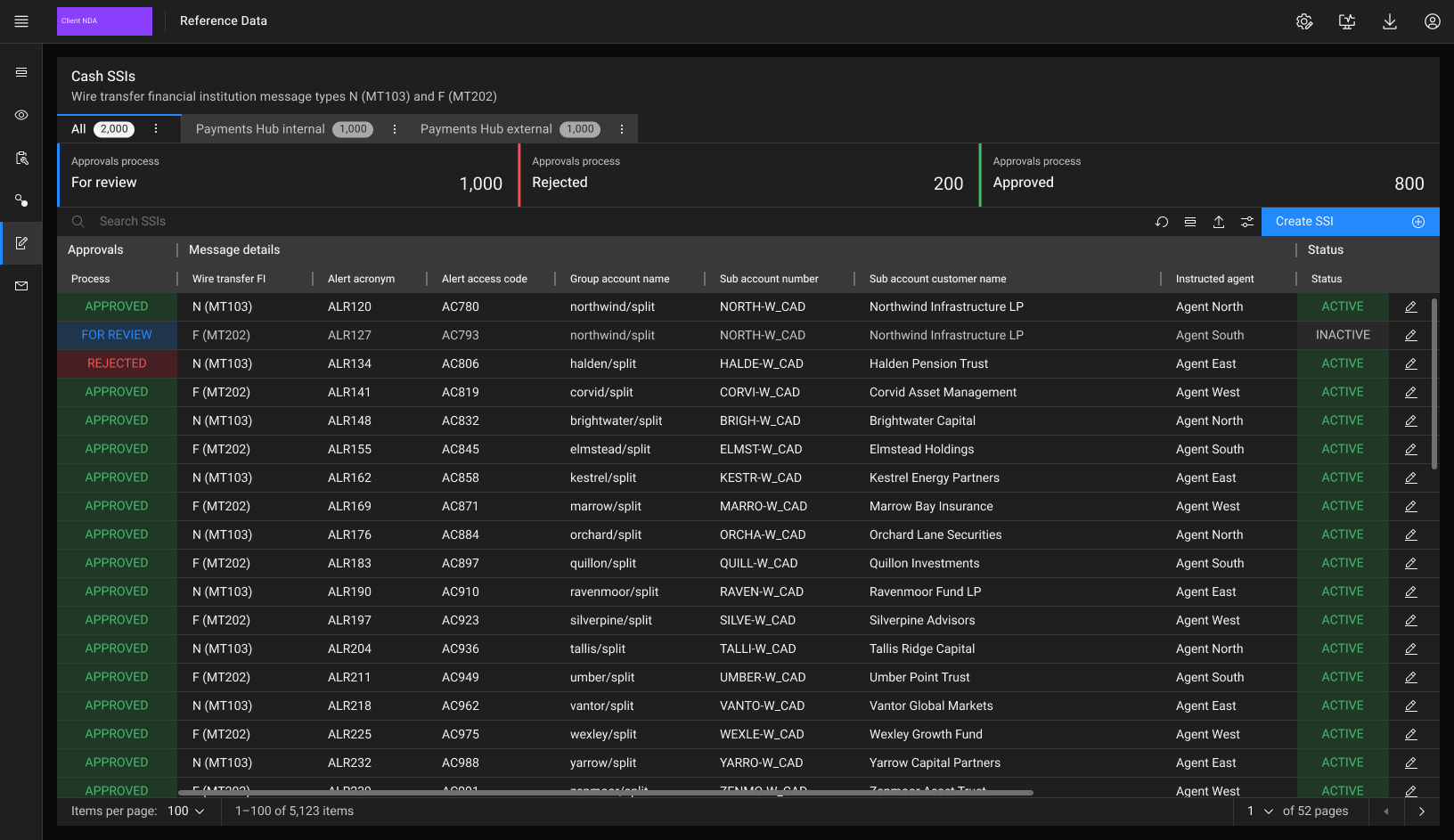
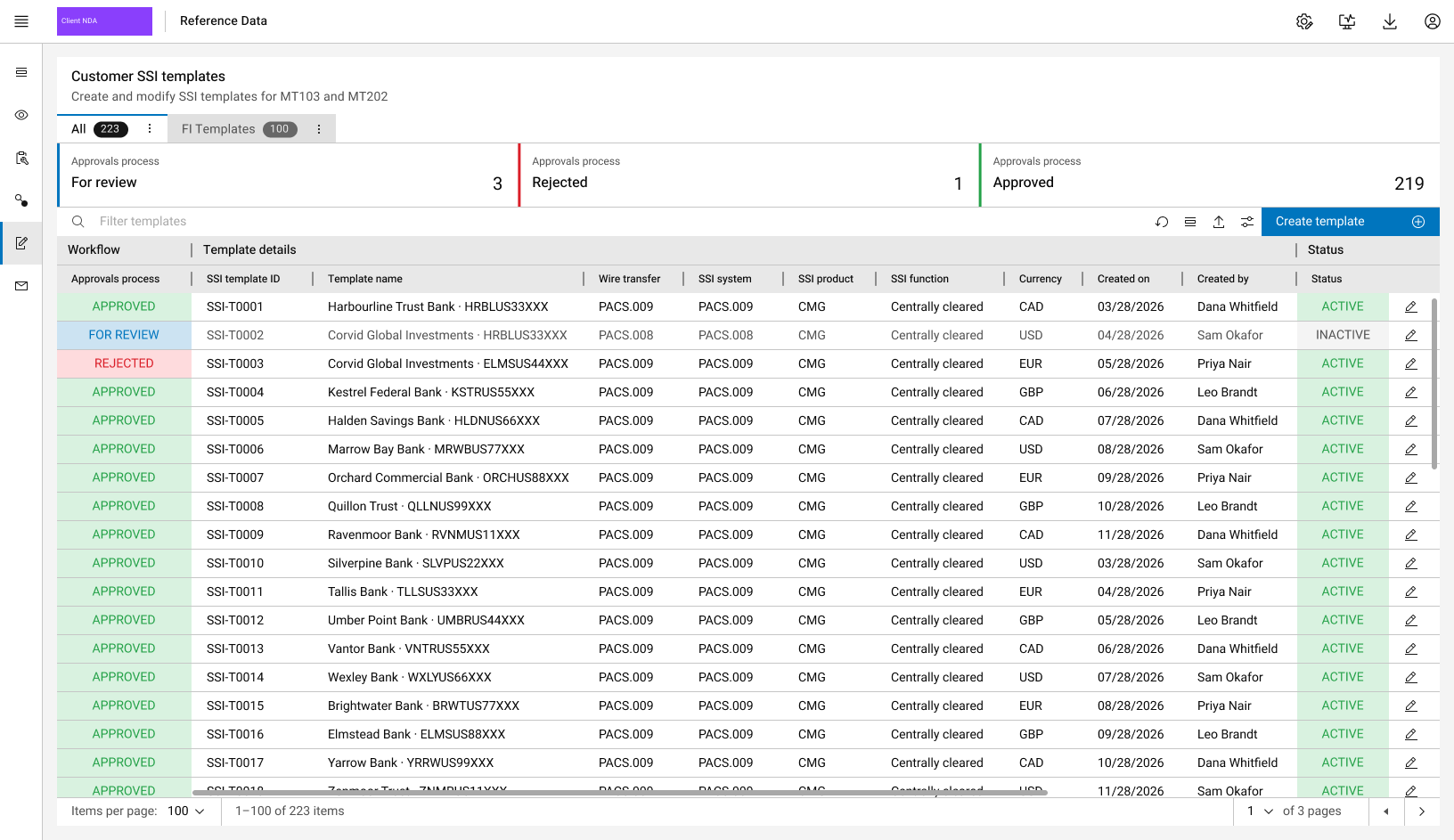
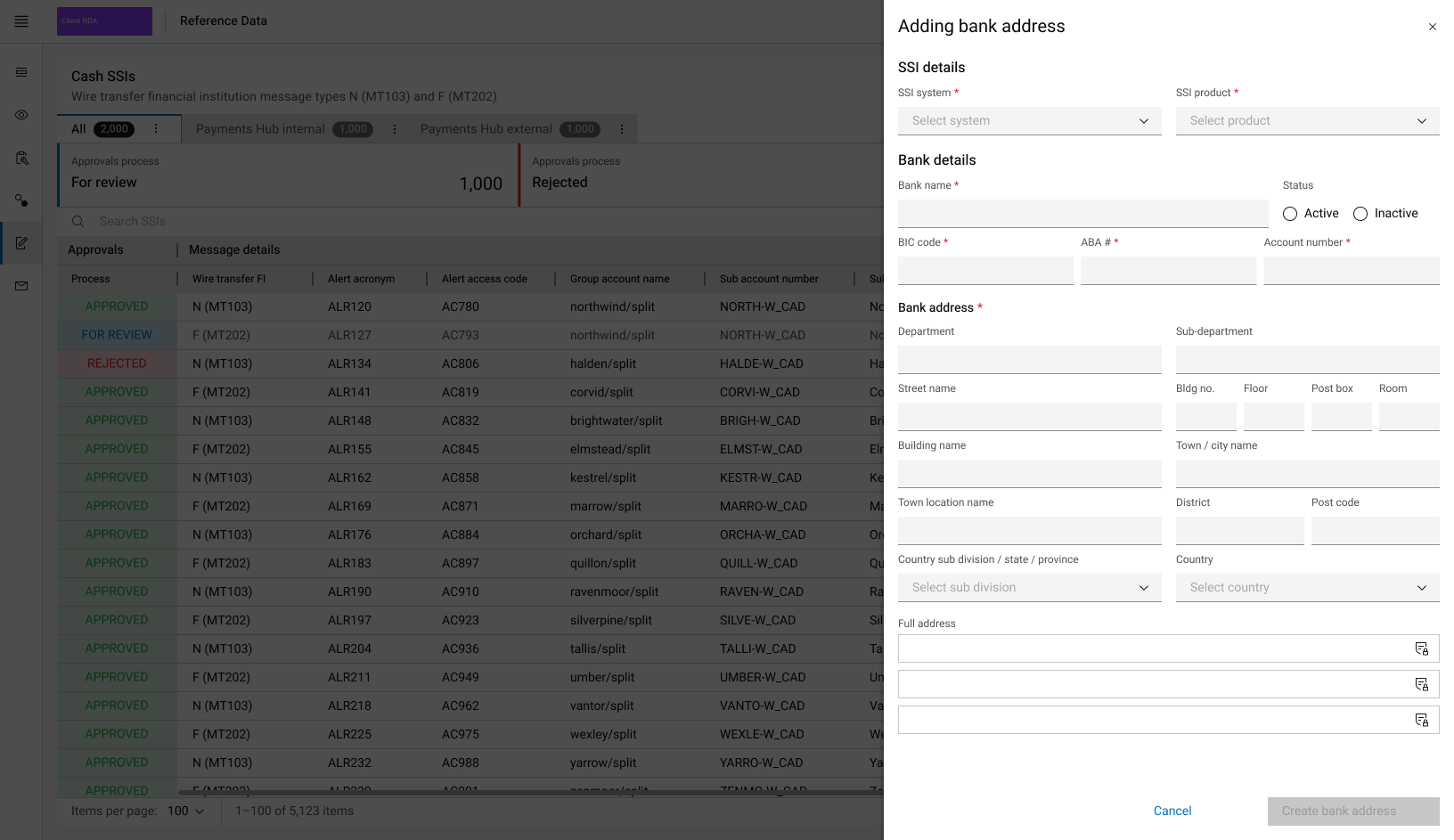
A digitised hub for standing settlement instructions, their templates and bank addresses, with an approvals workflow.
Cash SSIs split into internal and external, with approval counts (for review, rejected, approved) as filter tiles. Approvals sit in the first column and status in the last.
Regulatory Exceptions Reporting
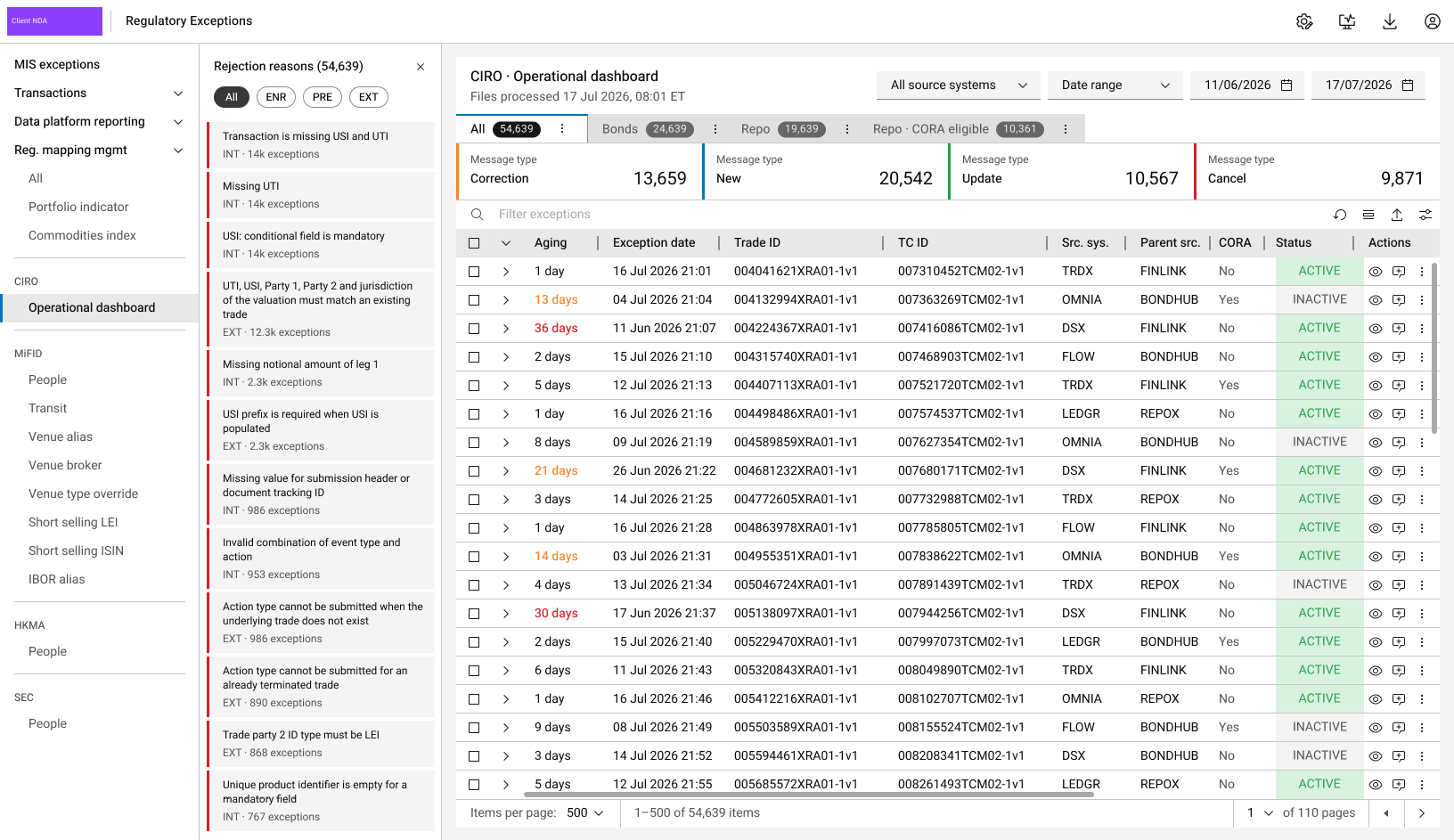
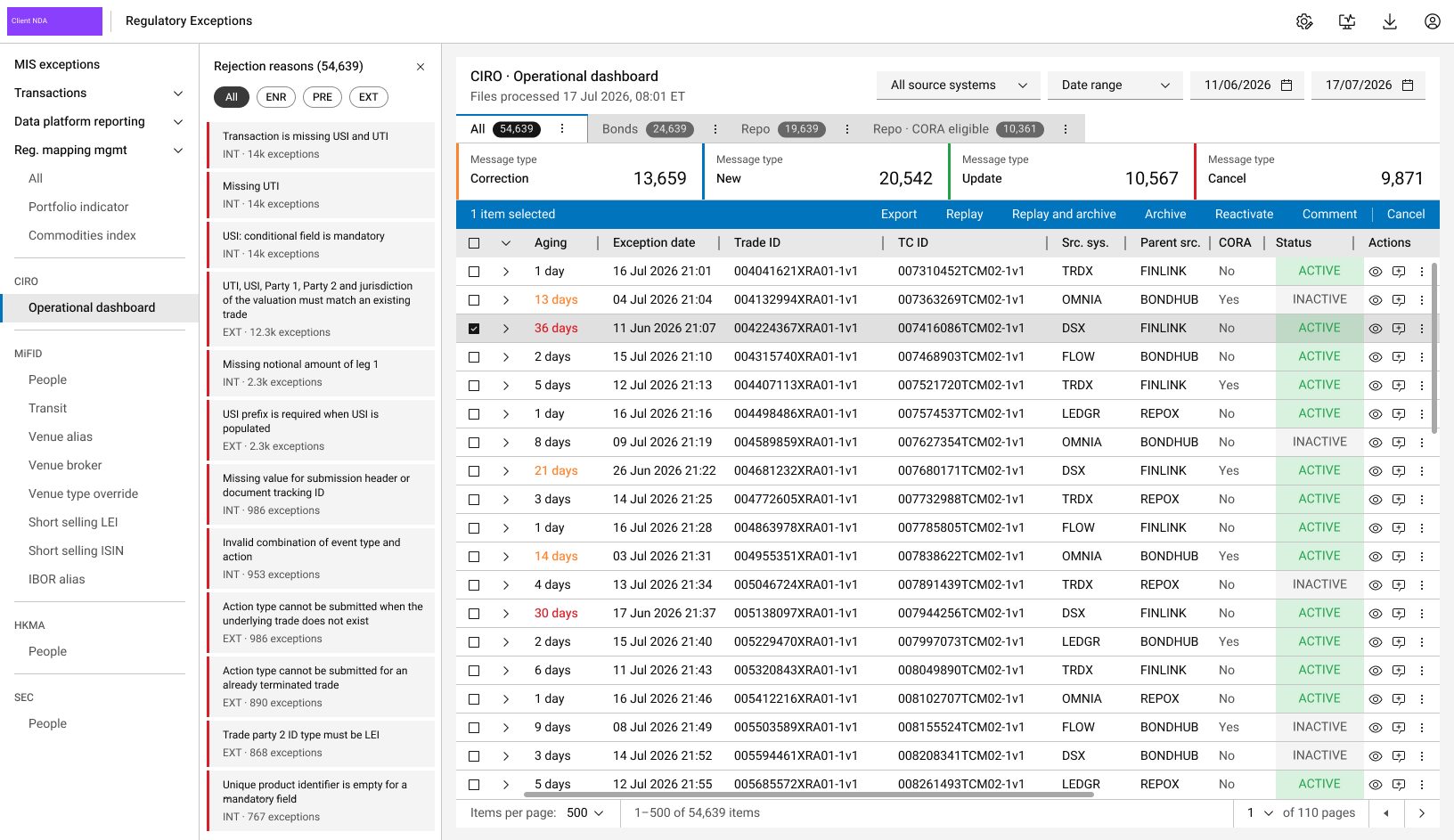
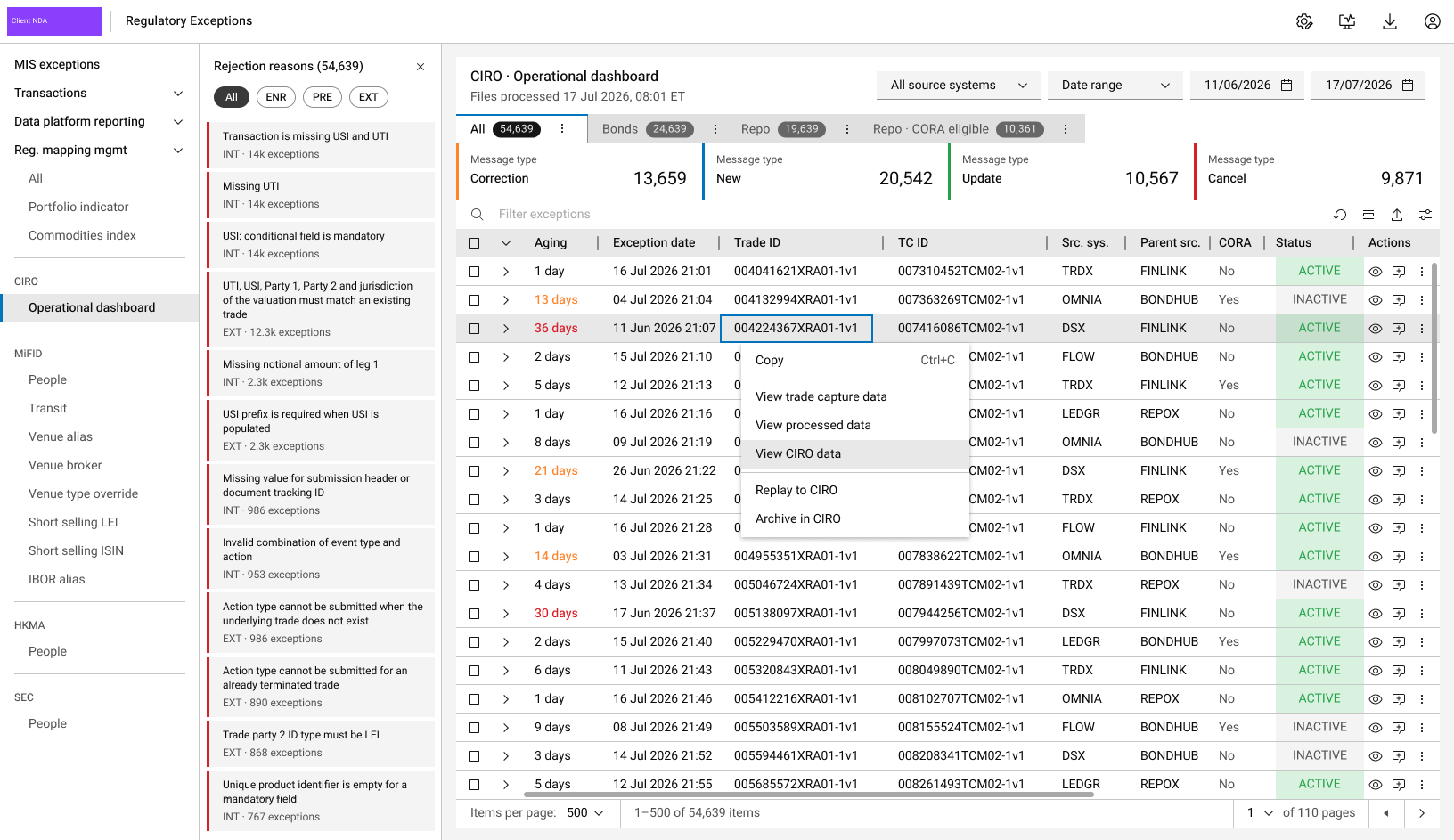
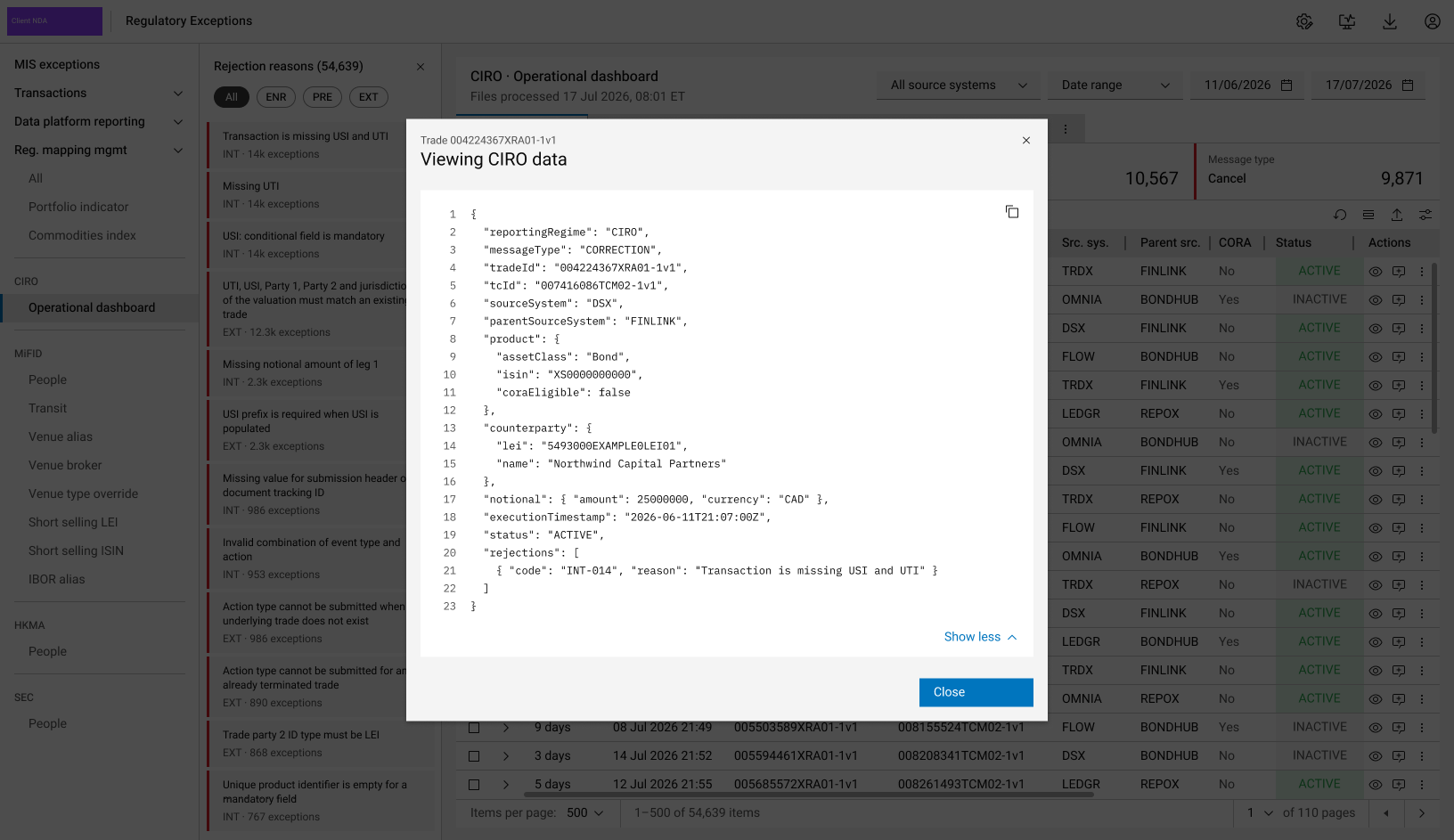
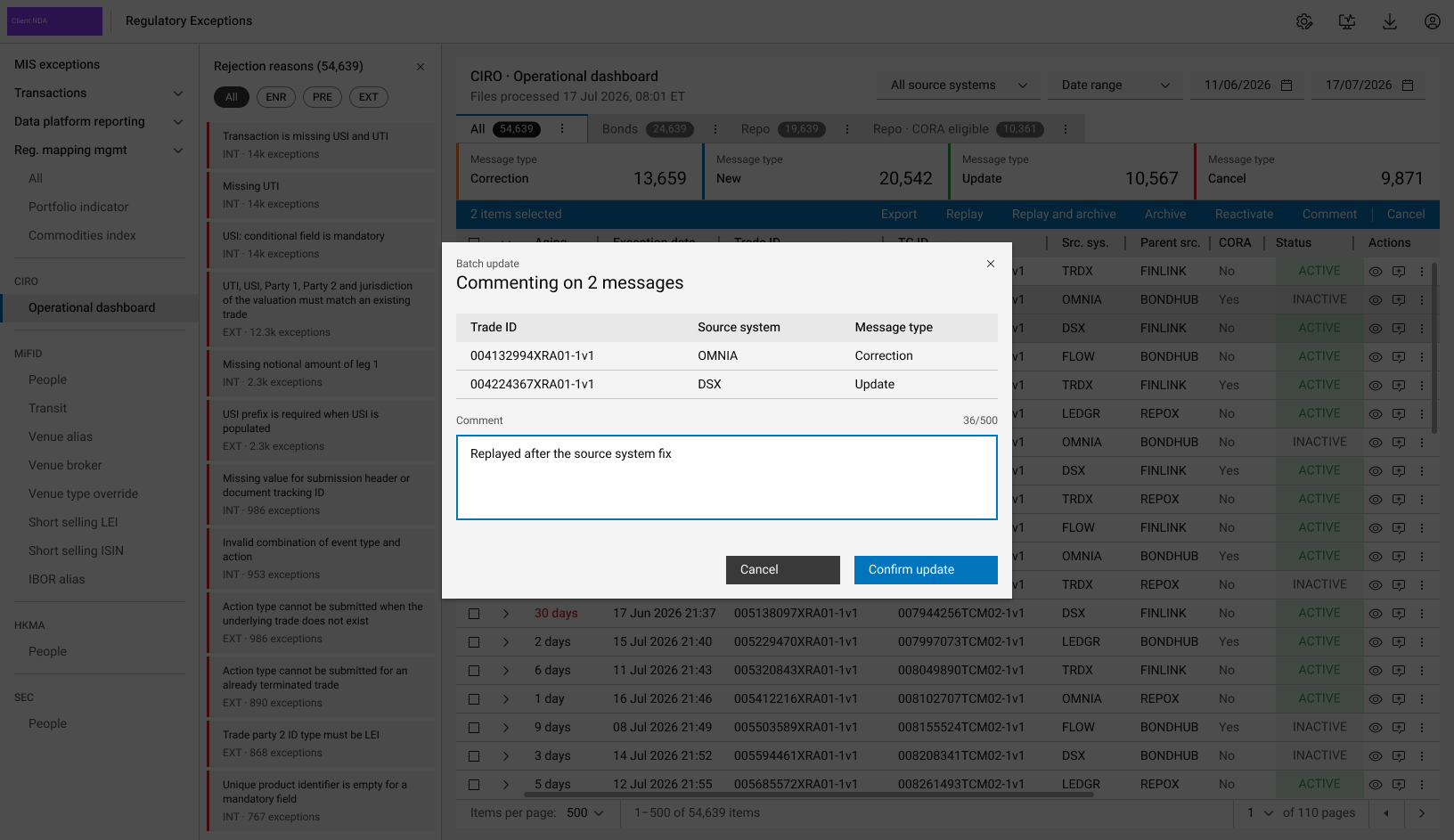
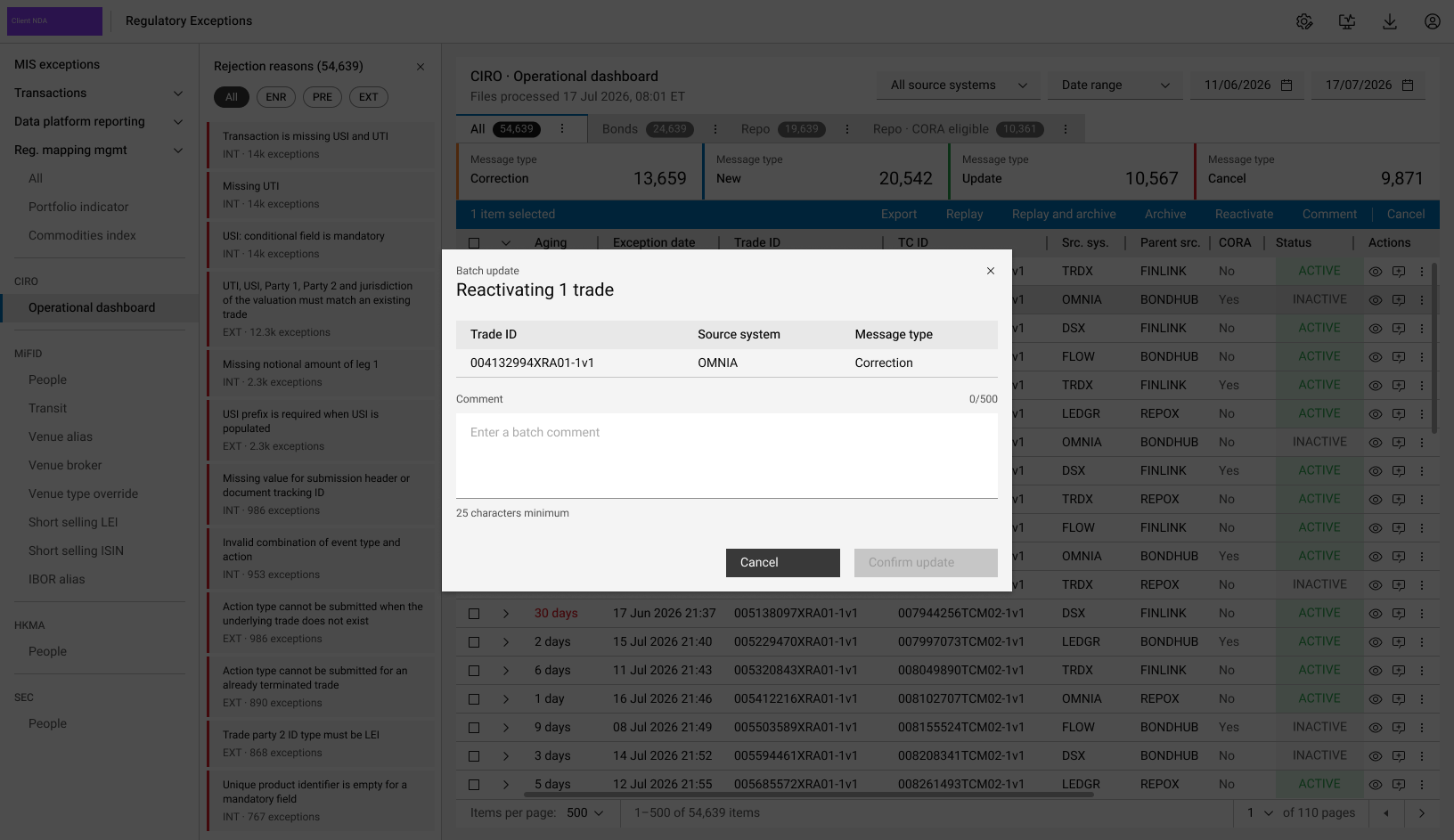
Regulatory trade reporting exceptions in one dashboard, grouped by rejection reason, with tools to view, comment on, replay, archive and reactivate trades.
Exceptions for one regime, filtered by rejection reason, product tab and message type. Aging turns amber at 10 days and red at 30.
How I led across projects
A sample of leadership moments behind the work above
- 1Set the foundation
I pushed to build the design system on an open-source foundation with a strong accessibility baseline, and convinced the Director of Product Design and the Head of UI to adopt it.
- 2Set standards the team adopted
I created the autocomplete search component in partnership with the wider design team, and it was adopted across all of the team's projects.
- 3Aligned senior stakeholders
I worked with 17 senior stakeholders across product, operations and technology, including 80+ hours of design workshops for Client Reference Data.
- 4Took user needs to sign-off
I presented each user need and proposed solution to senior stakeholders for approval before implementation.